23
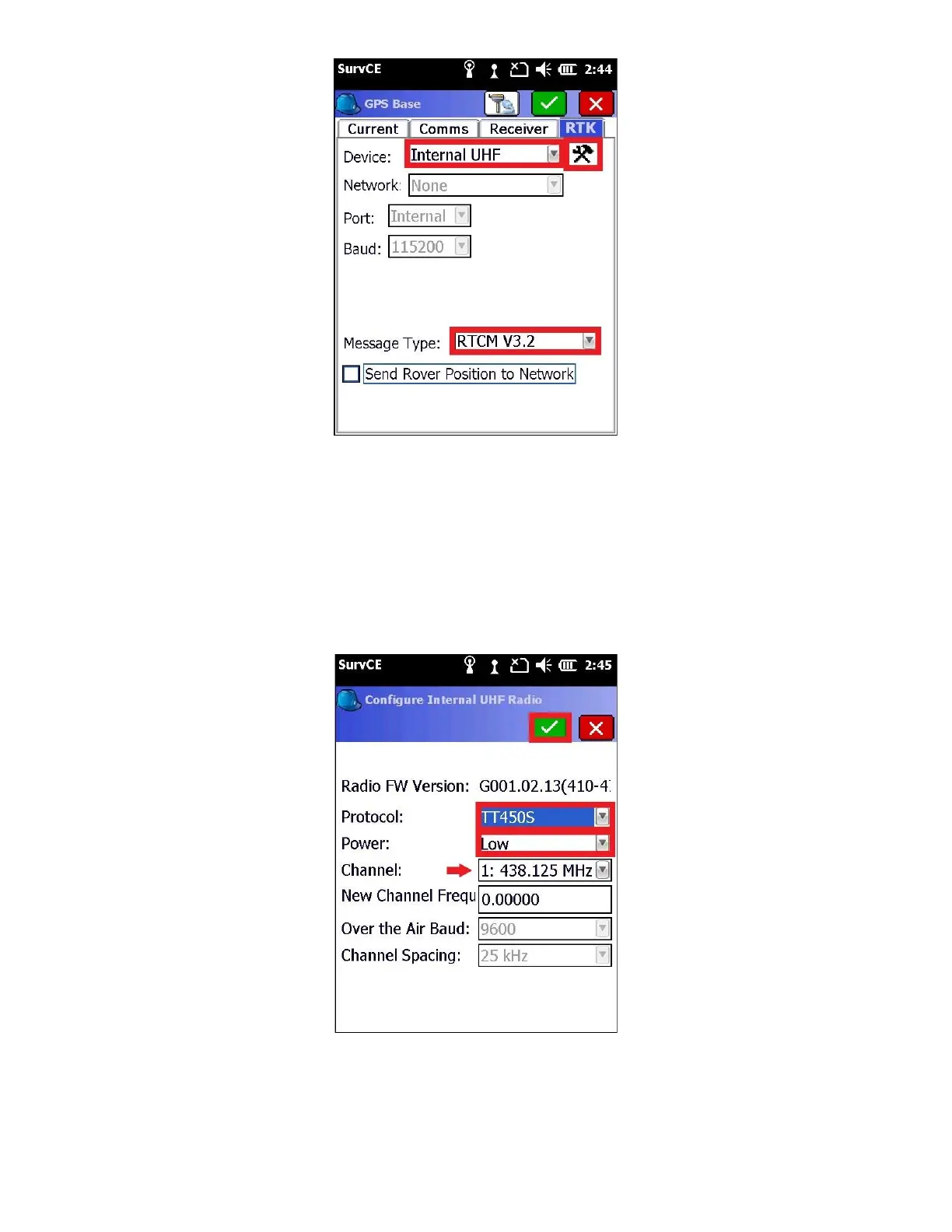
Set the “Device” to Internal UHF and “Message Type” to “RTCM V3.2” then click the settings button to the right of the
“Device” (hammer/wrench)
14. Wait a moment while the data collector retrieves the current radio configuration from the base
Many radio configurations are possible. The Base and the Rover MUST match Protocol, Channel, Over the Air Baud,
Forward Error Correction and Scrambling exactly.
It is best to set the ‘Sensitivity’ to ‘Low’ on the Base, as the Base radio will not transmit if it hears another user on the
same frequency. Low sensitivity will ignore distant users.
15. Click on the green check mark to return to the “RTK” tab



 To Next Page