37
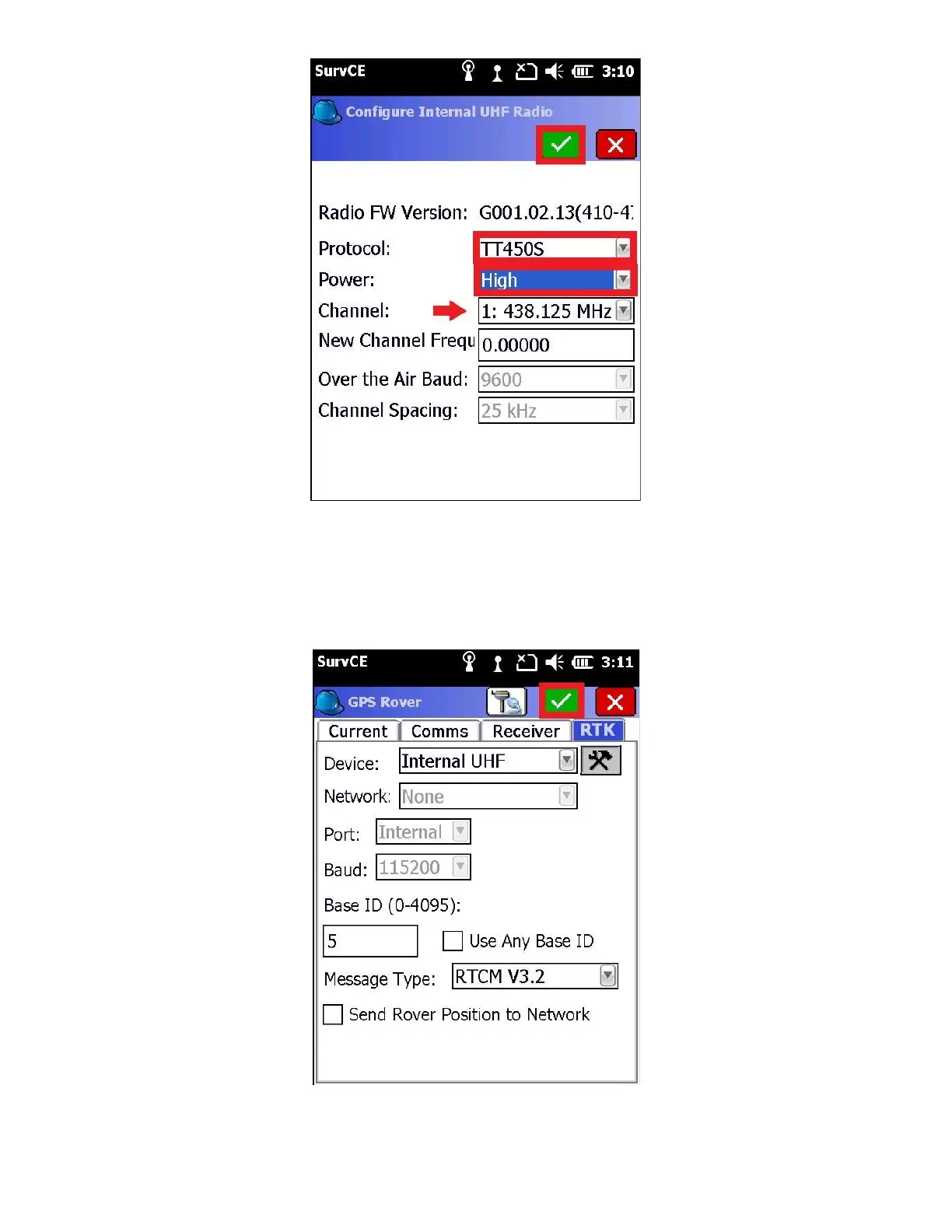
The Protocol, Channel, and Frequency, must exactly match the setting on the base. Always set ‘Sensitivity’ to ‘High’
on the Rover. The Over the Air Baud, Forward Error Correction and Scrambling settings must match the base, as well.
13. Click the green check mark to return to the RTK tab, then click on the green check mark on the RTK tab to configure
receiver.
After a few moments the receiver will be configured.



 To Next Page