36
Only enable the rover receiver to log a 1 Hz static observation file if you wish to perform PPK later on. For RTK
applications it is not necessary to log raw rover data.
Click the green check mark to return to the “Receiver” tab
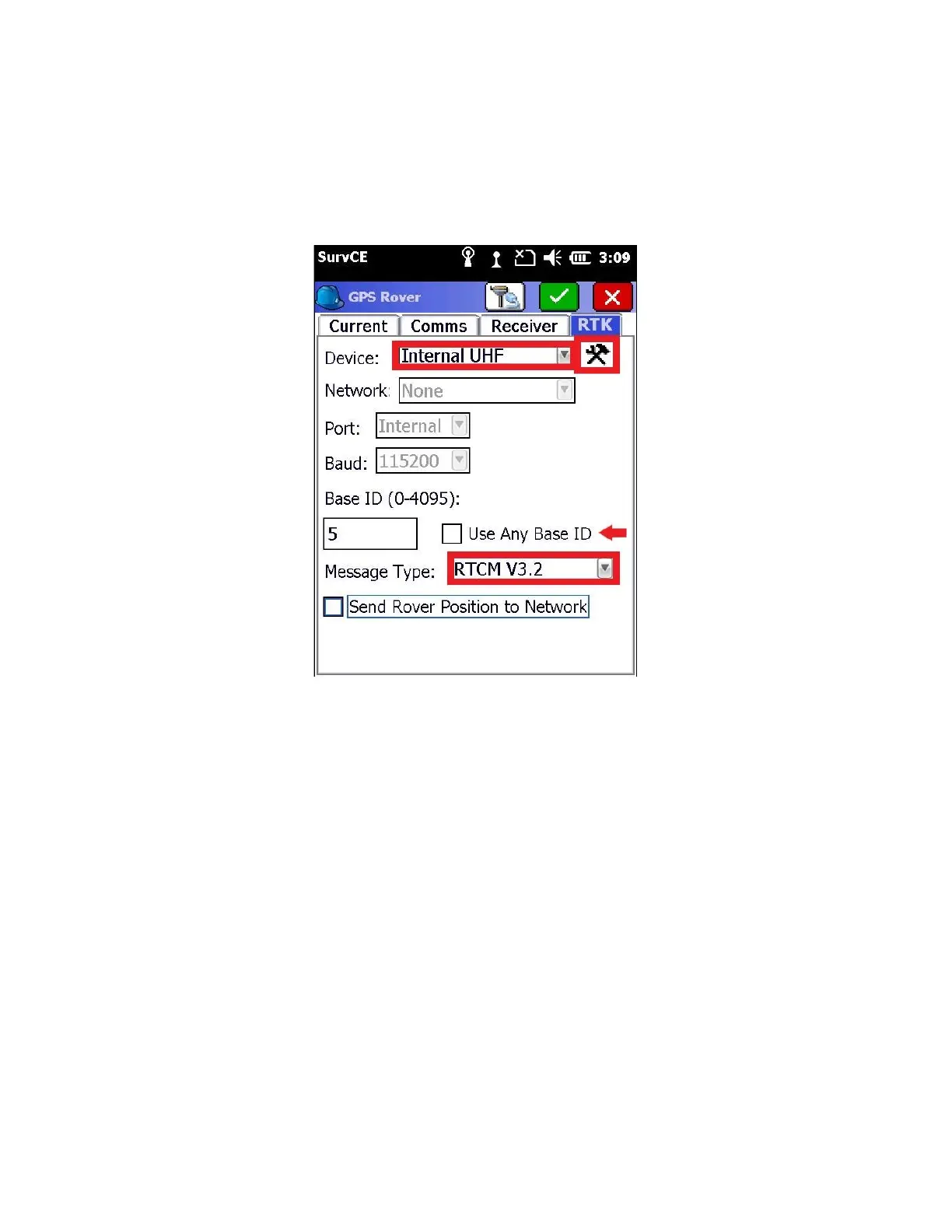
11. Click on the RTK tab
The “Message Type” should match the base. This setting must be correct for the S900 receivers to function
properly.
If you uncheck ‘Use Any Base ID’ then the entered base ID must be entered and EXACTLY match the ID configured on
the base. In most cases, either option will work.
12. Select the Internal UHF device, click on the “hammer/wrench” button to change the radio channel/frequency.



 To Next Page