46
6. Click “Save”
7. Next transfer GRD file to your data collector by connecting the device to your PC via USB cable, and copying the
geoid file to the data collector.
8. In SurvCE, you load the Geoid from the “Equip” tab and then going to “6 Localization” and clicking on the “GPS” tab.
Click the “Geoid File” button, then browse to find the new GRD file
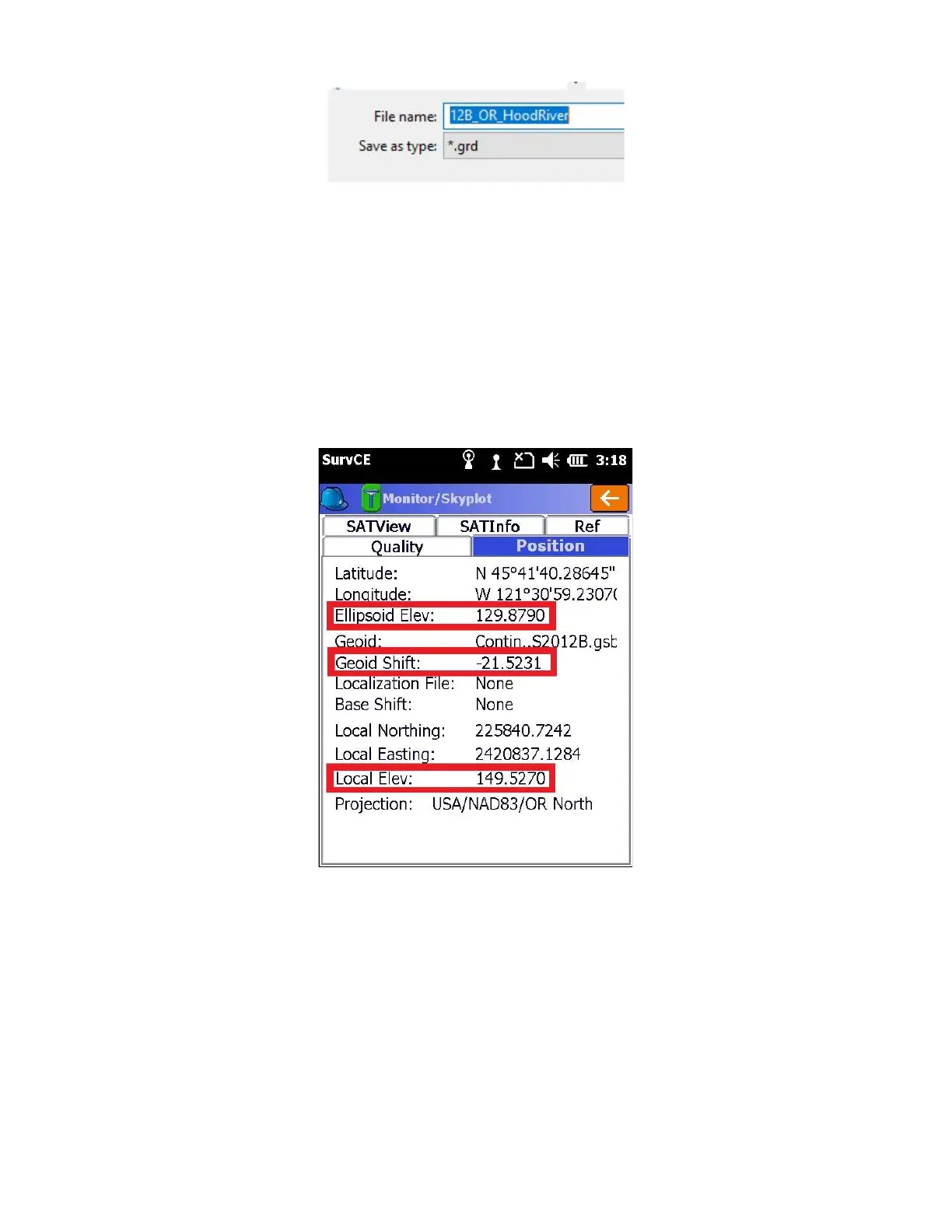
9. You can verify that a Geoid file is loaded and in-use by going to the “Equip” tab and then going to “7 Monitor skyplot”
and clicking on the “Position” tab where you will see the ellipsoid height, and the Geoid separation listed.
For most of the planet the Geoid separation is negative. It is subtracted from the Ellipsoid elevation and causes the
Local (Orthometric) elevation to be greater than the ellipsoid elevation.
If the Geoid file does not cover your survey area, or is not loaded you will see a screen showing the Geoid as “None”
and the “Ellipsoid Elev” is exactly the same as “Local Elev”



 To Next Page