71
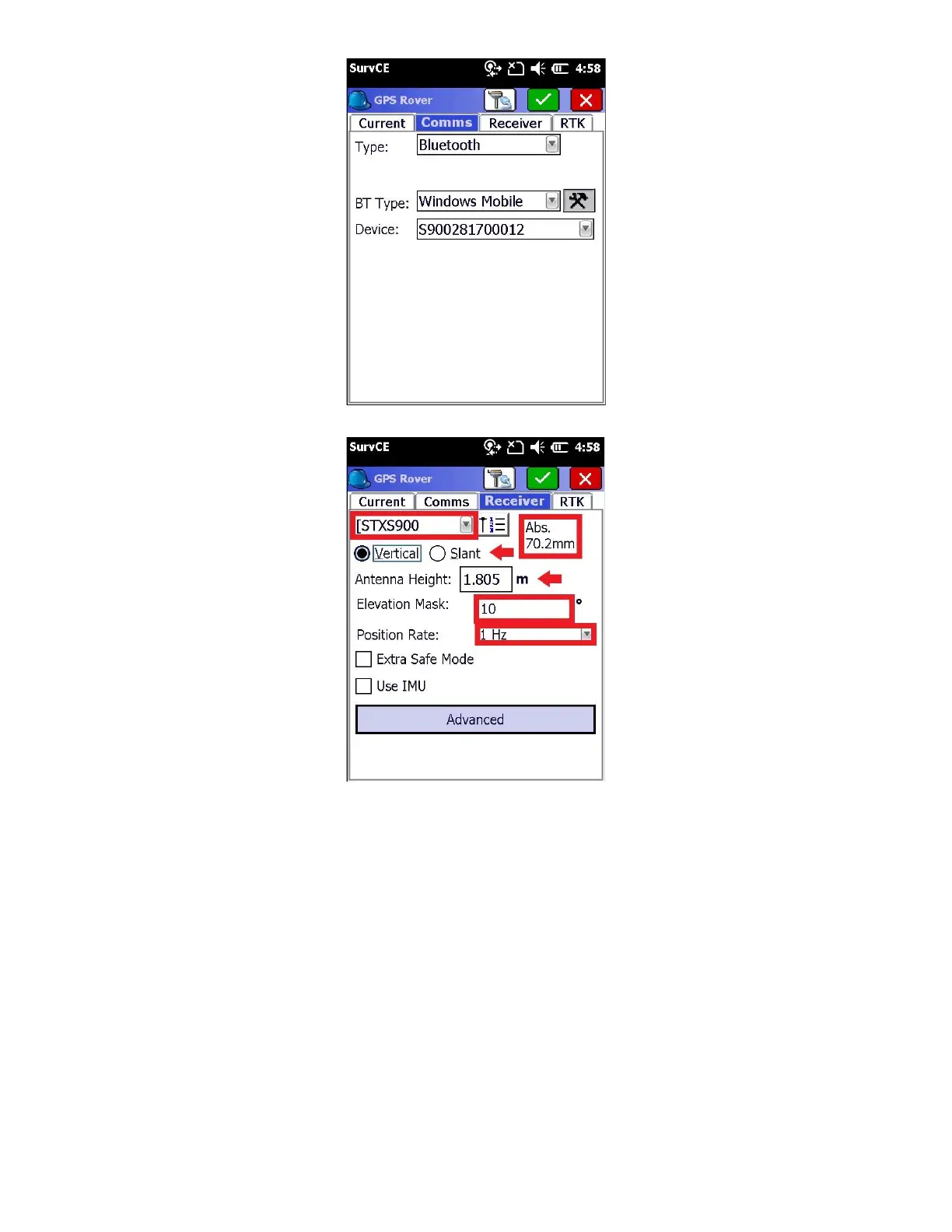
8. Click on the “Receiver” tab:
● Check to ensure that the input antenna height is correct
● Depending on your network, you should select either the Absolute or Relative antenna model. Absolute is the
correct answer in most cases. Contact your network provider if you have any questions.
● Set the ‘Elevation Mask’ to an appropriate elevation for the conditions at the Rover, typically 5 to 10
degrees.
● Set the Position Rate to 1 Hz
9. Click on the “RTK” tab



 To Next Page