72
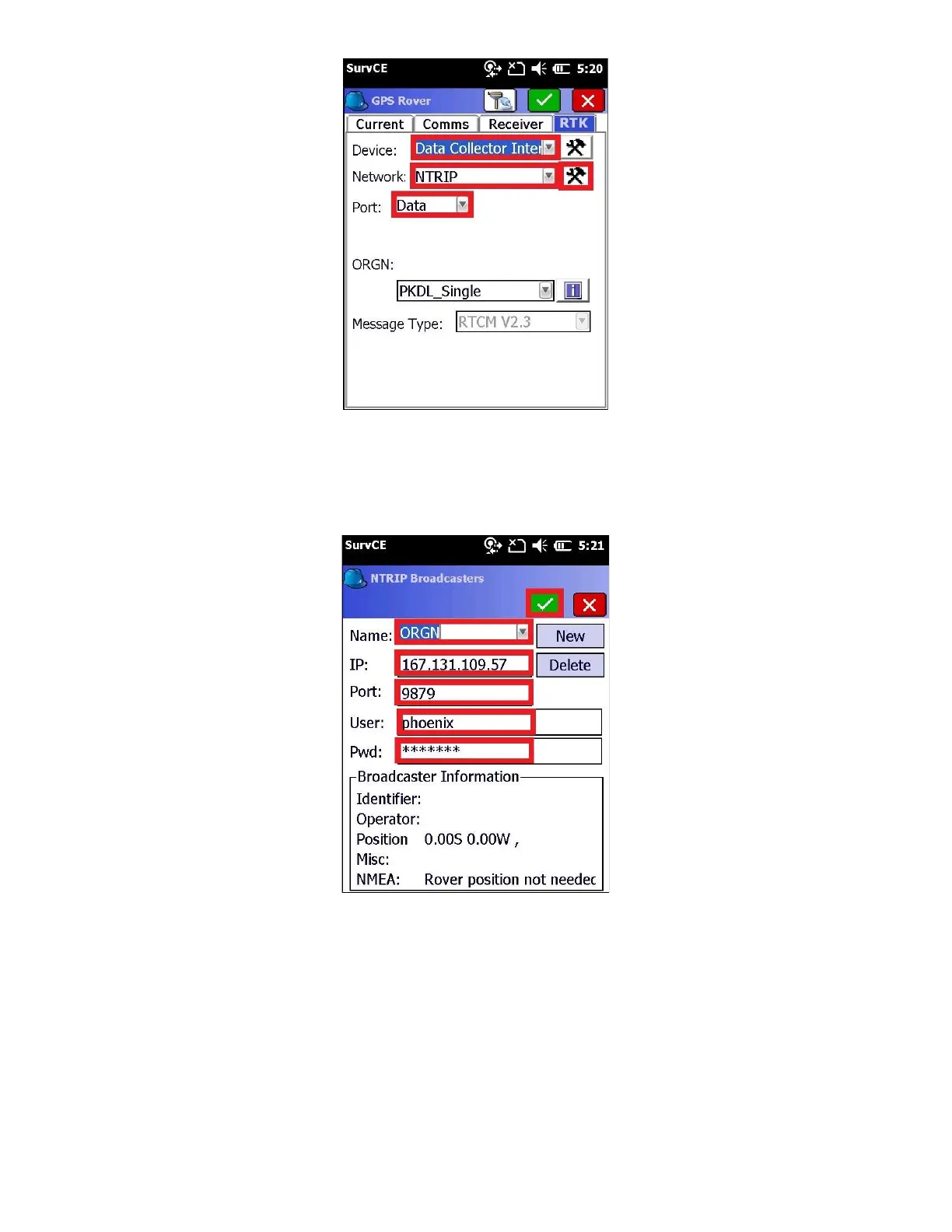
● Set the Device to “Data Collector Internet”
● Set the Network to NTRIP
● The Port should be “Data”
10. Click on the Network Setting button (hammer/wrench button to the right of “Network” setting
Enter the correct service Name, IP Address, Port, User Name and Password for your network. (The example above
shows the “ORGN” or the Oregon Real-time GNSS Network. Both the “User Name” and “Password” are case sensitive
and must match your network credentials exactly. Double check the settings, then click on the Green checkmark.
11. The data collector will load the mount table via the internet and display the list of bases



 To Next Page