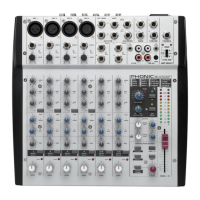
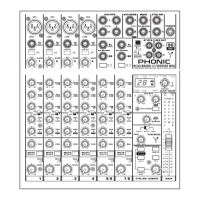
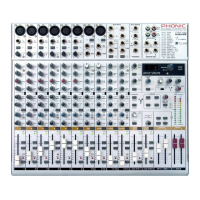
5MU1002X
BASIC SETUP
Getting Started
1. Ensure all power is turned off on your mixer. To totally
ensure this, the AC cable should not be connected to
the unit.
2. All faders and level controls should be set at the
lowest levels to ensure no sound is inadvertently
sent through the outputs when the device is switched
on. All levels can be altered to acceptable degrees
after the device is turned on using the channel setup
instructions.
3. Plug any necessary equipment into the device’s
various outputs. This could include ampliers and
speakers, monitors, signal processors, and/or
recording devices.
4. Plug the supplied power supply into the inlet on the
back of the MU1002X and into an AC power outlet of
a suitable voltage.
5. Turn the power switch on and follow the channel setup
instructions to get the most out of your equipment.
Channel Setup
1. To ensure the correct audio level of the input channel
is selected, each of the level input controls of the
Mixer should be turned counterclockwise as far as
they will go (which should be the -∞ mark).
2. Set the level control of the channel you are setting to
the 0 dB mark.
3. Set the master level control to 0 db mark.
4. Press down the main L / R button on the control room
source section.
5. Ensure the channel has a signal sent to it similar to
the signal that will be sent when in common use.
For example, if the channel is using a microphone,
then you should speak or sing at the same level the
performer normally would during a performance; if
a guitar is plugged into the channel, then the guitar
should also be strummed as it normally would be
(and so on). This ensures levels are completely
accurate and avoids having to reset them later.
6. Set the gain of your selected channel to a level that
ensures the Level Meter indicates the audio level is
around 0 dB.
7. This channel is now ready to be used; you can stop


 To Next Page