11
IT/GB
LINGUE
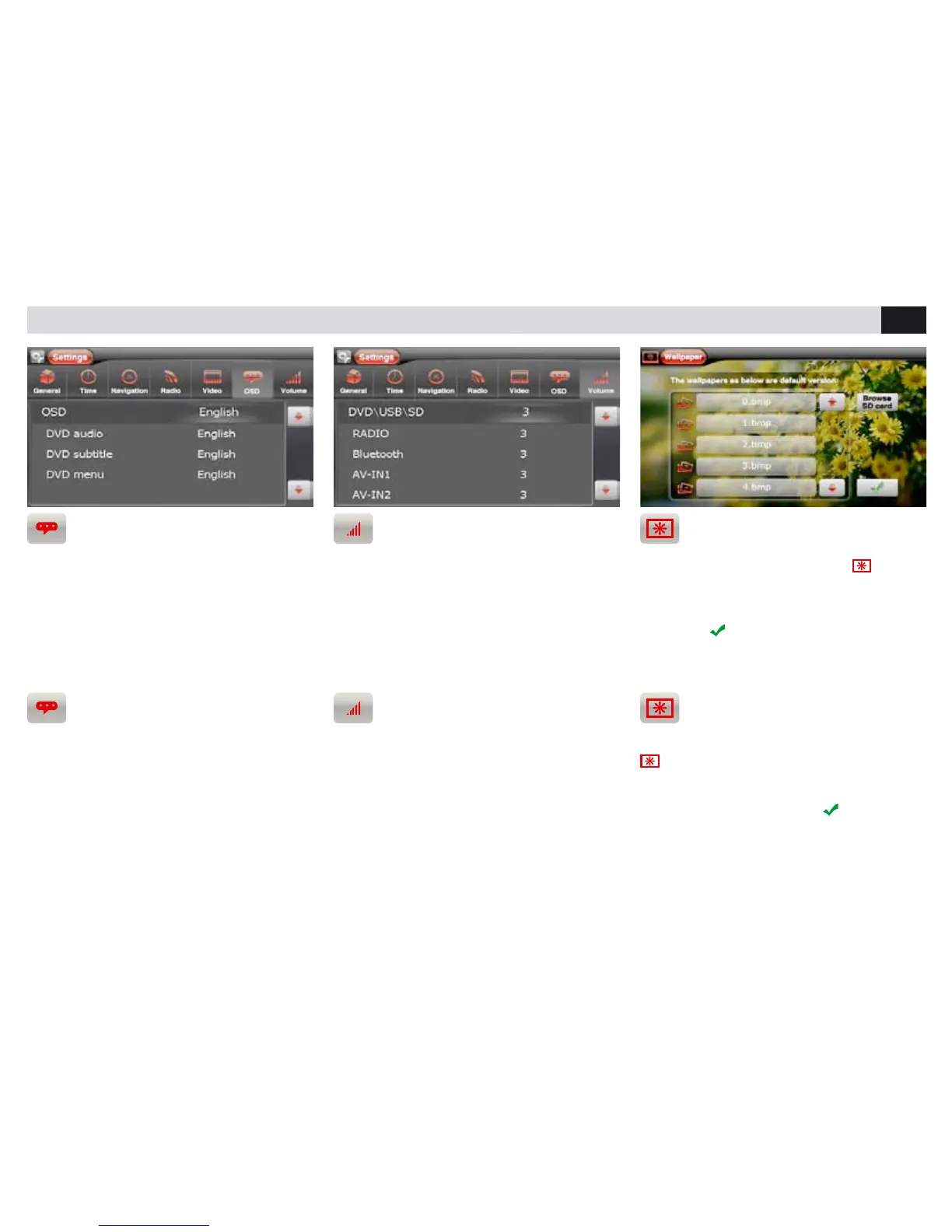
• E’ possibile scegliere la lingua dei menù,
dell’audio e dei sottotitoli del DVD.
LANGUAGES
• It is possible to choose the preferred Language
for the Manues, Audio and DVD-Subtitles.
VOLUME SORGENTI
• E’ possibile la regolazione del volume di ogni
sorgente per evitare di avere sbalzi d’intensità nel
passaggio tra una sorgente e un’altra.
SOURCES VOLUME
• Every single Source has its own Volume-
Setting. This will exclude the disturbing impact
of intensity-differences when switching from one
Source to another.
IMPOSTAZIONI DI SISTEMA • SYSTEM SETUP
PERSONALIZZAZIONE SFONDO
Dal menù principale premere l’icona
per
accedere alla schermata gestione dello sfondo.
Per utilizzare le immagini presenti nella memoria,
premere il nome del le, selezionare l’anteprima e
confermare
.
Per utilizzare immagini da SD Card premere
“LEGGI SD CARD”.
BACKGROUND-PERSONALIZATION
Starting from the Main-Menu, press the icone
to enter the background-setting menu. If
you wish to make use of the memorized back-
ground options, press the requested file-name,
select its pre-view and confirm
. To make use
of background-pictures from an SD-Card, press
“BROWSE SD CARD”.



 To Next Page