17
IT/GB
FUNZIONI BLUETOOTH • BLUETOOTH-FUNCTIONS
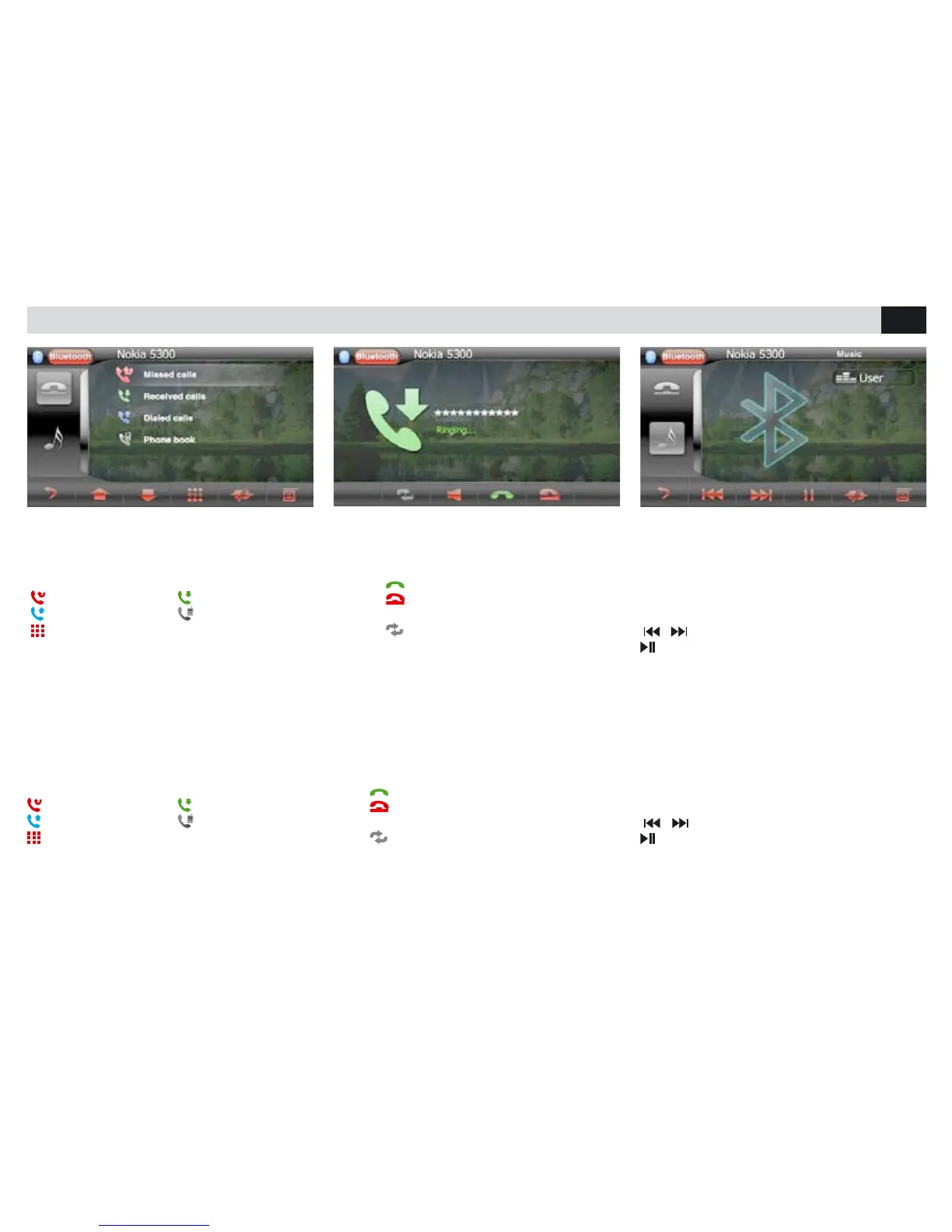
CHIAMARE DALLO SCHERMO
• Selezionare Bluetooth dal menù principale.
• Premere una delle icone presenti sullo schermo
per chiamare da uno degli elenchi.
chiamate perse chiamate ricevute
chiamate effettuate rubrica telefonica
chiamata dal tastierino numerico.
RICEVERE UNA CHIAMATA
Quando è in arrivo una chiamata, il VM036 passa
automaticamente in modalità bluetooth.
Premere
per rispondere.
Premere
per terminare la conversazione o per
rifiutare la chiamata in arrivo.
Premere
per escludere/attivare il vivavoce.
RIPRODUZIONE MUSICA BLUETOOTH
Se il telefono connesso supporta il profilo AD2P
è possibile ascoltare i brani musicali.
Se il dispositivo supporta AVRCP sarà possibile
controllare i brani musicali direttamente dal touch
screen.
/ brano precedente/successivo.
avvia/interrompe la riproduzione.
CALL FROM THE SCREEN
• Select Bluetooth from the Main Menu.
• Press one of the icones available on the scre-
en, to call from one of the given phone-books.
missed calls received calls
dialed calls phone-book
calls effected through number-keys
RECEIVING A PHONE-CALL
When a phone-call arrives, the VM036 automati-
cally switches to Bluetooth-mode.
Press
to answer the phone
Press
to end the conversation or refuse the
in-coming call.
Press
to deactivate/activate the hands-free
Device.
BLUETOOTH MUSIC PLAY
If the connected phone supports the AD2P-
Profile, you can listen to music.
If the device supports AVRCP, the musical tracks
can be handled on the touch-screen directly.
/ Previous/next Track.
Start/interrupt reproduction.



 To Next Page