16
IT/GB
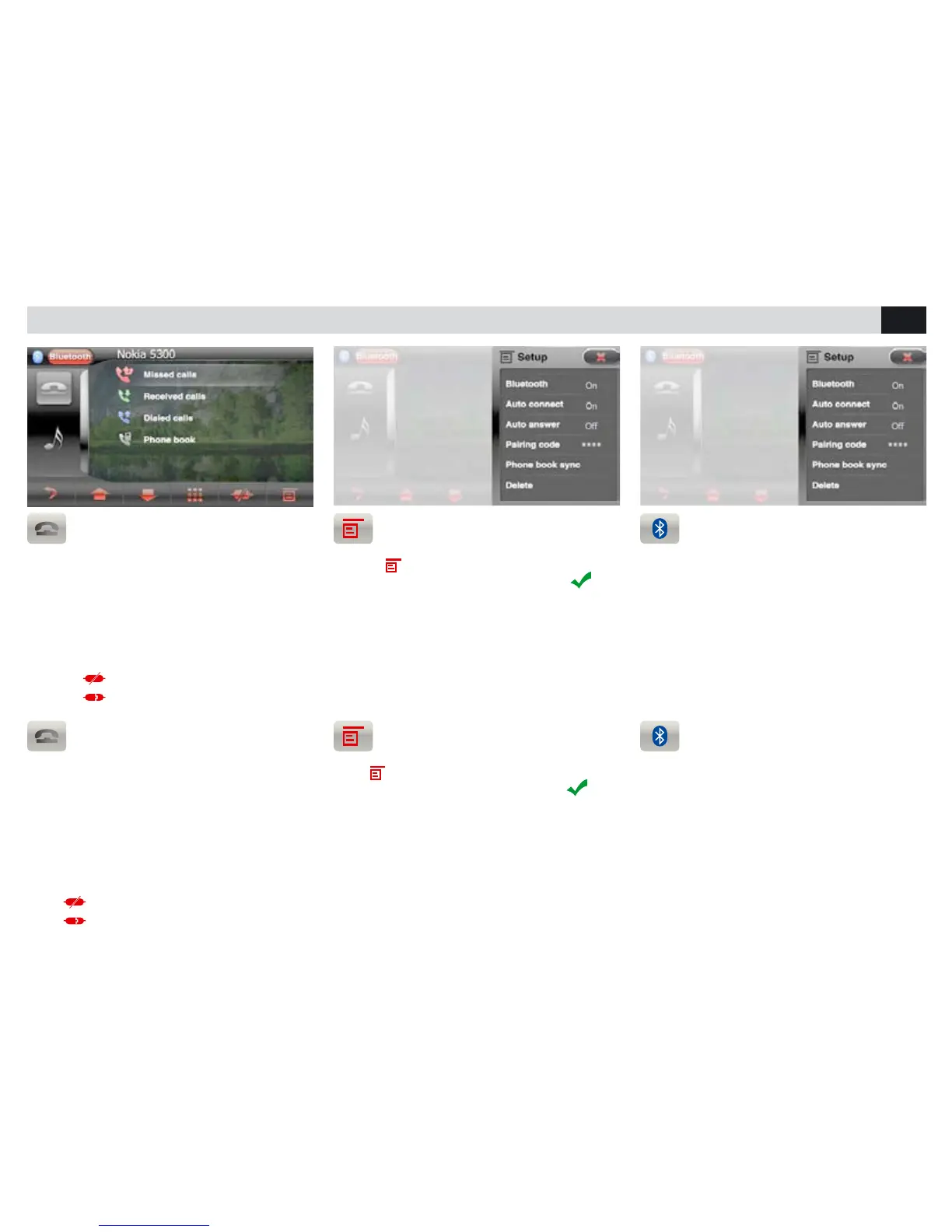
IMPOSTAZIONI BLUETOOTH • BLUETOOTH-SETTINGS
SINCRONIZZAZIONE RUBRICA
Premere
per accedere alle impostazioni.
Selezionare RUBRICA e confermare con
Automaticamente la rubrica del telefono verrà
scaricata nella memoria dell’autoradio. Il tempo
per l’operazione varia in base al numero dei
contatti.
OPZIONI BLUETOOTH
• AUTO-CONNESSIONE connette automatica-
mente il telefono.
• RISPOSTA AUTOMATICA risponde automatica-
mente alla chiamata.
• PIN cambia la password di accopiamento
• CANCELLA Elimina i dispositivi accoppiati.
ACCOPPIAMENTO TELEFONO
E’ possibile accoppiare fino a 5 telefoni.
• Attivare la funzione bluetooth sul telefono e
ricercare nuovi dispositivi.
• Selezionare PHONOCAR nella lista dispositivi,
inserire la password 0000 quando richiesta.
Ad accoppiamento avvenuto comparirà il nome
del telefono.
Premere
per disconnettere il telefono.
Premere
per riconnettere.
PHONE-COUPLING
Up to 5 phones can be coupled to the Device.
• Activate the Bluetooth-function on the phone
and search for new devices.
• Select PHONOCAR from the devices-list,
digit the password 0000, on request.
As soon as the coupling-process has been suc-
cessfully accomplished, the phone-name will be
shown.
Press
to disconnect the phone.
Press
to reconnect the phone.
PHONE-BOOK SYNCHRONIZATION
Press to enter the setting options.
Select PHONE-BOOK and confirm with
The phone-book of your telephone will automati-
cally be downloaded into the car-radio’s memory.
The time required for this operation depends on
the number of contacts contained in the phone-
book.
BLUETOOTH-OPTIONS
• AUTO-CONNECT provides for the automatic
phone-connection
• AUTO ANSWER answers automatically all in-
coming calls.
• PIN modifies the pairing code password.
• DELETE Cancels the coupled devices.



 To Next Page