9
IT/GB
COLORE TASTI
LIVELLO DI PROTEZIONE DVD
• Per cambiare l’illuminazione dei tasti del pan-
nello frontale premere COLORE TASTI.
• Impostando ADULTI non ci sarà nessuna restri-
zione nella visione.
• Memorizzando altri livelli impostare
la PASSWORD.
IMPOSTAZIONI DI SISTEMA • SYSTEM SETUP
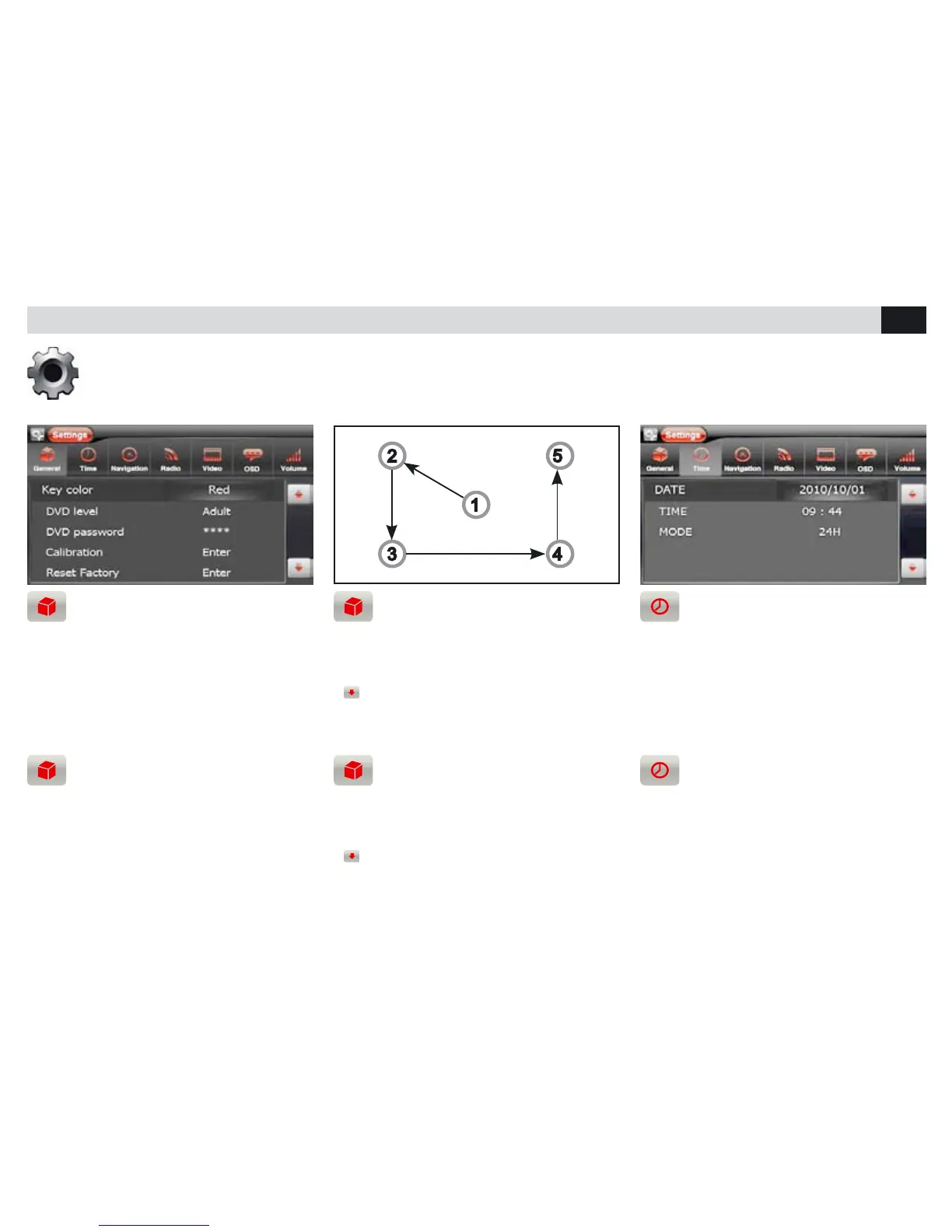
CALIBRAZIONE TOUCH SCREEN
RESET DI FABBRICA - BEEP
• La calibrazione avviene toccando lo schermo
secondo la sequenza indicata.
• Reset, ripristina le impostazioni di fabbrica.
•
Beep, permette di attivare/disattivare il
suono ad ogni tocco del touch screen.
REGOLAZIONE DATA E ORA
• Posizionarsi sulla voce da modicare ed effet-
tuare le modifiche.
Regolazioni: illuminazione tasti, livello di protezione DVD, calibrazione, reset, data e ora, navigazione, impostazioni radio, impostazioni video,
lingue, volume sorgenti, personalizzazione sfondo.
Settings: key-illumination, DVD non-Adult protection-level, calibration, reset, date and time, navigation, radio-setting, Video-setting, languages,
Source-volume, personalized screen-background.
KEY-COLOR
DVD CHILDRENS PROTECTION
• To change front-panel key-illumination, press
KEY COLOR.
• By choosing ADULT, DVD-viewing will be com-
pletely free from restrictions.
• Set password to choose different protection
levels.
CALIBRATION OF TOUCH SCREEN
FACTORY-RESET - BEEP
• Calibration starts by touching the screen and
carries on per predetermined procedure.
• Reset, restores the factory-settings.
•
Beep, allows to activate/deactivate the
Sound, each time you touch the screen.
SETTING DATE AND TIME
• Position yourself on the function required and
effect necessary changes.



 To Next Page