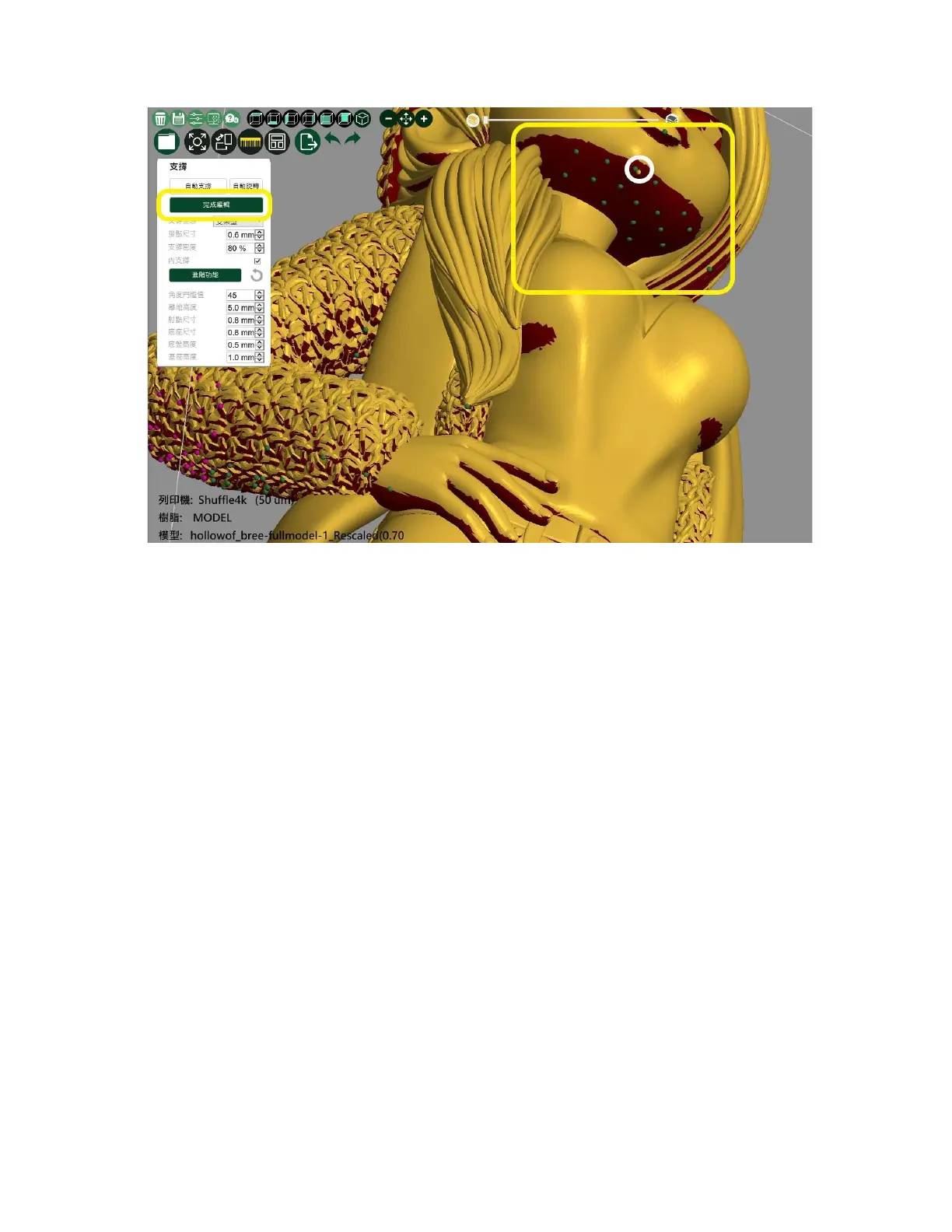
Step1
è
Select "Edit Support"
Step2
è
The support will be converted to contact point mode; at this time,
can manually add the support by pressing the left mouse button at
the color change of the model.After clicking the left button to select
the contact point to be removed,
Step3
è
After completing the editing support, please select “Edit Support”
once.









 To Next Page