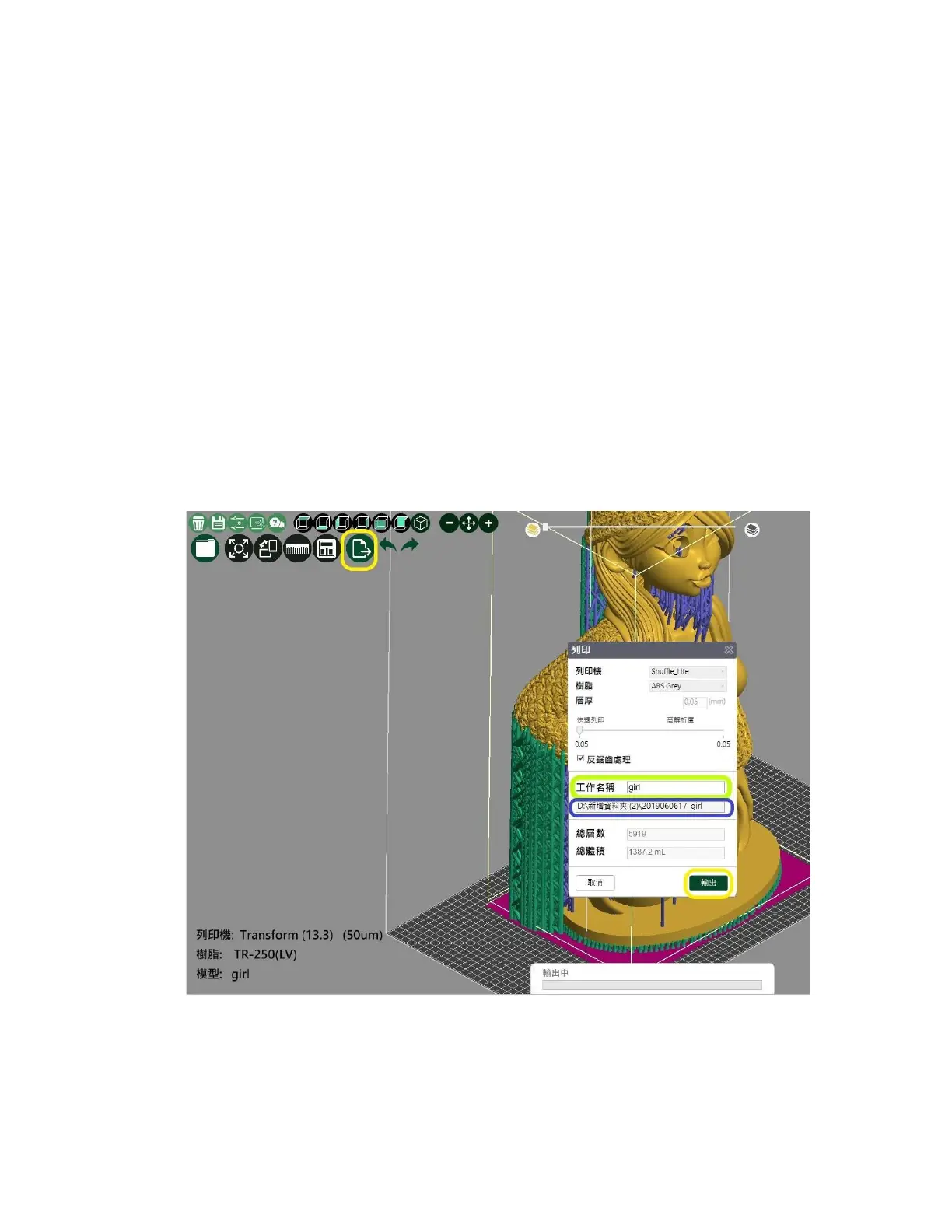
7.Export Slice
Step1
è
Select the output slice file
Step2
è
Check if the parameters are correct
Step3
è
The model name can be changed at this time.
It is suggested to name it in short English.
Step4
è
The storage location is preset and cannot be changed here.
Step5
è
Select output after confirmation









 To Next Page