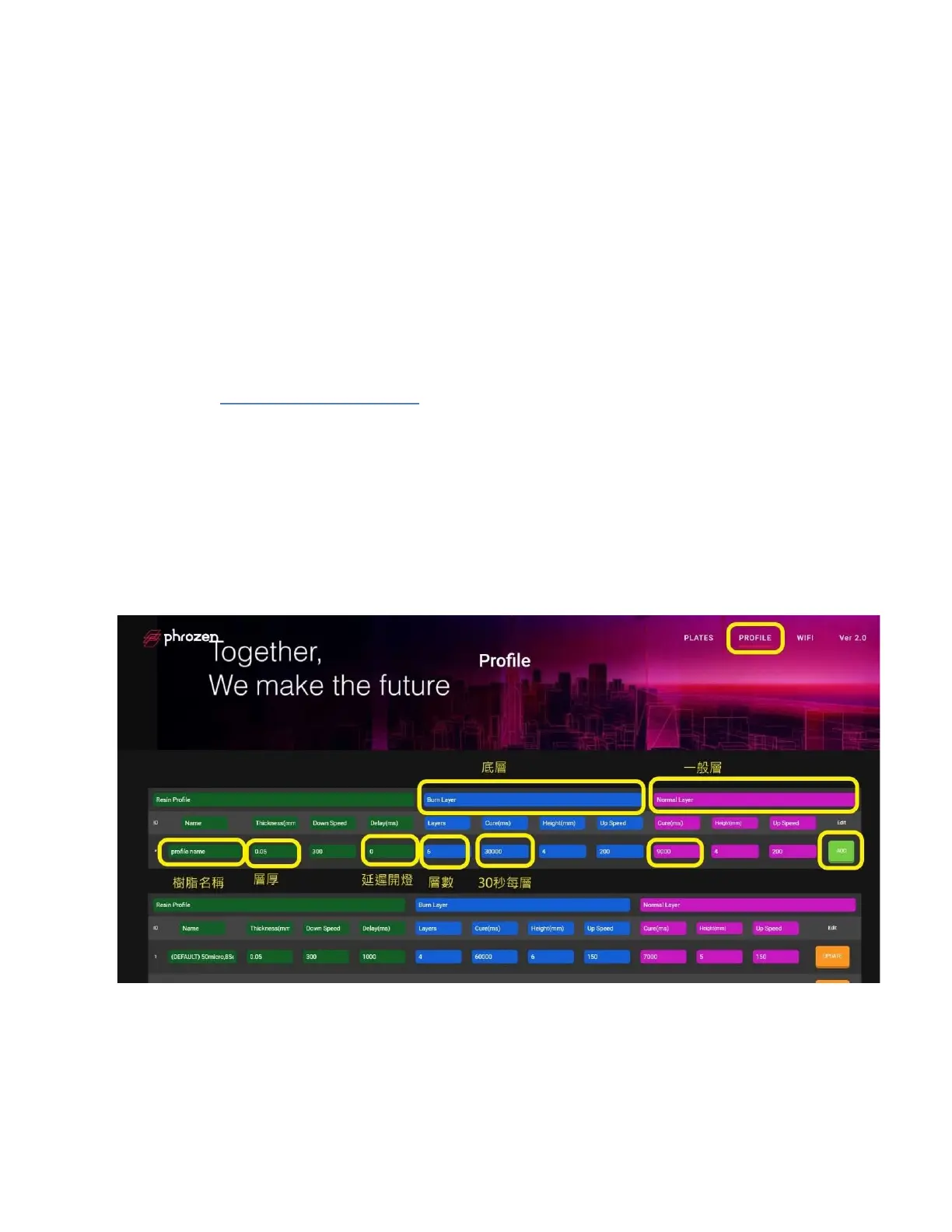
2.Resin profile setting
Step 1
è
Connect your 3D printer to the internet via Ethernet Cable or WiFi.
Step 2
è
Input the IP address showed at the top of Phrozen OS display on
your web browser.
Step 3
è
Click 【PROFILE】of the navigation bar
Step 4
è
Add new resin profile by inputting name and profile setting
Ø Tip 1 Check Phrozen Resin profiles of all models here!
è https://reurl.cc/0zy6Xk
Ø Tip 2
è
1 second = 1000 ms
è
1 um =0.001 mm
Ø Tip 3 Please name your resin profile with ONLY EN ALPHABET.
Ø Tip4 Choose the resin profile which is ready to print and UPDATE









 To Next Page