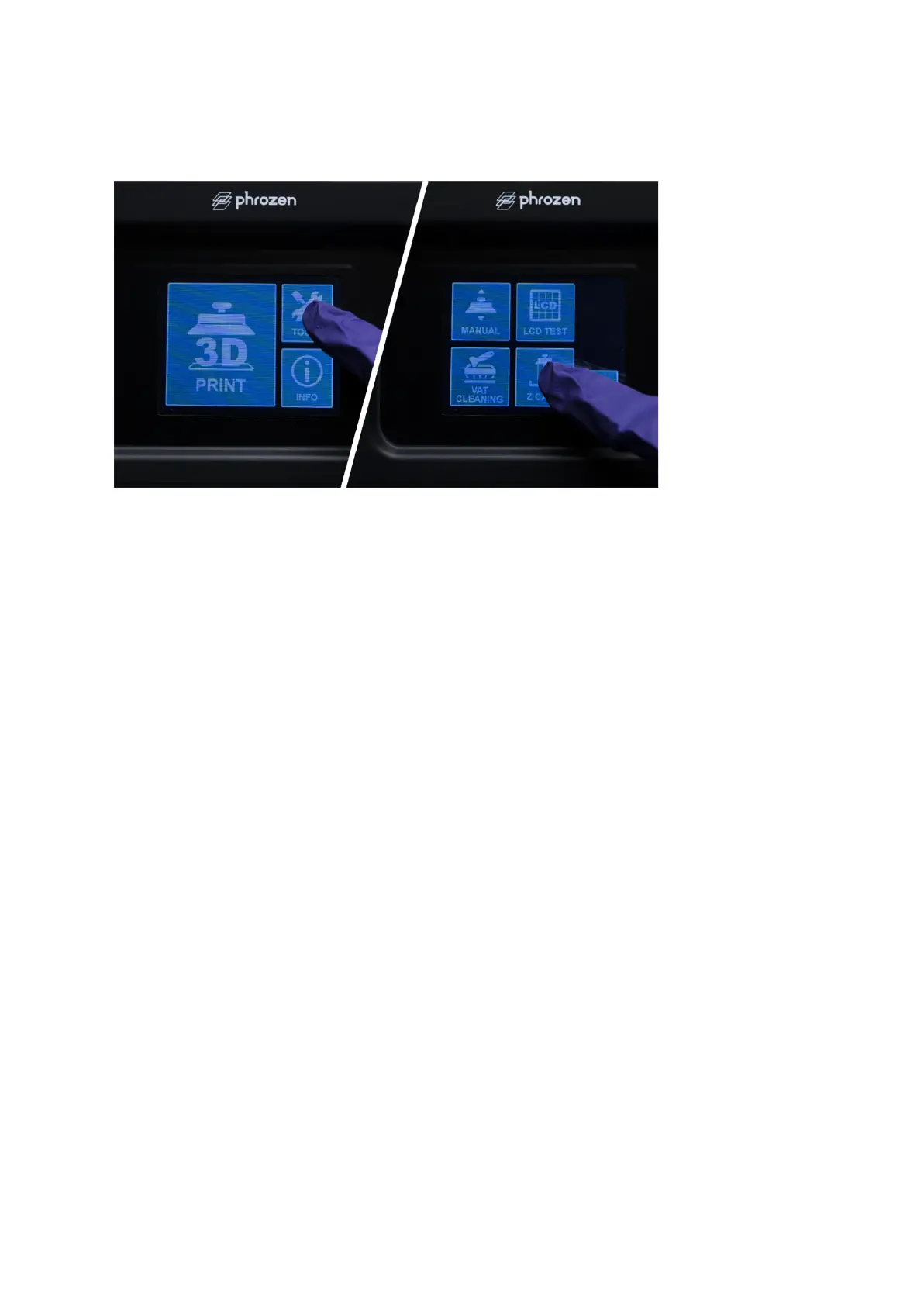
Step 4: Click on the Z CALIB button on your printer’s touch panel to begin the process. Wait
for 1-2 minutes as the building platform extends to touch the A4 paper laying flat on the LCD.
Step 5: Once the plate has touched down, press down tightly on the sides of the building
plate and adjust it to make sure it is lying tight against the sheet of paper.
Step 6: Tighten all 4 screws on the sides of the building plate, with the other hand still
pressing the building plate down.
Step 7: Click DONE on the touch screen and wait for the building plate to retract.
Step 8: Once the plate has retracted, remove the A4 paper, and you’re ready to begin your
3D printing journey!









 To Previous Page