ª¢
ª
▎
▎
▎
▎
▎
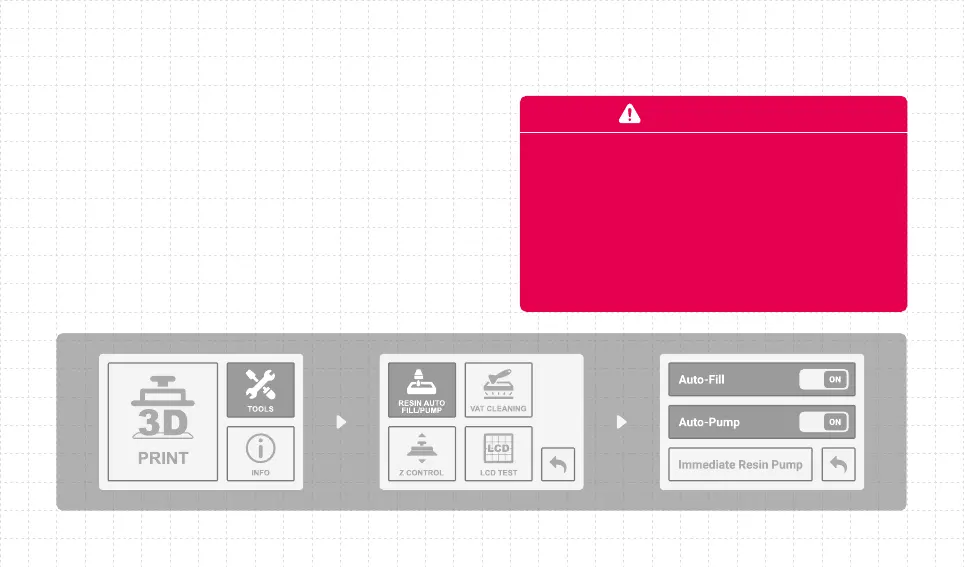
When the " Auto-Fill Resin " function is turned on, the printer will first fill the resin
until the liquid level reaches 7~9mm before it starts printing. If you fail to
reach this liquid level, a warning will pop up on your printer's touch screen,
indicating that the printing process cannot be performed.
When the liquid level is lower than 7~9mm, the device will automatically
start to fill back the resin.
When the " Auto Pump " function is turned on, the resin will be automatically
pumped back into the resin bottle for 10 minutes following the completion of
the print job.
Place the machine on a clean and level surface.
The automatic resin pump will extract most of the resin, but we still recommend
you clean the resin vat.
PRECAUTIONS
±
ª









 To Next Page