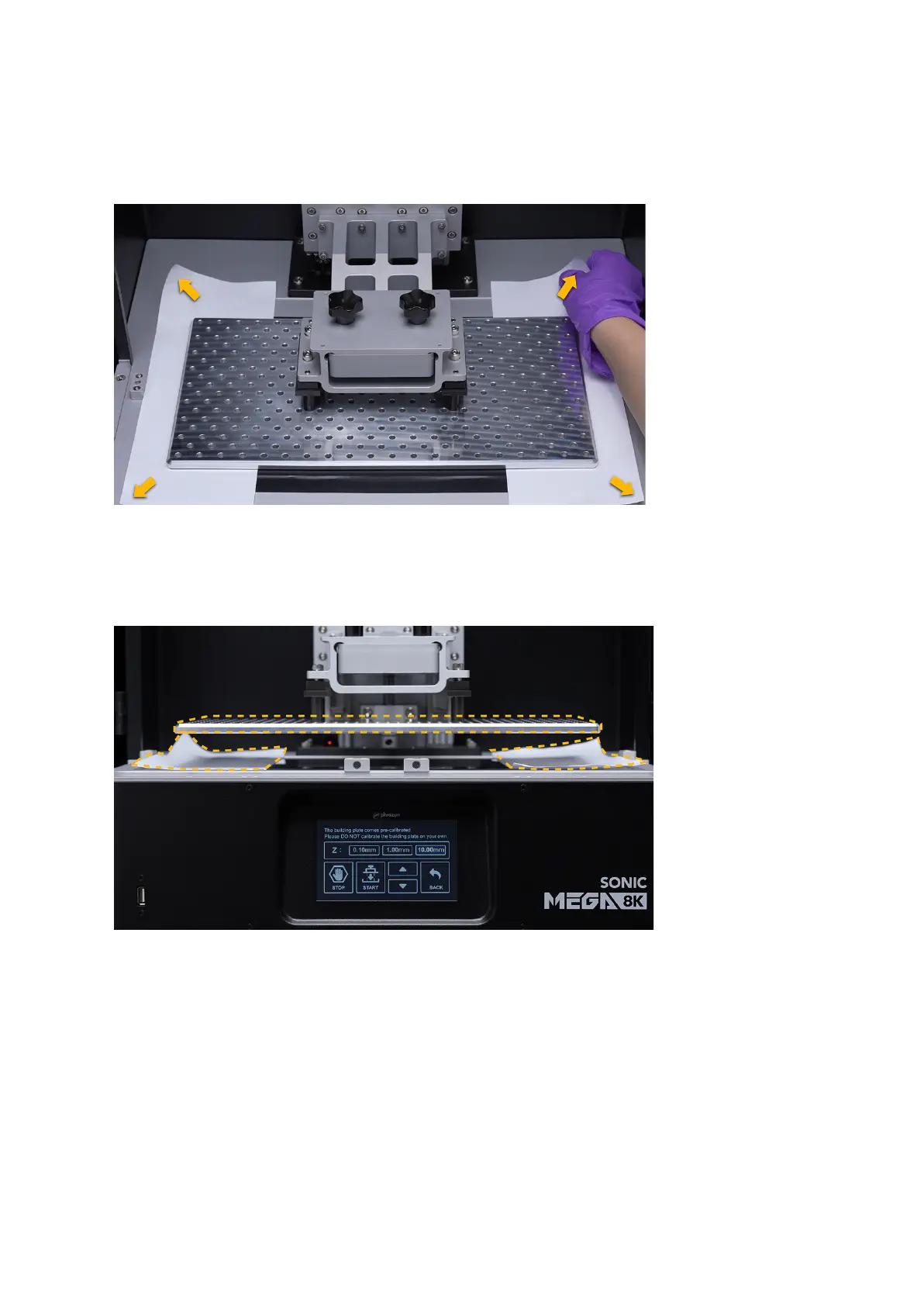
Step 11: Double-Check Z-axis Calibration
After calibration is complete, the friction force between the four corners should be the same
as before. Tug on all four corners of the A4 paper to check the pressure intensity.
Step 12: You’re DONE!
Click on the Up arrow on your touch panel to move the building plate up by 30mm. Then
remove the building plate and the paper.
Install the building plate handles back on. Then attach the building plate back onto the resin
3D printer and you're good to go!









 To Next Page