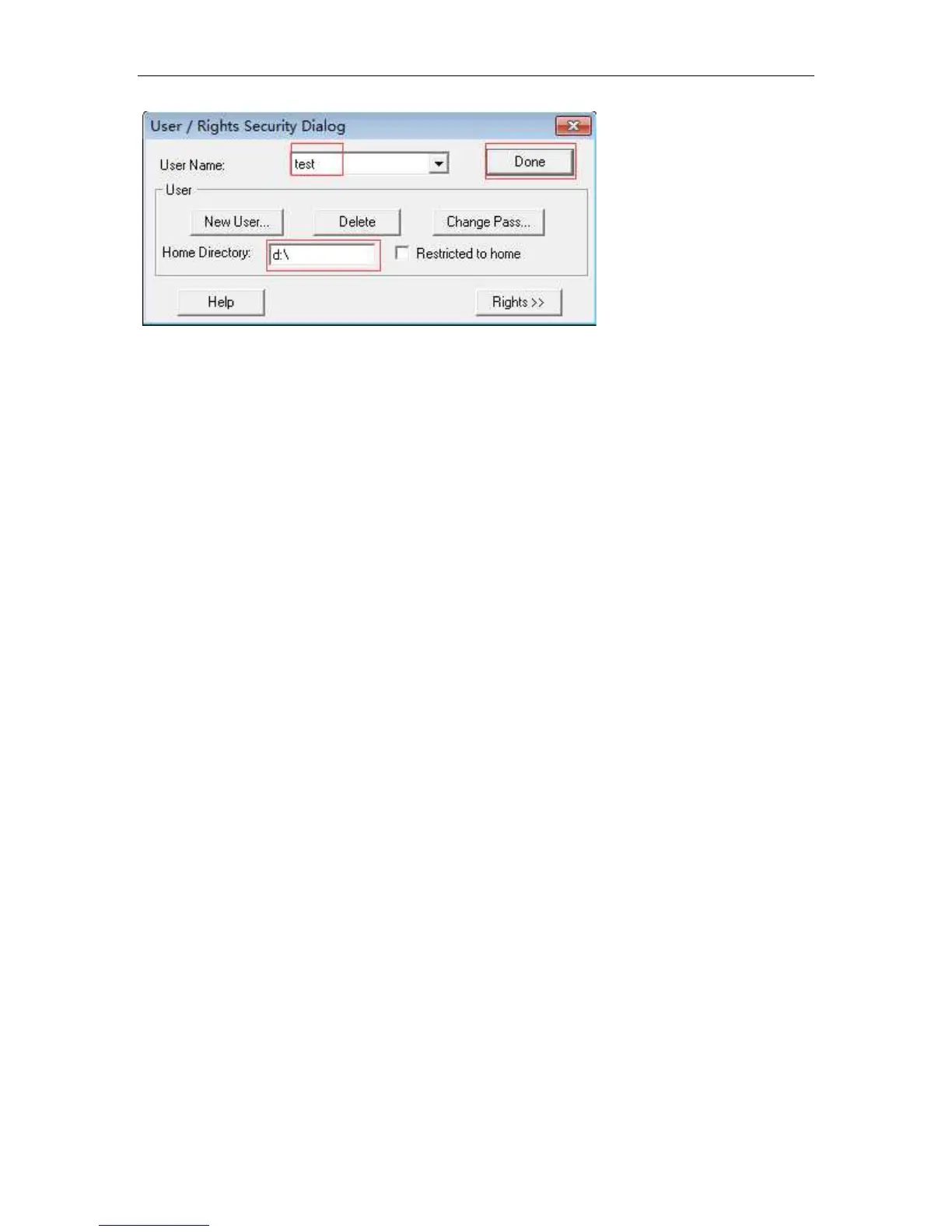
the program need to upgrade should be put in the corresponding directory.
9.2.2 ONT program loading
Execute the ONT program in the config mode:
Host(config)# ftp download
A.B.C.D Remote ftp server ip address ------------server IP address
Host(config)# ftp download 192.168.0.100
USER User name for host login ----------FTP user name
Host(config)# ftp download 192.168.0.100 test test
WORD Download file name from ftp server ----------FTP password
Host(config)# ftp download 192.168.0.100 test test v411c01.bin
[WORD] Write file name to local host -------to be upgraded
Host(config)# ftp download 192.168.0.100 test test v411c01.bin
When FTP download the program to the the OLT, and then select the ONTS need
to upgrade to upgrade. Due to the different types of ont, the program is not the
same, so upgrade need develop ont type. Types of input must be same with type
of ont .
Host(config)# upgrade onu 1/1:1 dev-type FHR1100 filename tclinux.bin
1/1:1 is a list of ONT to be upgraded, or 1/1:1,2,3,1/1:1-10 or 1/1:all
After the batch upgrade, you can view the upgrade status of ONT:
Host(config)# show upg-onu-status 1/1:all
After the program is loaded, the program needs to be activated to complete the


 To Next Page