APPLICATION
The ENV RELEASEsliderlistsincreasesthereleasetimeoftheenvelopeinsecondswhenmovedright.
DUCKING SENSITIVITY and DUCKING RELEASE TIMEarecontrolsforthe
DUCKoption(seethe‘DelayLinei/o’sectionformoredetails).TheDUCKING SENSITIVITY
slideradjuststhesensitivityofducking,leftbeingtheleastsensitive,andrightbeingthemost.The
DUCKING RELEASETIMEsliderlistsincreasesthereleasetimeoftheenvelopeinseconds
whenmovedright.
The FILTER CUTOFFSadjustthecutofffrequencyofeachlter.SeemoreintheTOUCH
SWITCHES:FILTERS section.
MAX PITCHadjuststhepitchesoftheJUMPfunction.Selectanintervalfromthedropmenu
inordertochangethesetting.SeeE2 REMOTE SWITCH section.
PRESET BLENDING:Byutilizingtheabovementionedfeatures,theapplicationcanautomatically
settheadvancedsettingstoblendbetween2twopresets.ThiscanbeaccessedbyclickingEdit->Blend
Presetsorbyclickingcommand-BonMacorCtrl-BonPC.
Note:WhenusingPRESET BLENDING,theTOUCH SWITCHsettingsareinherited
fromtheHEELsettinganddonotchangewhenintheTOEsetting
DEVICE SETS:A DEVICE SETisalewhichholdsallofthepresets.Thislecanbeuploaded
totheE2usingLOAD DEVICE SETandsavedtothecomputerusingSAVE DEVICE
SET.Thisallowsdevicesetstobeshareableandformorethan60presetstobecreated.Thiscanbe
accessedthroughtheFILEtabintheapplication.Thisisalsoavailablethroughright-clickinganyofthe
presetsontheleftofthescreenandselectingthedesiredaction.
MIDI CHANNEL:ThiscanbesetbypressingEDIT->MIDI CHANNEL,andselecting
achannelinthedropmenufrom0-16.
REMOTE SWITCH:TheREMOTE SWITCHmodecanbetoggledbypressing EDIT-
>REMOTE SWITCH MENU,andselectingasettingfromthedropmenu.
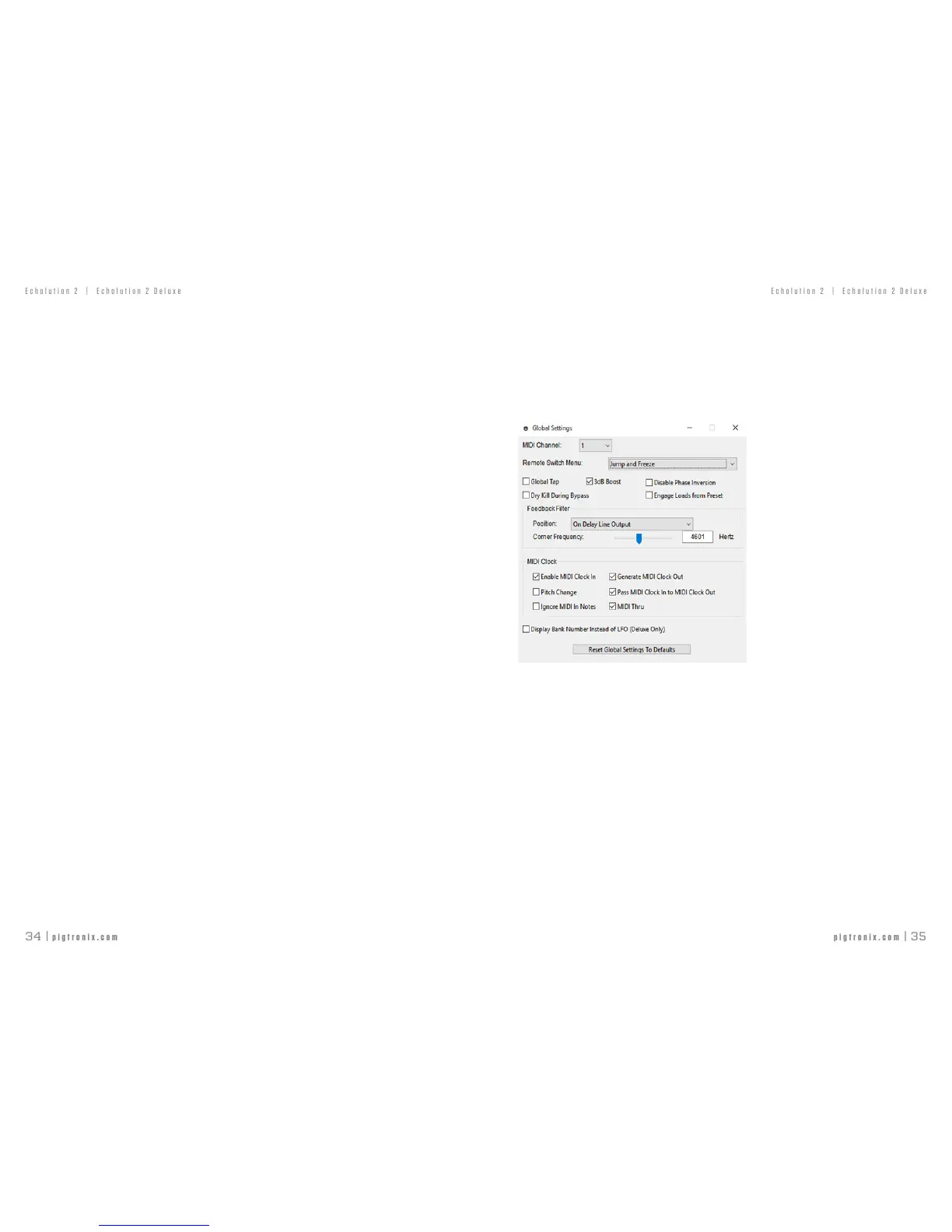
GLOBAL SETTINGS isasetofoptionsthataccommodatesavarietyofmusicalrequirements.
Toreadmoreaboutthesesettingsandhowtoturnthemonandoffmanually,seetheBOOT
OPTIONSsectiononpage8.
TheonlysettingthatcannotbetoggledmanuallyisthepositionandcutofffrequencyoftheFEEDBACK
FILTER.Thisisaspeciallydesignedsaturationstagethatislargelyresponsibleforthenuanceand
textureoftheechoasitregenerates.ThepositionoftheFeedbackFiltercanbetoggledbetween“On
DelayLineOutput”and“InFeedbackPathOnly.”Additionally,theCornerFrequencycanbeadjustedby
thesliderorbymanuallyenteringafrequencyfrom43Hzto11008Hz.
NoteforE2DeluxeONLY–TheDisplayBankNumberInsteadofLFOoptionallowsthe5LFOWaveformLEDs
intheupperrighthandcornertodisplaythePresetBankbydefault.InordertotoggletheLFOWaveform,
presstheFLOWaveformbuttononcetodisplaythecurrentWaveform.ThenpresstocyclethroughtheLFO
Waveformoptions.After3secondsofinactivitytheLEDswilldisplaythecurrent preset bank.
ResetGlobalSettingstoDefaultsallowstheusertooverrideanylocalchangestoGLOBAL SETTINGS
byreplacingthemwiththeFACTORY DEFAULTsettingswithoutperformingafullFACTORY
RESET.
APPLICATION
Note:ThesearethefactorydefaultGlobalBootOptions.



 To Next Page