EasyManua.ls Logo

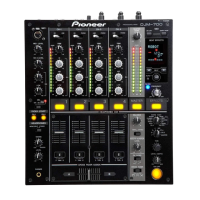
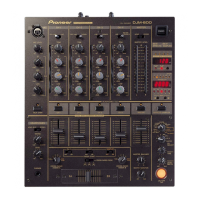
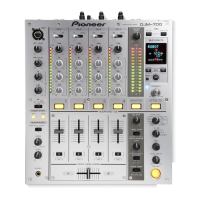
Pioneer DJM-700-S - User Manual

Pioneer DJM-700-S
28 pages
Print Icon
To Next Page IconTo Next Page
Loading...
Operating Instructions
DJ MIXER
DJM-700-S
DJM-700-K
00_cover_ANKI_EN.fm 1 ページ 2010年6月2日 水曜日 午後9時1分

Other manuals for Pioneer DJM-700-S

Questions and Answers

  • M
    Michael BrownAug 16, 2025
    What to do if my Pioneer DJM-700-S has no sound or low volume?
    • C
      Caroline RamirezAug 16, 2025
      If you're experiencing no sound or low volume with your Pioneer Music Mixer, there are several possible causes and solutions: * Ensure the input selector is correctly set to the playback component. * Verify that all connection cables are properly connected and not loose. Connect them correctly if needed. * Clean any dirty jacks or plugs before connecting. * Check the rear panel master output attenuator switch (MASTER ATT) and adjust it if it's set to –6 dB or another incorrect setting.
  • L
    Lauren FernandezAug 19, 2025
    Why is the sound distorted on my Pioneer DJM-700-S Music Mixer?
    • M
      Michael SanchezSep 12, 2025
      Sound distortion on your Pioneer Music Mixer can occur if the master output level is too high. Try adjusting the master output level (MASTER LEVEL) dial or the rear panel master output attenuator (MASTER ATT) switch. Also, check if the input level is too high; if so, adjust the TRIM dial until the input level approaches 0 dB on the channel level indicator.
  • L
    lrodriguezAug 22, 2025
    What to do if my Pioneer DJM-700-S Music Mixer cross fader doesn’t work?
    • J
      Justin HarrisAug 22, 2025
      If the cross fader on your Pioneer Music Mixer isn't working, the CROSS FADER ASSIGN switch setting ([A], [THRU], [B]) may be incorrect. Ensure you correctly set the CROSS FADER ASSIGN switch for the desired channel.
  • G
    gjordanAug 25, 2025
    Why is my Pioneer DJM-700-S not powering on?
    • J
      Jacqueline BrooksAug 26, 2025
      If your Pioneer Music Mixer isn't powering on, the power cord might not be properly connected. Ensure that the power cord is securely connected to a power outlet.
  • S
    Sarah JohnsonAug 27, 2025
    Why can’t I perform fader start with CD player on my Pioneer DJM-700-S Music Mixer?
    • E
      evanscherylAug 27, 2025
      If you're unable to perform a fader start with a CD player on your Pioneer Music Mixer: * Ensure the FADER START button is set to ON. * Verify that the rear panel CONTROL jack is connected to the CD player using a control cable. * Make sure both the CONTROL jacks and analog input connectors are connected.
  • H
    Hannah RobertsonAug 30, 2025
    What to do if effects don't work on my Pioneer DJM-700-S?
    • K
      Kathleen MayerAug 30, 2025
      If the effects aren't working on your Pioneer Music Mixer, make sure that the effect channel selector is correctly set for the channel on which you wish to apply effects. Also, check that the effect parameter 2 adjust dial (LEVEL/DEPTH) is not set to [MIN]; adjust it as needed.
  • M
    Matthew MooreSep 1, 2025
    How to fix no digital output on Pioneer Music Mixer?
    • R
      Rebecca RussellSep 1, 2025
      If you're getting no digital output from your Pioneer Music Mixer, the digital output sampling frequency (fs) might not match the specifications of the connected component. Set the rear panel sampling frequency selector to match the specifications of the connected component.
  • J
    Jimmy HardySep 4, 2025
    What to do if external effector doesn’t work with my Pioneer DJM-700-S?
    • S
      Stephen ArnoldSep 4, 2025
      If an external effector isn't working with your Pioneer Music Mixer: * Ensure the effect selector is set to [SND/RTN]. * Verify that the effector is connected to the rear panel SEND/RETURN connectors. * Check that the effect channel selector is correctly set to select the audio source to which you wish to apply the effects.
  • C
    Cody DavisSep 7, 2025
    Why is the sound from external effector distorted on my Pioneer DJM-700-S Music Mixer?
    • L
      Lauren MillerSep 7, 2025
      If the sound from an external effector is distorted on your Pioneer Music Mixer, the input level from the external effector might be set too high. Try lowering the output level of the external effector.
  • J
    James MedinaSep 10, 2025
    Why can’t BPM be measured or is incorrect on my Pioneer DJM-700-S?
    • S
      Scott AguirreSep 10, 2025
      If the BPM can't be measured or the measured BPM value is incorrect on your Pioneer Music Mixer: * Adjust the TRIM dial so that the input level approaches 0 dB in the channel level indicator if the input level is too high or too low. * Adjust other channels as well so that the input levels approach 0 dB in the channel level indicator, as BPM may not be correctly measurable with some tracks. * Strike the TAP button to set BPM manually.

Pioneer DJM-700-S Specifications

General IconGeneral
Channels4
Frequency Response20 Hz - 20 kHz
Total Harmonic Distortion (THD)0.005%
Sampling Rate96 kHz
A/D, D/A Converter24-bit
Dimensions320 mm
EQ3-band EQ
EffectsBuilt-in effects
CrossfaderReplaceable

Related product manuals