EasyManua.ls Logo

Pioneer DJm-909 - Service Manual

Pioneer DJm-909
156 pages
Print Icon
To Next Page IconTo Next Page
Loading...
ORDER NO.
PIONEER CORPORATION 4-1, Meguro 1-chome, Meguro-ku, Tokyo 153-8654, Japan
PIONEER ELECTRONICS (USA) INC. P.O. Box 1760, Long Beach, CA 90801-1760, U.S.A.
PIONEER EUROPE NV Haven 1087, Keetberglaan 1, 9120 Melsele, Belgium
PIONEER ELECTRONICS ASIACENTRE PTE. LTD. 253 Alexandra Road, #04-01, Singapore 159936
PIONEER CORPORATION 2003
PHONO 1
/LINE 1
+
9
+
12-12
+
6-26
+
12-12
TRIM
HI
LOW
MIC SEND
SESSION IN
FADER START
TRANSFORM
MASTER LEVEL
REVERSE
CH-1 CH-2
CH-1 CH-2
REVERSE
FEELING
ADJ.
LR
REVERSE
TRANSFORM
FADER START
FOOT SW POWER
PHONES
CH-1 SEND CH-2 SEND
HI
+
6-26
MID
+
6
MAXMIN
10
9
14
9
5
3
1
0
1
3
6
9
15
22
dB dB
14
9
5
3
1
0
1
3
6
9
15
22
8
7
6
5
4
3
2
1
0
10
9
8
7
6
5
4
3
2
1
0
-26
LOW
TAP TAP
TIME/SELECT
MIX/DEPTH
EFFECT EFFECT
MAXMIN
TIME/SELECT
MIX/DEPTH
EQ
CD 1
BANK 3
FX ADJ. FX ADJ.
BANK
EDIT
BANK
EDIT
FADER
CURVE
FADER
CURVE
PHONO 2
/LINE 2
+
9
+
6-26
TRIM
HI
+
6-26
MID
+
6-26
LOW
EQ
CD 2
0
BOOTH/SESSION OUT
0
PHONES
SELECT
CH-1 CH-2
0
0
0
OFF
ON
LOCK ON
21
PROFESSIONAL 2CHANNEL MIXER
DJM-909
MIC LEVEL
CH-1 FADER START
C.F.1 FADER START
CH-2 FADER START
C.F.2 FADER START
OFF OFF
ON
ON
MASTER LEVEL
EFFECT
CUE
MASTER
CH-1MIC
BANK 2
BANK 1 BANK 1
BANK 2
BANK 3
DJM-909
RRV2871
DJ MIXER
DJM-909
THIS MANUAL IS APPLICABLE TO THE FOLLOWING MODEL(S) AND TYPE(S).
Model Type Power Requirement Remarks
DJM-909 KUCXJ AC120V
DJM-909 WYXJ AC220 - 240V
DJM-909 TLTXJ AC110 - 240V
For details, refer to "Important symbols for good services" .
T-ZZY DEC. 2003 printed in Japan

Table of Contents

Other manuals for Pioneer DJm-909

Questions and Answers

  • D
    Donald ParkSep 4, 2025
    Why is there little or no sound coming from my Pioneer Music Mixer?
    • A
      Adam SparksSep 4, 2025
      If you experience little to no sound from your Pioneer Music Mixer, there are several potential causes. First, ensure the Input selector switch is set to the correct device that is currently playing. If you have an analog turntable connected, verify that the rear panel’s PHONO/LINE selector switch is set to [PHONO]. Check that all connection cables are properly connected and not disconnected. Also, make sure the terminals or plugs are clean; if dirty, clean and reconnect them. Finally, check the TRANSFORM lever and return it to its upright position if it has been tripped.
  • R
    Robert TannerSep 18, 2025
    What causes distorted sound from an external effector on my Pioneer DJm-909?
    • D
      destiny45Sep 18, 2025
      If the external effector’s sound is distorted when using your Pioneer Music Mixer, the input level from the external effector may be too high. Try lowering the external effector’s output level.
  • K
    Kevin RodriguezSep 16, 2025
    Why can't I see the touch panel display on my Pioneer Music Mixer?
    • P
      pstokesSep 16, 2025
      If you can't see the touch panel display on your Pioneer Music Mixer, the contrast may be improperly adjusted. Adjust the touch panel CONTRAST control on the rear panel. Also, the backlight may be too dark; adjust the rear panel’s touch panel backlight control (BRIGHT).
  • A
    Alexander MartinezSep 14, 2025
    How to troubleshoot a CD player fader that won't start with my Pioneer Music Mixer?
    • J
      Joshua WellsSep 14, 2025
      If your CD player's fader won’t start with your Pioneer Music Mixer, ensure the top panel’s FADER START button is set to On. Additionally, check that the rear panel’s PLAYER CONTROL jack is properly connected using the control cord between the unit and the CD player.
  • R
    rjacksonSep 12, 2025
    Why is my external effector not working with my Pioneer DJm-909?
    • D
      David HendersonSep 13, 2025
      If the external effector isn’t working with your Pioneer Music Mixer, make sure that the top panel’s SEND buttons (MIC SEND, CH-1 SEND, CH-2 SEND) are turned on for the corresponding channel you wish to apply effects to; the indicator light should be on. Also, verify that the external effector’s output coupler is connected to the RETURN jacks.
  • S
    Susan SimpsonSep 12, 2025
    What to do if the effects don't work on my Pioneer DJm-909 Music Mixer?
    • M
      Monica RobinsonSep 12, 2025
      If the effects are not working on your Pioneer Music Mixer, check the EFFECT switch. If the hand is released when the switch is in the [ON] position, it will return to [OFF]. Either hold the EFFECT switch at the [ON] position, or set it to [LOCK ON]. Also, ensure that the effect MIX/DEPTH dial is properly adjusted and not set to [MIN].
  • T
    Todd MitchellSep 9, 2025
    Why can't the BPM be measured correctly on my Pioneer Music Mixer?
    • V
      vickie64Sep 9, 2025
      If the BPM cannot be measured or the value is strange on your Pioneer Music Mixer, it could be due to several reasons. The input level might be too high or too low; adjust the TRIM dial to set the input level around 0 dB on the peak level meter. BPM measurement may also be inaccurate with certain tracks, so set other channels so that the input level is around 0 dB. You can also manually strike the TAP switch to count BPM.
  • B
    bwalkerSep 7, 2025
    How to fix a Pioneer DJm-909 Music Mixer that does not turn on?
    • E
      Elizabeth SimmonsSep 7, 2025
      If your Pioneer Music Mixer does not turn on, the power cord may not be properly connected. Ensure that the cord is securely connected to a power outlet.
  • M
    Mark CarrSep 5, 2025
    What to do if the sound is distorted on my Pioneer DJm-909 Music Mixer?
    • M
      mthompsonSep 5, 2025
      If the sound from your Pioneer Music Mixer is distorted, it could be due to several reasons. The master output level might be too high, in which case you should adjust the MASTER LEVEL dial. Alternatively, the input level might be too high; adjust the TRIM dial so that the input level approaches 0 dB on the peak level meter. Also, if you have a cassette deck or other line component connected to the input connectors, make sure the rear panel’s PHONO/LINE selector switch is set to [LINE].
  • D
    Danielle FaulknerAug 20, 2025
    Why is the sound distorted on my Pioneer DJ Equipment?
    • D
      denisekeyAug 20, 2025
      If the sound from your Pioneer DJ equipment is distorted, first adjust the MASTER LEVEL dial to ensure it's not too high. If the distortion persists, check the TRIM dial and adjust it so the input level approaches 0 dB on the peak level meter. Also, verify that the rear panel’s PHONO/LINE selector switch is correctly set to [LINE] if you have a cassette deck or similar component connected; if it's set to [PHONO] incorrectly, this can cause distortion.

Summary

SAFETY INFORMATION

WARNING

Product contains lead solder and chemicals known to cause cancer, birth defects, or reproductive harm.

1. SAFETY PRECAUTIONS

Essential checks for customer and technician protection, including leakage current test.

2. PRODUCT SAFETY NOTICE

Highlights special safety characteristics of electrical/mechanical parts and the importance of using specified replacement components.

1. SPECIFICATIONS

[KUCXJ type]

Electrical specifications, power supply, consumption, dimensions, and accessories for the KUCXJ model.

[WYXJ type]

Electrical specifications, power supply, consumption, dimensions, and accessories for the WYXJ model.

[TLTXJ type]

Electrical specifications, power supply, consumption, dimensions, and accessories for the TLTXJ model.

3. BLOCK DIAGRAM AND SCHEMATIC DIAGRAM

3.1 BLOCK DIAGRAM

Overall block diagram and specific diagrams for DSP/LCD, C1BF, C1EQ, MICB, C2BF, C2EQ assemblies.

3.2 OVERALL CONNECTION DIAGRAM

Visual representation of how various internal assemblies connect to each other within the unit.

3.3 MAIN ASSY (1;6)

• MIX AMP. BLOCK

Schematic detailing the Mix Amplifier block, including signal routing and component connections.

3.11 C1 EQ ASSY (1;2)

CH1 EQ Low ADJUSTMENT

Procedure for adjusting the low frequency equalization for CH1 Lch and Rch signals.

CH1 EQ Mid ADJUSTMENT

Procedure for adjusting the mid-frequency equalization for CH1 Lch and Rch signals.

CH1 EQ Hi ADJUSTMENT

Procedure for adjusting the high-frequency equalization for CH1 Lch and Rch signals.

3.13 C2 EQ ASSY

CH2 EQ Low ADJUSTMENT

Procedure for adjusting the low frequency equalization for CH2 Lch and Rch signals.

CH2 EQ Mid ADJUSTMENT

Procedure for adjusting the mid-frequency equalization for CH2 Lch and Rch signals.

CH2 EQ Hi ADJUSTMENT

Procedure for adjusting the high-frequency equalization for CH2 Lch and Rch signals.

6. ADJUSTMENT

6.1 ADJUSTMENT REQUIRED WHEN THE SET IS REPAIRED OR REPLACED

Details adjustments needed for DSP and C1EQ assemblies after repair or replacement.

6.2 CH1 OFFSET ADJUSTMENT

7. GENERAL INFORMATION

7.1 DIAGNOSIS

Provides information on diagnostic procedures, including service mode operations.

7.1.1 SERVICE MODE

2. Display Check Mode

Explains how to enter and use Display Check Mode to verify button inputs and display functions.

3. Setup mode

4. Initial Setting mode for the noncontact fader

Describes the procedure for initial setting of the noncontact fader to ensure correct crossfader signals.

7.1.2 Rewriting of the Software

• Connection diagram of rewriting the program for the system control microcomputer

Illustrates the connection setup for rewriting the system control microcomputer program.

• Connection diagram of rewriting the program for the LCD microcomputer

Illustrates the connection setup for rewriting the LCD microcomputer program.

7.1.5 DISASSEMBLY

Diagnosis of MAIN Assy

Details steps to diagnose the MAIN Assy by removing the bottom plate and control panel.

1 Diagnosis of Fader Section

Guides on disassembling the fader section, including removing knobs, screws, and the control panel.

8. PANEL FACILITIES AND SPECIFICATIONS

Front Panel Controls Overview

Detailed explanation of all front panel controls, buttons, dials, and indicators.

Rear Panel Controls Overview

Explanation of rear panel connectors, switches, and jacks.

Pioneer DJm-909 Specifications

Audio Input Specifications IconAudio Input Specifications
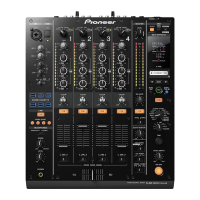
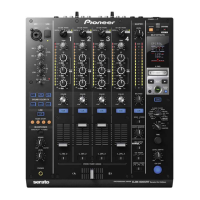
CD input level-14 dBV (200 mV)
CD input impedance22 kΩ
LINE input level-14 dBV (200 mV)
LINE input impedance22 kΩ
PHONO input level-54 dBV (2 mV)
PHONO input impedance47 kΩ
MIC input level-54 dBV (2 mV)
MIC input impedance3 kΩ
SESSION IN input level-14 dBV (200 mV)
SESSION IN input impedance22 kΩ
RETURN input level-14 dBV (200 mV)
RETURN input impedance22 kΩ
Audio Output Specifications IconAudio Output Specifications
MASTER OUT 1 output level0 dBV (1 V)
MASTER OUT 1 impedance600 Ω
MASTER OUT 2 output level0 dBV (1 V)
MASTER OUT 2 impedance1 kΩ
BOOTH / SESSION OUT output level0 dBV (1 V)
BOOTH / SESSION OUT impedance1 kΩ
SEND output level-14 dBV (200 mV)
SEND impedance1 kΩ
PHONES output level6 dBV (2 V)
PHONES impedance22 Ω or less
Audio Performance IconAudio Performance
Frequency characteristics for CD, LINE, MIC20 Hz to 20 kHz
Frequency characteristics for PHONO (RIAA)20 Hz to 20 kHz
SN ratio for CD, LINE93 dB or more
SN ratio for PHONO78 dB or more
SN ratio for MIC64 dB or more
Total harmonic distortion rate for CD, LINE0.02% or less
Cross talk77 dB or more
Equalizer Specifications IconEqualizer Specifications
Channel equalizer HI+6 dB to -26 dB
Channel equalizer MID+6 dB to -26 dB
Channel equalizer LOW+6 dB to -26 dB
Microphone equalizer HI+12 dB to -12 dB
Microphone equalizer LOW+12 dB to -12 dB
Electrical and Physical Specifications IconElectrical and Physical Specifications
Power supply voltageAC 120 V, 60 Hz
Power consumption31 W
Operating temperature+5 °C to +35 °C (41 °F to 95 °F)
Operating humidity5% to 85%
External dimensions251 (W) x 381.6 (D) x 107.9 (H) mm
Weight6.5 kg

Related product manuals