Controls and displays03
44
En
Chapter 3
Controls and displays
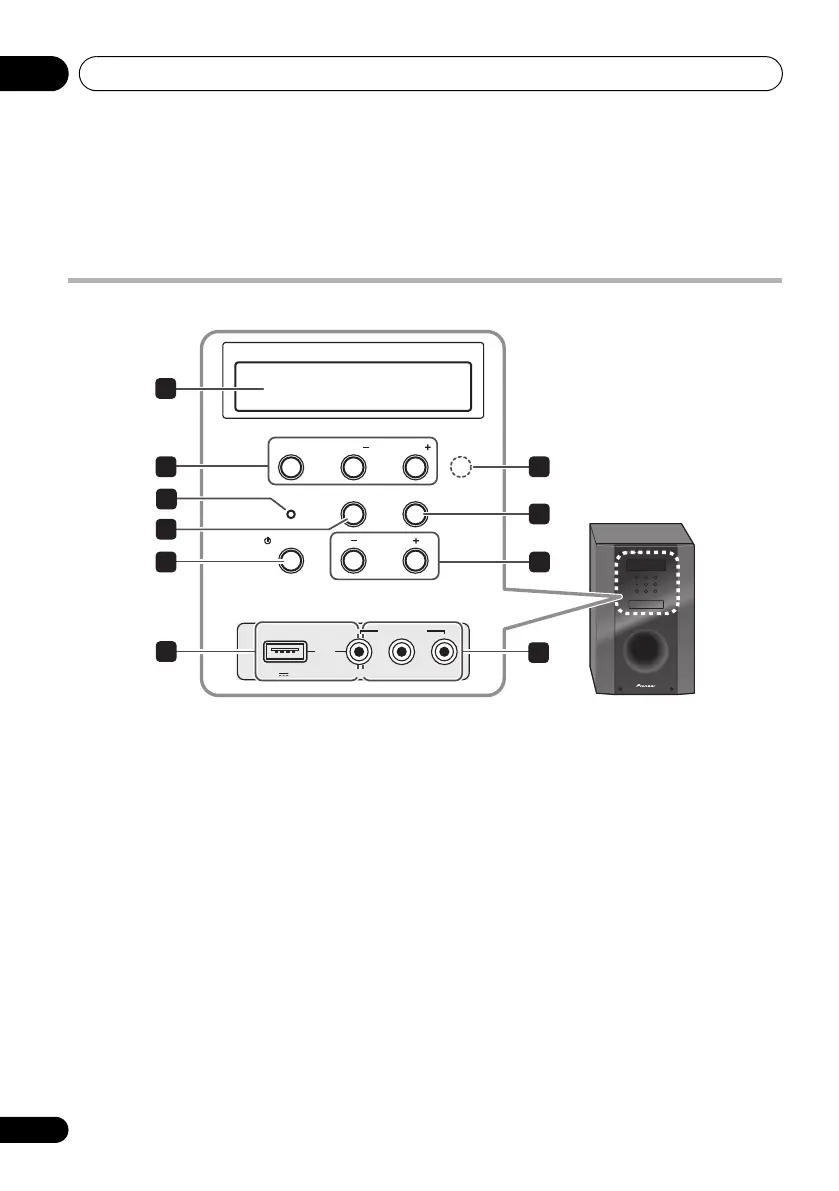
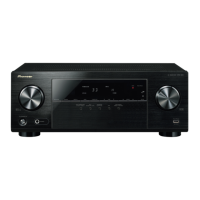
Front panel
1 Front panel display
See Display on page 45 for details.
2 Tuner control buttons
ST/MONO
Switches between auto stereo mode and
mono reception mode (page 60).
TUNE +/–
Used to find radio frequencies (page 60).
3 IR remote sensor
4 Power indicator
5
FUNCTION
button
Selects an input source.
6
AUTO/DIRECT
Switches between Auto surround mode (Auto
playback on page 63) and Stream Direct
playback.
7
STANDBY/ON
Switches the system on or into standby.
8
VOLUME +/–
Adjusts the volume.
9
iPod
/USB terminal
Use to connect your Apple iPod or USB mass
storage device as an audio source (page 55
and 58).
10
AUDIO/VIDEO
input
See Connecting to the front panel video terminal
on page 41.
ST/MONO
STANDBY/ON
FUNCTION
VOLUME
VIDEO INPUT
VIDEO
iPod
iPhone
AUD IOLR
AUTO/DIRECT
TUNE
TUNE
5 V 0.5 A
USB
1
2 3
4
5
6
9
8
10
7
HTP-710_VYXCN_En.book 44 ページ 2010年8月23日 月曜日 午後6時47分


 To Next Page