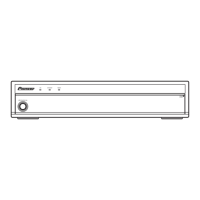
PDP-R04E
120
1234
1234
C
D
F
A
B
E
1
123456789
10 11 12 13 14 15 16 17 18 19 20 21 22 23 24 25 26 27 28 29 30 31 32 33 34 35 36 37 38 39 40
2
3
4
5
6
7
8
9
10
11
12
13
14
15
16
I N I T
T
I
S Y ( + )EN C D
A L I Z E V D 1 – 0 1 3 – N T V – S T 1
6 INITIALIZE mode
(For managing switching of the initial settings and destination setting)
No. Function/Display Content
1 SYNC DET (+) For setting the parameter for sync detection of IC1/GCR
2 DRIVE MODE (+) (Not used)
3 SIDE MASK LEV (+) (Not used)
4 PANEL REVICE (+) (Not used)
5 FINAL SETUP (+)
6 C TEMP LOW (+)
7 C TEMP MID LOW (+)
8 C TEMP STD (+)
9 C TEMP MID HIGH (+)
10 C TEMP HIGH (+)
11 BSD FACTORY (+) (Not used)
12 UART SELECT <=> 1200-232C ⇔ ••• ⇔ 38400-232C ⇔ 9600-SR+
13 CVT AUTO <=> DISABLE ⇔ ENABLE (For Factory use)
• When there is a modification log, if the “ ” key is held pressed for at least 3 seconds while the above display is displayed, the
modification log will be cleared.
• UART SELCT
Option No.
Function /
Display
Operation / Control Remarks
Corresponding
RS-232C Command
1 (initial setting) 9600-SR+ To set to SR+ (9600 BPS)
For switching external communication
between RS-232C and SR+
BR0
2 1200-232C To set to RS-232C (1200 BPS) BR1
3 2400-232C To set to RS-232C (2400 BPS) BR2
4 4800-232C To set to RS-232C (4800 BPS) BR3
5 9600-232C To set to RS-232C (9600 BPS) BR4
6 19200-232C To set to RS-232C (19200 BPS) BR5
7 38400-232C To set to RS-232C (38400 BPS) BR6
Tips: How to change the SR+/RS-232C setting without entering Service Factory mode
Refer to the section "6.3 USING RS-232C COMMANDS".



 To Next Page
 Loading...