EasyManua.ls Logo

Pioneer RX-310 - Troubleshooting

Pioneer RX-310
20 pages
Print Icon
To Next Page IconTo Next Page
To Previous Page IconTo Previous Page
Loading...
TROUBLESHOOTING
Incorrect
operations
are
often
mistaken
for
trouble
and
malfunctions.
If
you
think
that
there
is
something
wrong
with
this
component,
check
the
points
below.
Sometimes
the
trouble
may
lie
in
another
component.
Investigate
the
other
components
and
electrical
appliances
being
used.
If
the
trouble
cannot
be
rectified
even
after
exercising
the
checks
listed
below,
ask
your
nearest
PIONEER
authorized
service
center
or
your
dealer
to
carry
out
repair
work.
Amplifier
section
Symptom
Cause
Remedy
No
sound
from
speakers.
+
Is
volume
fevel
turned
down?
*
Is
Muting
on?
els
the
SPEAKERS
switch
in
the
wrong
position?
*
Are
headphones
connected
to
the
PHONES
jack?
*
Increase
volume
level.
Press
the
Muting
switch
to
cancel
muting.
©
Set
it
to
the
correct
position.
*
Disconnect
the
headphones.
Cassette
tape
deck
section
Symptom
Cause
Remedy
Tape
deck
will
not
work.
*
1s
deck
in
pause
mode?
*
Is
tape
loaded
correctly?
*
Press
PAUSE
switch
to
release
pause
mode.
*
Load
correctly.
No
sound
from
tape
deck.
*
Is
TAPE
FUNCTION
switch
selected?
*
Is'a
blank
tape
loaded?
«
Are
heads
clean?
*
Press
TAPE
FUNCTION
switch.
*
Load
a
pre-recorded
tape.
*
Ciean
heads.
Recording
not
possible.
—
*
Is
tape
loaded
in
Deck
i?
*
Are
heads
clean?
*
Is
a
tab
on
the
cassette
tape
removed?
*
Load
tape
in
Deck
II
for
recording.
*
Clean
heads.
*
Use
a
cassette
tape
with
tabs,
or
place
a
piece
of
adhesive
tape
on
the
back
edge
(see
page
11).
Copying
not
possible
*
Is
3
tab
on
the
cassette
tape
removed?
*
Use
a
cassette
tape
with
tabs,
or
place
a
piece
of
adhesive
tape
on
the
back
edge
(see
page
11).
High
frequency
sounds
not
reproduced,
*
Is
a
non-Dolby
NR
tape
being
played
back
with
the
Dolby
NR
system
on?
*
Turn
off
the
Dolby
NR
system.
High
frequencies
over-
emphasized,
Noise
picked
up
during
recording
of
tape,
record,
radio,
etc.
Tuner
section
Symptom
i
*
Is
a
Dolby
NR
tape
being
played
back
with
the
Dolby
NR
system
off?
*
Turn
on
the
Dolby
NR
system.
Is
power
to
TV
set
turned
on?
is
unit
located
too
close
to
TV
set?
*
Did
you
try
operating
the
BEAT
CUT
switch
(for
AM
broad-
casts
onfyl?
*
Turn
off
TV
set.
*
Move
unit
at
least
30
cm
from
TV
set.
*
Set
the
BEAT
CUT
switch
on
the
rear
panel
to
the
side
where
noise
is
less.
Cause
Remedy
No
sound.
*
1s
TUNER
FUNCTION
switch
selected?
*
Press
TUNER
FUNCTION
switch
AM
reception
not
possible.
*
Is
loop
antenna
connected?
*
1s
BAND
selector
switch
set
to
AM?
*
Is
station
tuned
in
properly?
*
Connect
loop
antenna.
*
Press
the
BAND
selector
switch
for
AM.
*
Tune
in
station
properly.
FM
reception
not
possible.
i
*
Is
antenna
connected?
*
is
BAND
selector
switch
set
to
FM?
*
Connect
antenna,
following
instructions
on
page
4,
5
*
Press
the
BAND
selector
switch
for
FM.
|
Large
amount
of
noise
*
Are
radio
waves
weak,
causing
antenna
input
to
be
insufficient?
*
Switch
OFF
the
COD
player.
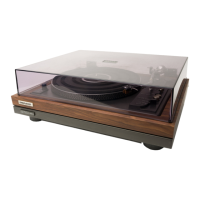
Turntable
Symptom
Cause
Remedy
Turntable
does
not
work.
*
is
drive
belt
properly
attached?
*
Attach
belt
correctly.
No
sound
*
Is
PHONO
FUNCTION
switch
selected?
*
Press
PHONO
FUNCTION
switch.
Static,
scratching
noise
produced.
*
Is
record
surface
dirty?
*
I$
record
warped
or
scratched?
*
Clean
record
*
Replace
record.
Remote
Control
Unit
Cause
Remedy
i
Symptem
Remote
control
operation
is
not
possible.
*
Battery
is
not
installed
in
remote
control
unit.
*
Battery
is
dead.
*
Remote
control
cord
is
not
connected.
*
Insert
battery.
*
Insert
a
new
battery.
*
Correctly
connect
remote
control
cord.
18
<ARB1I145>
|

Related product manuals