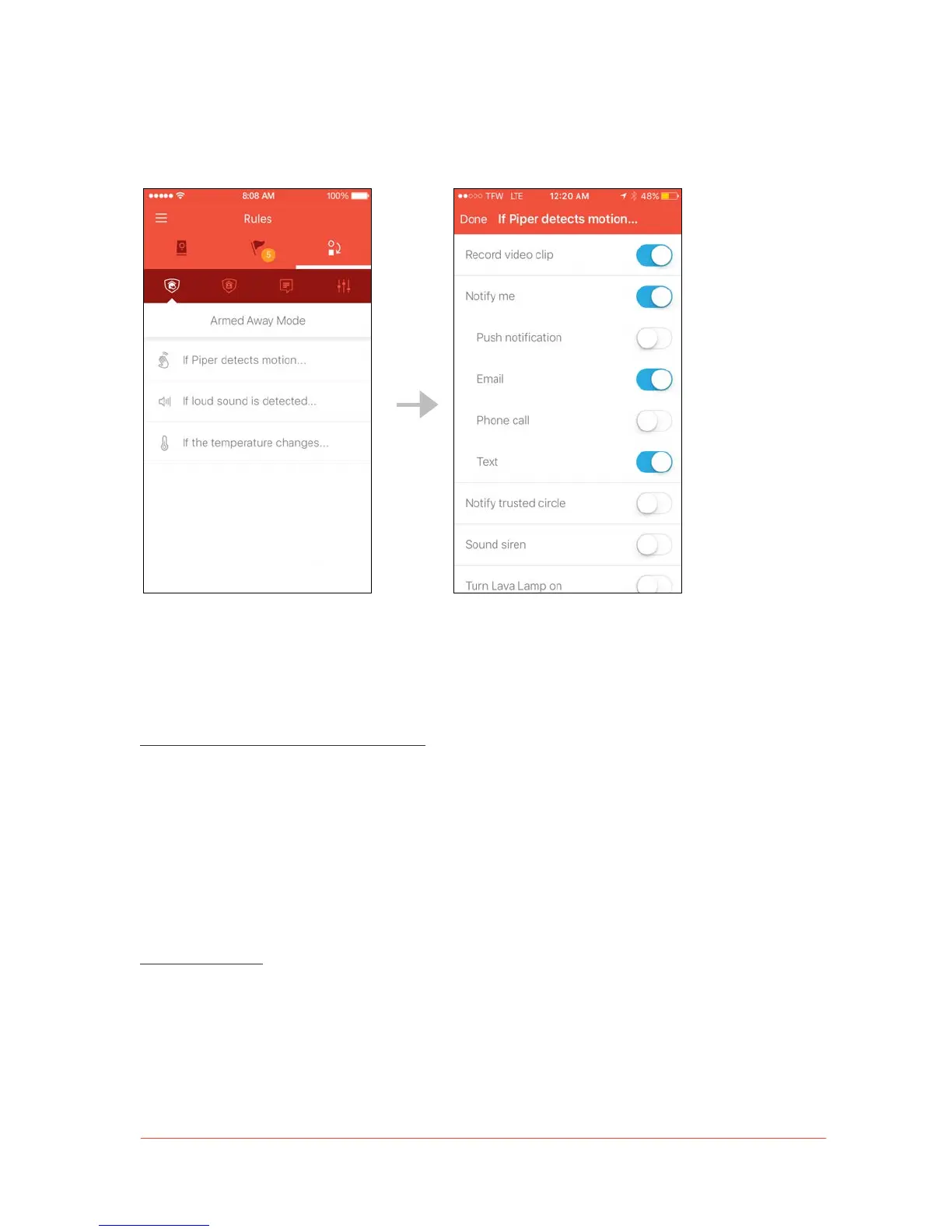
Tap on an event (such as “If Piper detects motion…”) to view a list of customizable
security actions.
Security rules are a set of actions that respond to breached security events. When events
are detected, the security rules set by you will be activated. Rules will only activate if the
event is breached in the specific security mode they are set for.
To set security rules, follow these steps:
1. Select the security mode for which you would like to set rules.
2. Tap on the event you would like to set security rules for.
3. Enable the desired security rule by toggling the control.
Note: Piper cannot be armed if there are no rules associated with the security mode. If you
try to switch Piper to an armed mode without any rules, a dialogue box will notify you.
More about rules:
• When the “Record video clip” security rule is activated, Piper will automatically record a 35-
second clip of the security event taking place—the first 5 seconds prior to the event, and the
proceeding 30 seconds of footage.


 To Next Page