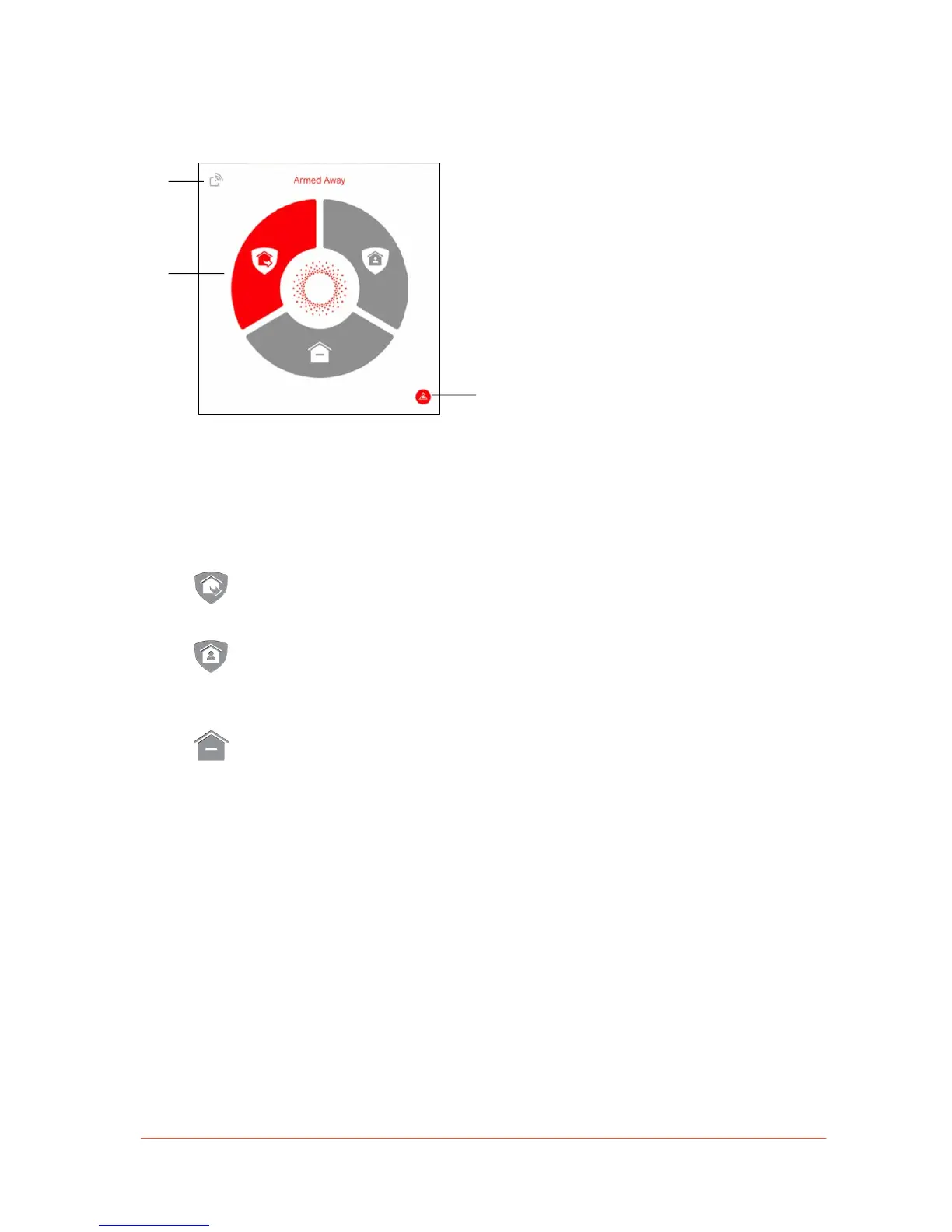
Security Panel
The Security Panel is the area beneath Piper
View and contains the Security Mode Wheel,
the Wireless Accessory Drawer, and the
Panic Button.
• Security Mode Wheel: Tap on one of the three modes in the wheel to arm or disarm
your Piper. Your corresponding security mode rules, which are defined in the Rules
tab, go into effect once active.
Armed Away Mode: Piper is armed after a countdown. This mode is
recommended for when no one is at home.
Armed Stay Mode: Piper is armed immediately. This mode is recommended
for when you want your home secured when you’re at home. This is especially
useful when you’re going to bed.
Disarmed Mode: Piper’s security is disarmed. Only notifications and
automations may happen when Piper is disarmed.
Note: To learn more about security rules and how to enable rules for Piper in
Armed Away and Armed Stay Mode, please refer to the Rules section.


 To Next Page