Piper Installation
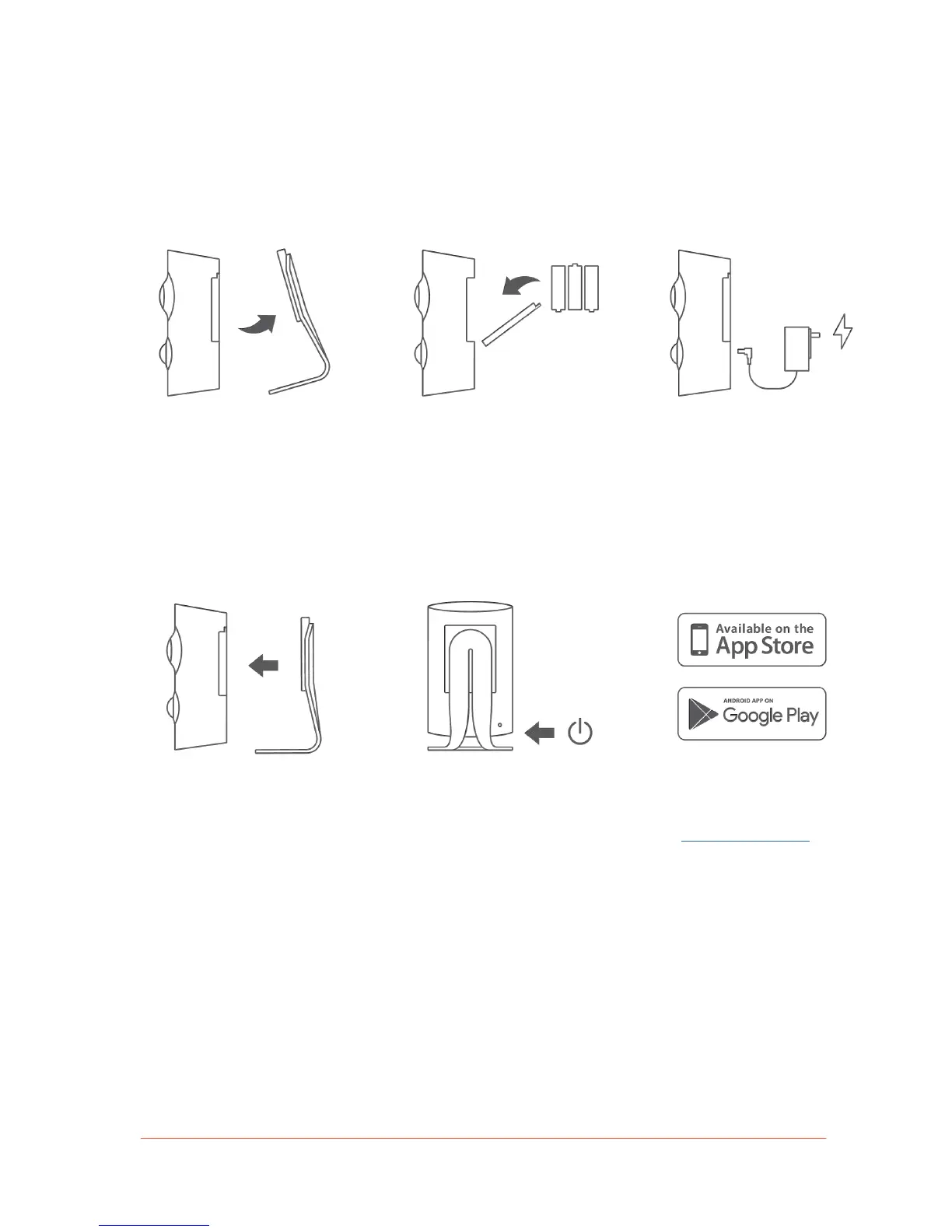
Follow these steps to begin the installation of Piper:
1. Remove Piper from its
detachable stand.
2.
4.
3.
Re-attach the stand (or affix the optional
wall mount) and position your Piper in the
desired location. For optimal viewing
capacity, we recommend placing Piper
in a high traffic area.
4. Open the battery door located at the
back of Piper and insert the provided
AA batteries. Close the battery door
and secure it with the provided screw.
5.
5.
Press the power button on the back
of Piper, located on the bottom-right.
Note: Piper’s LED light will be yellow
while starting up.
6. Connect the power cable to Piper
and plug the opposite end to an
electrical outlet.
7.
6.
When your Piper’s LED light turns
blue, download the Piper app
from getpiper.com/download and
create an account.


 To Next Page