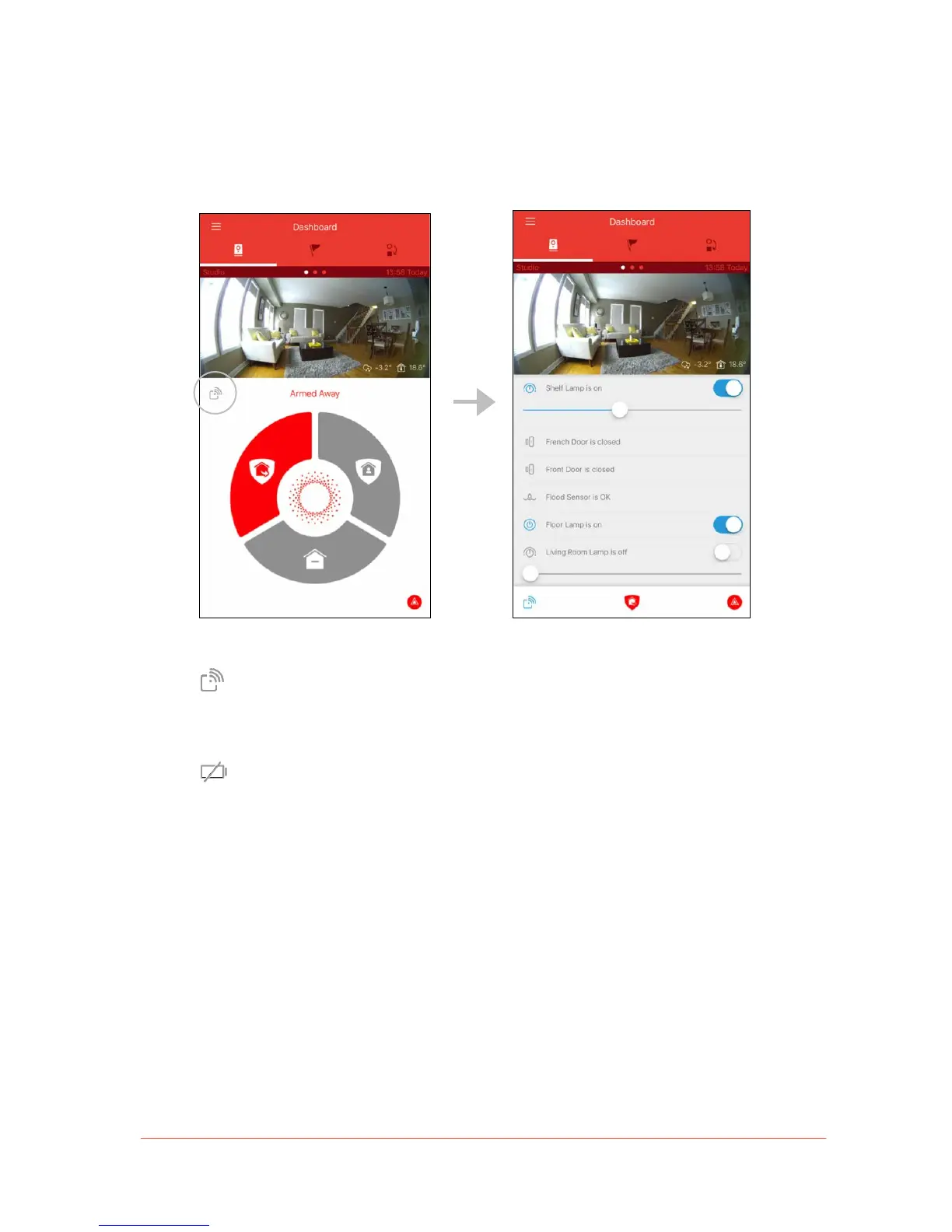
• Wireless Accessory Drawer: Tap the Wireless Accessory icon on the top left-hand
corner of the Security Panel to open the Wireless Accessory Drawer. This will reveal a
list of wireless accessories connected to your Piper system.
From the Wireless Accessory Drawer, users can view the current state of
sensor accessories (such as door/window sensors) and control wireless
accessories with an on/off switch or dimmer (such as a light bulb).
A battery icon will appear beside sensor accessories when either a battery is
dead or running low.
Note: To learn more about wireless accessories including product information
and set up instructions, see Wireless Accessories.


 To Next Page