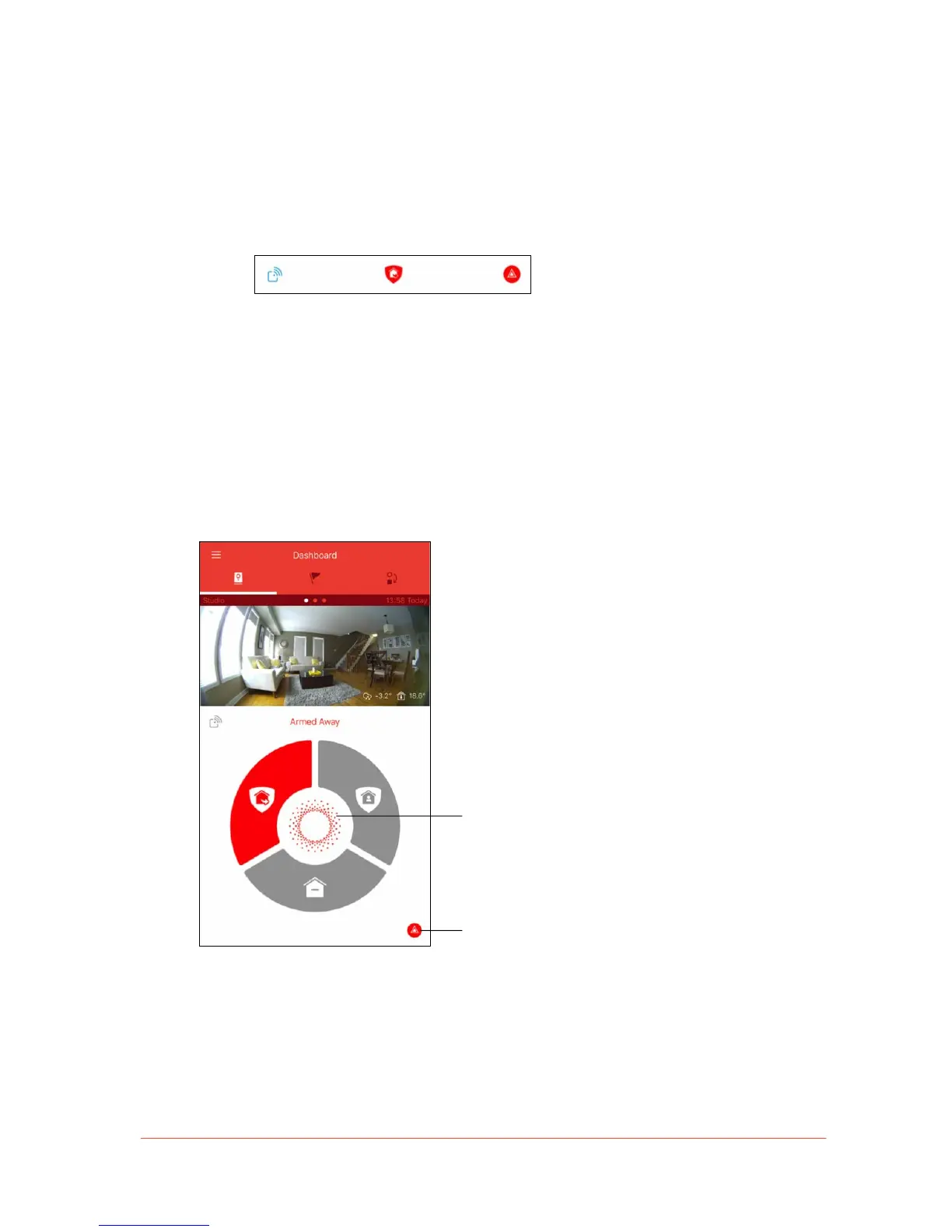
• Security Bar: When the Wireless Accessory Drawer is open, a minimized version of
the Security Panel is accessible at the bottom of the Dashboard.
From the Security Bar, you can close the Wireless Accessory Drawer, change
the security mode that your Piper is in, and activate the siren using the Panic
button.
To expand the Security Panel, tap on the drawer icon or swipe the Security
Bar upwards.
• Panic Button: Located on the bottom right-hand corner of the Dashboard, you can
press and swipe the Panic Button icon left to manually activate the siren.
Tap on the Notable State icon in the Security
Mode Wheel (see Notable States section for
details) or siren deactivation icon on the
bottom right-hand corner.
Using the Panic Button will bypass the Siren
Lockout feature and sound the siren for 4
minutes regardless of Piper’s operating
mode.


 To Next Page