EasyManua.ls Logo

Pit Boss PB820FB - User Manual

Pit Boss PB820FB
40 pages
Print Icon
To Next Page IconTo Next Page
Loading...
S
A
V
E
T
H
E
S
E
I
N
S
T
R
U
C
T
I
O
N
S
!
T
I
P
S
&
R
E
C
I
P
E
S
I
N
S
I
D
E
!
pit bo
owners manual
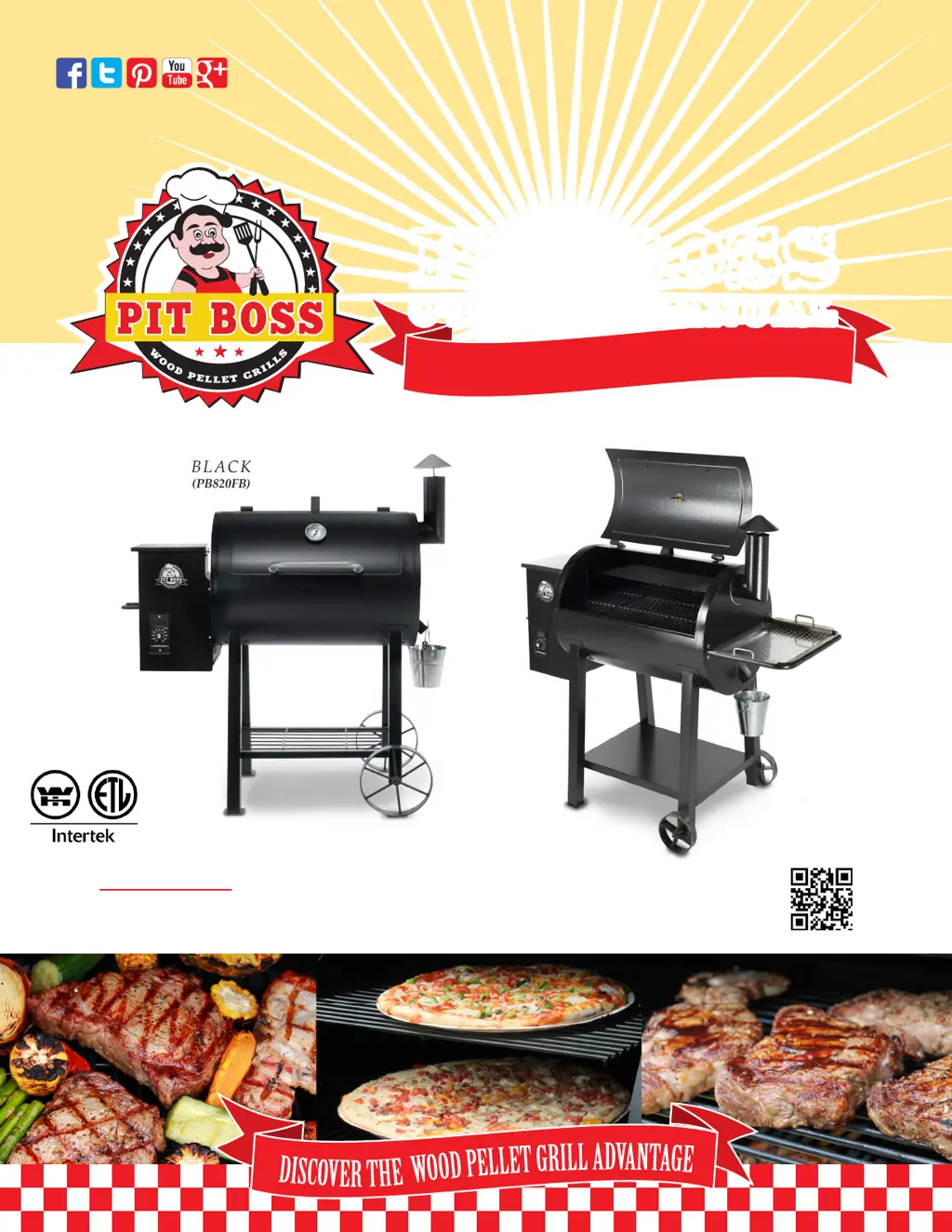
Pit Boss 820FB
BLACK
(PB820FB)
Pit Boss 820 Deluxe
(PB820D)
WARNING: Please read the entire manual before installation and use of this pellet fuel-burning
appliance. Failure to follow these instructions could result in property damage, bodily injury or even death.
Contact local building or re ocials about restrictions and installation inspection requirements in your area.
NEW! INCLUDES FLAME BROILER

Other manuals for Pit Boss PB820FB

Questions and Answers

  • M
    Matthew JimenezSep 3, 2025
    Why Pit Boss Grill temperature is displayed incorrectly?
    • L
      Lisa MartinSep 3, 2025
      If your Pit Boss Grill displays an unexpected temperature, it might be exposed to high ambient temperature and direct sun, causing the interior temperature to reach or exceed 130°F. This will not harm the unit. Place the unit in a shaded area and prop the lid open to reduce the inside temperature.
  • G
    Grant RiosSep 2, 2025
    Why Pit Boss Grill produces excess smoke?
    • D
      Diane HannaSep 2, 2025
      If your Pit Boss Grill is producing excessive or discolored smoke, check and clean the interior grilling area to remove excess grease build-up. Ensure you clear the hopper and burn pot of any moist pellets, replacing them with fresh, dry pellets. Also, check the burn pot for any fuel build-up. It is a good practice to clean and do a controlled burn off of the hidden excess grease after each large cooking of tasty greasy foods.
  • M
    Mark MortonSep 1, 2025
    How to troubleshoot Pit Boss PB820FB Grill temperature not stable?
    • G
      garciatannerSep 2, 2025
      If your Pit Boss Grill isn't maintaining a stable temperature, start by checking the burn pot for ash build-up or obstructions and ensure the fan is working correctly with no blockages. Also, check the hopper for sufficient fuel, examining the fuel for size, dampness, and sawdust content. Inspect and clean the temperature probe, and ensure the “P” setting is correct. For a quick test, remove cooking grids and the flavor/grease plate, start the grill, set the temperature to pre-heat, and check that the flame is bright and vibrant after 10 minutes.
  • R
    Richard Barker MDAug 31, 2025
    Why Pit Boss PB820FB Grill will not start?
    • M
      maryallenSep 1, 2025
      If your Pit Boss Grill won't start, verify it's plugged in and the electrical outlet has power. Check and reset the Ground Fault Interrupter if needed. If the igniter isn't working, inspect the 5 amp fuse on the back of the control and replace it if necessary. Ensure the Temperature Dial is in the OFF position, then turn it to SMOKE to see if the LCD screen lights up. If these steps don't work, inspect the igniter and auger feed, and check the control board wires and connections. If problems persist, contact Customer Service for replacement parts.
  • C
    christopher04Aug 30, 2025
    Why is my Pit Boss Grill producing too much smoke?
    • M
      Mary ColeAug 30, 2025
      If your Pit Boss Grill is producing excess or discolored smoke, it could be due to grease build-up. Follow the care and maintenance instructions to address this. Another cause might be the quality of the wood pellets. Remove any moist wood pellets from the hopper, clean it out, and replace them with dry wood pellets. A blocked burn pot can also cause this issue; clear the burn pot of any moist wood pellets and follow the hopper priming procedure.
  • W
    whansonAug 30, 2025
    Why is the smoke temperature too high on my Pit Boss Grill?
    • J
      John JacksonAug 30, 2025
      If your Pit Boss Grill temperature on SMOKE is too high, the "P" setting might be too low. To adjust this, turn the temperature dial to SMOKE, push the "P" SET button, and increase the "P" setting. Note that when selecting a SMOKE setting after a temperature dial preset, the auger will continuously turn and feed pellets for four minutes, which will momentarily raise the temperature. The temperature will decrease and stabilize once the "P" setting cycle begins (approximately five to ten minutes).
  • A
    Amy SantiagoAug 29, 2025
    Why won't my Pit Boss PB820FB Grill maintain a stable temperature?
    • J
      John CollinsAug 29, 2025
      If your Pit Boss grill won't achieve or maintain a stable temperature, several factors could be responsible. * The "P" setting might be too high, causing large temperature fluctuations. Lowering the "P" setting can help stabilize the temperature. * There may be insufficient airflow through the burn pot due to ash build-up or obstructions. Check and clean the burn pot, ensure the fan is working properly, and verify there are no blockages in the auger tube. * Insufficient or poor-quality fuel can also cause temperature instability. Check the hopper for sufficient fuel and ensure there are no obstructions in the feed system. * A dirty grill temperature probe can also affect temperature control. Clean the grill probe following the care and maintenance instructions.
  • J
    jsmithAug 28, 2025
    How to lower the temperature on the SMOKE setting of my Pit Boss PB820FB Grill?
    • Z
      Zachary DickersonAug 28, 2025
      If the grill temperature on the SMOKE setting is too high on your Pit Boss grill, the "P" setting might be too low. To adjust this, turn the temperature dial to SMOKE, push the "P" SET button, and increase the "P" setting. Keep in mind that after preheating at high heat, the auger will continuously feed pellets for four minutes, raising the temperature temporarily. It will stabilize once the "P" setting cycle begins (approximately five to ten minutes).
  • D
    Dennis OnealAug 27, 2025
    Why is my Pit Boss Grill producing too much smoke or discolored smoke?
    • S
      Sonya WallAug 27, 2025
      Excessive or discolored smoke from your Pit Boss grill can be due to a few reasons. Grease build-up can cause this, so follow the care and maintenance instructions. Another cause could be the wood pellet quality; remove any moist pellets and replace them with dry ones after cleaning out the grill. Lastly, a blocked burn pot can contribute to this issue, so clear the burn pot of any moist wood pellets.
  • C
    Christopher HerreraAug 26, 2025
    How to adjust Pit Boss PB820FB temperature when set at SMOKE?
    • J
      Juan RobbinsAug 27, 2025
      If the temperature of your Pit Boss Grill is too high when set to SMOKE, the “P” Setting may be too low. Turn the Temperature Dial to SMOKE and push the “P” SETTING Button to INCREASE the “P” setting.

Summary

Dangers and Warnings

General Safety Precautions

Essential warnings and instructions for safe grill installation, operation, and maintenance.

Fuel-Wood Pellets and Creosote

Guidelines on using appropriate wood pellets and understanding creosote formation.

Carbon Monoxide Safety

Precautions to prevent carbon monoxide poisoning during grill operation.

Introduction and Safety Testing

Product Introduction

Welcome message and overview of the Pit Boss Pellet Smoker/Grill.

Safety Testing and Compliance

Details the safety testing and certifications for Pit Boss pellet cooking appliances.

Assembly Instructions

Legs and Shelf Assembly

Step-by-step guide to attaching the grill's legs and bottom shelf.

Cart and Lid Stopper Assembly

Instructions for assembling the grill's cart and attaching the lid stopper.

Handle, Thermometer, and Stack Attachment

Guide for installing the lid handle, dome thermometer, and smoke stack.

Side Shelf and Cooking Components

Instructions for attaching side shelves, grease bucket, serving tray, and cooking grids.

Power Connection and Grill Preparation

Procedures for connecting the grill to power and initial firing instructions.

Operation and Control

How the Pit Boss Smoker Works

Explanation of the pellet grill's internal mechanics and cooking process.

Pit Boss Control Panel

Description of the LCD screen, temperature dial, and control settings.

Start-Up Sequence and Operation Modes

Procedures for connecting power, start-up sequence, and operating modes.

Understanding the P Setting

Guidance on adjusting the "P" setting for fine-tuning grill performance and flavor.

Lighting and Shut-Down Procedures

Step-by-step instructions for automatic and manual grill lighting and shutdown.

Grill Maintenance

Recommendations for cleaning grease, outside, and inside surfaces after use.

Tips, Techniques, and Recipes

Wood Pellets and Flavor Guide

Information on wood pellet types, flavors, and proper storage.

Cooking Tips and Techniques

Tips for cold weather, hot weather, and general grilling techniques for better results.

Food Safety Guidelines

Essential hygiene and safety rules for preparing and cooking food on the grill.

Grill Recipes

A collection of recipes with cooking times and temperature guidelines for various dishes.

Troubleshooting and Warranty

Troubleshooting Common Issues

Identifies common problems like error messages, no power, and irregular temperatures.

Troubleshooting Performance Issues

Addresses issues such as failure to start, temperature instability, and discoloration.

Parts List

Lists replacement items and components of the pellet feed system.

Limited Warranty and Service

Details the warranty coverage, conditions, exceptions, and service procedures.

Customer Support and Contact

Contact details for customer service, parts, and accessories.

Pit Boss PB820FB Specifications

General IconGeneral
Grill CategoryPellet Grill
TypeFreestanding
Cooking Area820 sq. in.
Temperature Range180°F to 500°F
Fuel TypeWood Pellets
Hopper Capacity21 lbs
IgnitionElectric Start
Warranty5 years
BTU Value25, 000 BTU

Related product manuals