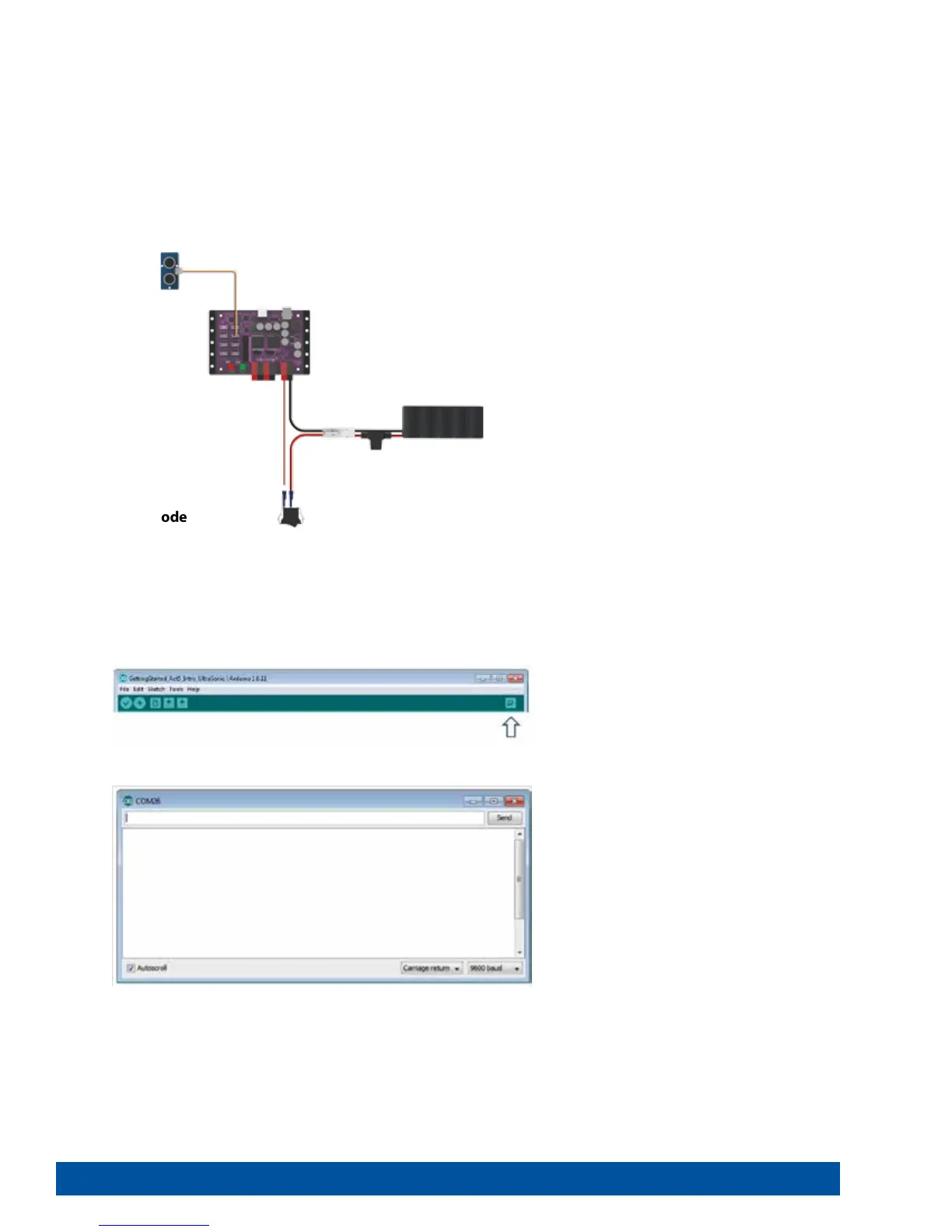
Figure 16
Building the Knowledge Base
For our fifth sketch of the getting started activities, we want to look at a useful tool
for viewing data as a dynamic text output. The serial monitor displays serial data
being sent from the PRIZM via the USB connection.
The serial monitor’s value as a tool lies in its ability to display data in real time that
enables you to make better-informed design decisions about robot builds and
programming. It can be used to display data from sensors connected to PRIZM or
to examine any program data collected by the PRIZM – for example, encoder count
data, DC motor current data, or servo position data.
Executing the Code
Before we can upload the sketch to the PRIZM, remember to check our connections.
Keep in mind that we added a new connection in digital sensor port 3 with the
Ultrasonic Sensor.
Upload the sketch. Before we execute the sketch, we need to open the serial
monitor from the sketch window. To open the serial monitor, click the magnifying
glass in the top-right corner of the sketch window (Figure 16).
With the sensor lying flat on the desk pointed up, press the green Start button to
execute the code.
The serial monitor will open in a separate window (Figure 17).
Figure 17
30 Getting Started Activities


 To Next Page