Tip: Remember that you
can print and use the TETRIX
PRIZM Arduino Library
Functions Cheat Sheet within
the appendix on page 153 as
a quick reference for all the
functions available to you.
Executing the Code
Before we can upload the sketch to the PRIZM, remember to check our connections.
Upload the sketch. The green LED will light up, indicating the code is ready to
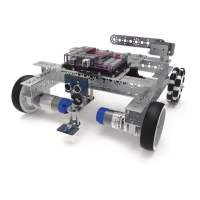
execute. When this has occurred, disconnect the USB cable and set the TaskBot on
the floor.
Press the green Start button to execute the sketch. Observe the direction and
duration of the TaskBot’s motion. Based on the sketch comments, did the behavior
match expectations?
Moving Forward
This sketch implements one new program structure in the form of the “for”
statement, and it adds a new way to implement functions with called functions.
Both of these will combine to make a simpler, easier-to-read sketch.
The “for” statement is used to repeat a block of code enclosed in curly braces. An
increment counter is used to count the iterations and terminate the loop. The “for”
statement is useful for limiting the number of times a loop will execute.
Called functions occur outside the setup() and loop() functions. They are used most
often when the same action needs to occur multiple times in a sketch.
When we made the TaskBot drive in a square in Activity 9 we listed each action
line by line, resulting in excessive code that looked more complicated than it was.
We can identify specific actions that were repeated several times in the complete
behavior. We can define those identified actions in a called function outside the
loop(). After the called functions are defined outside the loop(), we can use them in
the loop() to simplify the code.
For this sketch we defined a forward() and a rightTurn() outside the loop(). Because
we defined these two functions, we can now call them in the loop(). We start the
loop() with the “for” statement to define how many times we want the loop to
repeat.
There are three parts to the “for” statement. The first part, int x=0, is the
initialization. This will happen first and only once.
The second part, x<=3, is the condition. Each time through the loop(), the condition
is tested. If it is true, the third part, x++, the increment, is executed, and the
condition is tested again. When that condition becomes false, the loop() ends.
In simple terms, the initialization starts the loop(). The condition defines how many
times we want the loop to execute, which is three times plus the first initialization.
The total times the loop() will execute is four. And the increment defines how it
counts each execution of the loop(), which is by one increment.
For more detailed information about the sketch process and the PRIZM library
functions involved in using the DC motors, refer to the appendix: TETRIX PRIZM
Arduino Library Functions:
• Pages 137-142 about DC motor functions
Real-World Connection
In the process of learning to shoot free throws, you try to train your mind and
muscles to repeat a certain set of controlled actions that will cause the basketball
to go through the hoop. Repeatability, or the ability to consistently repeat an
operation with little or no variation in the results, is critical in many sports but is also
critical in robot design and coding. Determining a method (or code) to have a robot
precisely follow a square pattern provides evidence that the robot can perform a
repetitive action with little or no variation.
Tip: A function can be
defined in one area of your
sketch and then referenced,
or “called,” in another area.
This creates subroutines
that help keep your sketch
concise.
Tip: Want to see this in
action? You can by watching
our RoboBench video series
for the PRIZM Programming
Guide. You can find the
entire series at video.
tetrixrobotics.com or on
the TETRIXrobotics YouTube
channel.
94 Building and Coding the PRIZM TaskBot


 To Next Page
 Loading...