STEM Extensions
Science
• Relationship between time, distance, and velocity
Technology
• How time is measured within a microprocessor
• Measuring turning radius
Engineering
• Program design for path following
Math
• Relationship of sides and angles of a square
• Measurement of angles
Hacking the Code Activity
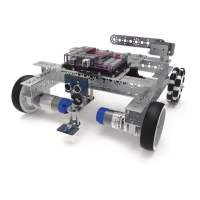
With the example as a reference, try creating a new sketch to move the TaskBot
in a square using the “for” statement and called functions. Or for an additional
challenge, create complex paths beyond a square such as rectangles or hexagons.
Remember what we learned from our previous activities. The challenge from
here is to move forward with your own unique robot builds and apply the coding
knowledge you have learned in new and exciting ways.
Tip: In the sketch window
the PRIZM library functions
change color when they
are typed or spelled
correctly. Consequently,
if spelled incorrectly they
will not change. In Arduino,
the PRIZM functions are
recognized by the software
as keywords and will turn
orange when the syntax is
correct.
Tip: An example library of
code to help you get started
with this challenge can be
found in the appendix. If you
have a digital copy of this
guide, you can simply copy
and paste the sample code
for each activity into your
sketch window. A digital
download can be found at
www.TETRIXrobotics.com/
PRIZMdownloads.
Building and Coding the PRIZM TaskBot 95


 To Next Page
 Loading...