28 M0270 EN
EN
6 OVERVIEW
Introduction
Welcome to PW-LAN – the new solution which allows you to
connect Piusi devices to your LAN network.
The PW-LAN provides:
•
Instant conversion from RS485 to Ethernet signal
•
IP Fallback function
•
DHCP compatible
•
100% compatibility with Piusi Softwares
The PW-LAN is an advanced device capable of powerful and
dierent signal conversion features, built upon a simple and
intuitive user interface foundation.
This User Guide describes the PW-LAN operating system version
3.0, which is integrated into the device.
Supported
Products
PW-LAN supports the following Piusi products:
•
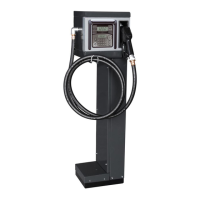
Self Service FM
•
Self Service MC
•
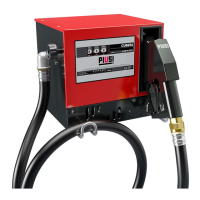
Cube MC
•
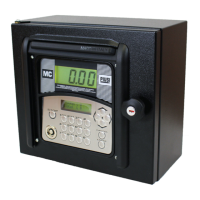
MC-BOX
•
OCIO
•
MCO
SYSTEM REQUIREMENTS
OPERATING
SYSTEM
Microsoft Windows XP
Windows Vista
Windows 7
Windows 8
WEB
BROWSER
Mozilla Firefox
Apple Safari
Google Chrome
Microsoft Internet Explorer 8 (or above)
7 INSTALLATION
ATTENTION
The installation operations are performed with
door open and power contacts accessible. All these
operations must be performed with the appliance
isolated from the power mains to avoid any risk of
electric shocks!
All the following operations must be performed by
skilled electro-technical or electronic experts
The use of accessories that are unsuitable and were
not provided with the system is strictly prohibited.
Piusi S.p.A. accepts no responsibility for damage
to persons, property or the environment caused by
failure to comply with this requirement.
INSTALL THE APPLIANCE WITH CABLE GLANDS FACING DOWN
AND PROVIDE A PROTECTIVE COVER.



 To Next Page