M0270 EN 29
EN
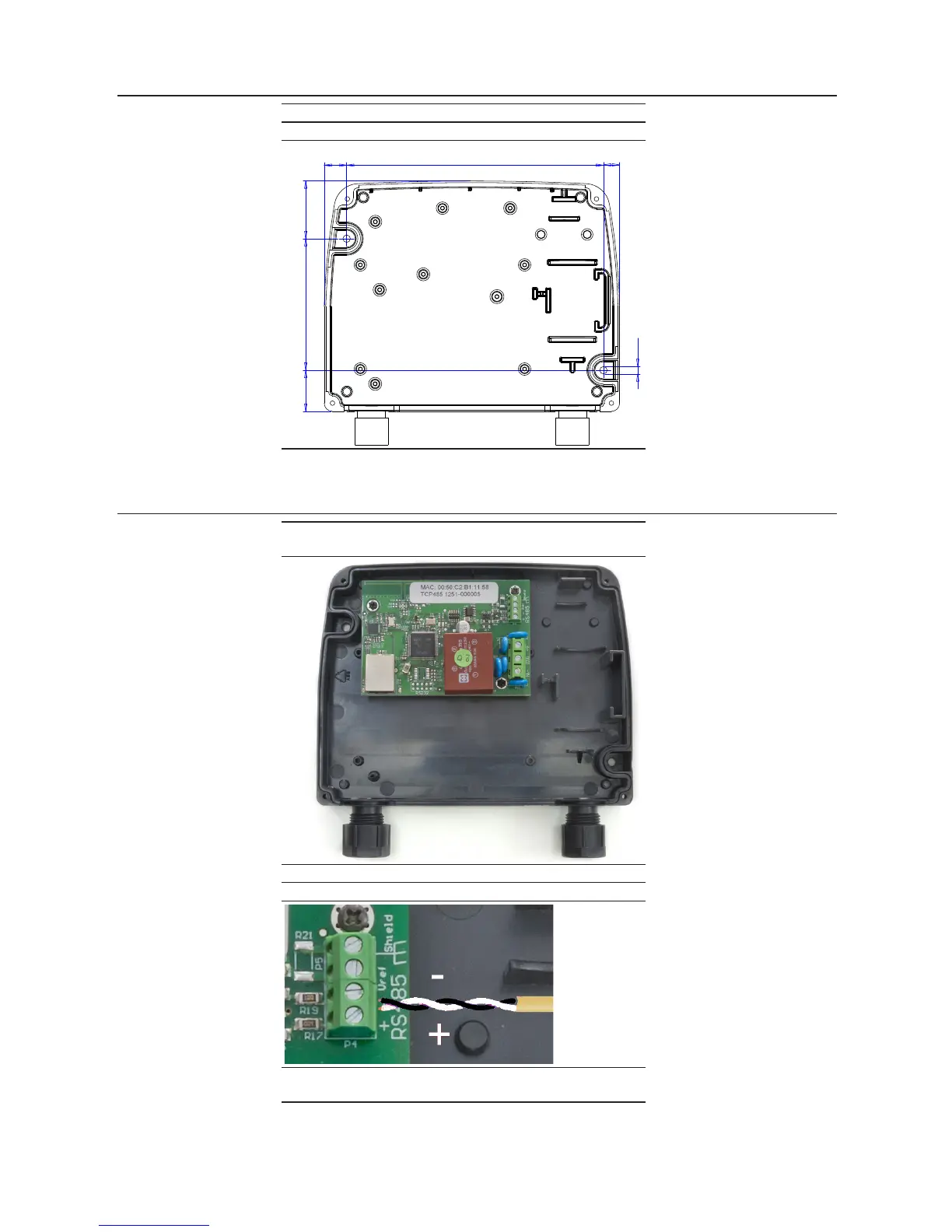
7.1 FIXING TO THE WALL
FOREWORD
Remove the front cover to x the PW-LAN on the wall
To fix on the wall, use No. 2 M4 screws
80 3525
15613.5
10
Ø 4.5
7.2 WIRE CONNECTION
FOREWORD
Removing the frontal case it is possible to make all the
necessary wiring .
To do a proper operation, perform the following steps:
1
Fix the the RS485 twisted cable as shown below.
2
Fix the three power supply cable as shown below -
Input 100-240 Vac 50/60 Hz.



 To Next Page