Operating the Display
Planar Simplicity M Series User Manual
020-1409-00A
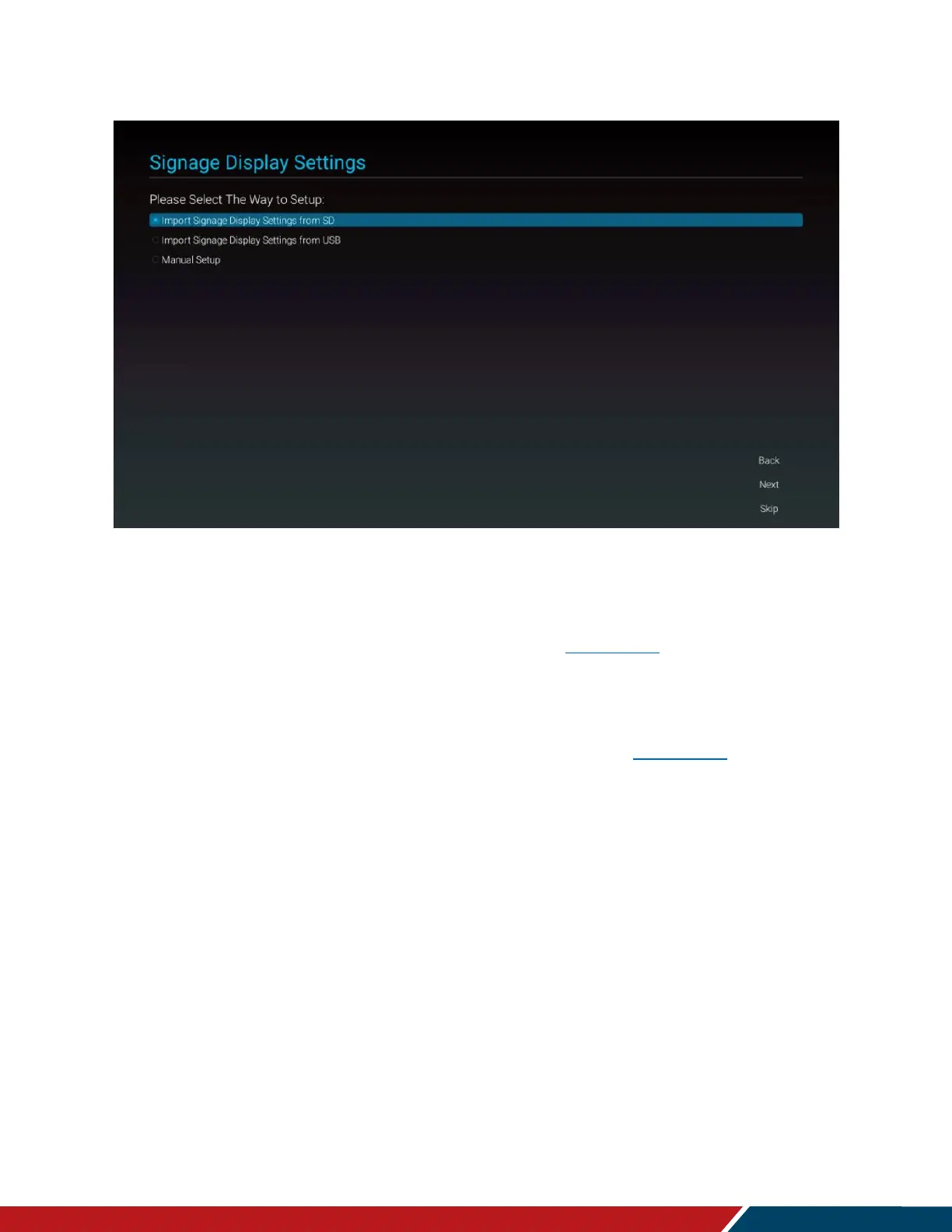
Signage Display Settings
2. Use one of the following setup options:
a. Import Signage Settings from SD.
i. Use settings previously saved to an SD card using the Export Signage
Display Settings in the Android OSD (see page 56). This will import all
settings except for the Signage Display Name field.
b. Import Signage Display Settings from USB
i. Use settings previously saved to a USB storage device using the Export
Signage Display Settings in the Android OSD (see page 56). This will
import all settings except for the Signage Display Name field.
c. Manual Setup
i. Signage Display Name
1. Assign a name to the display. By default, this is “PD_” plus the
MAC address of the display.


 To Next Page