Operating the Display
Planar Simplicity M Series User Manual
020-1409-00A
Network & Internet
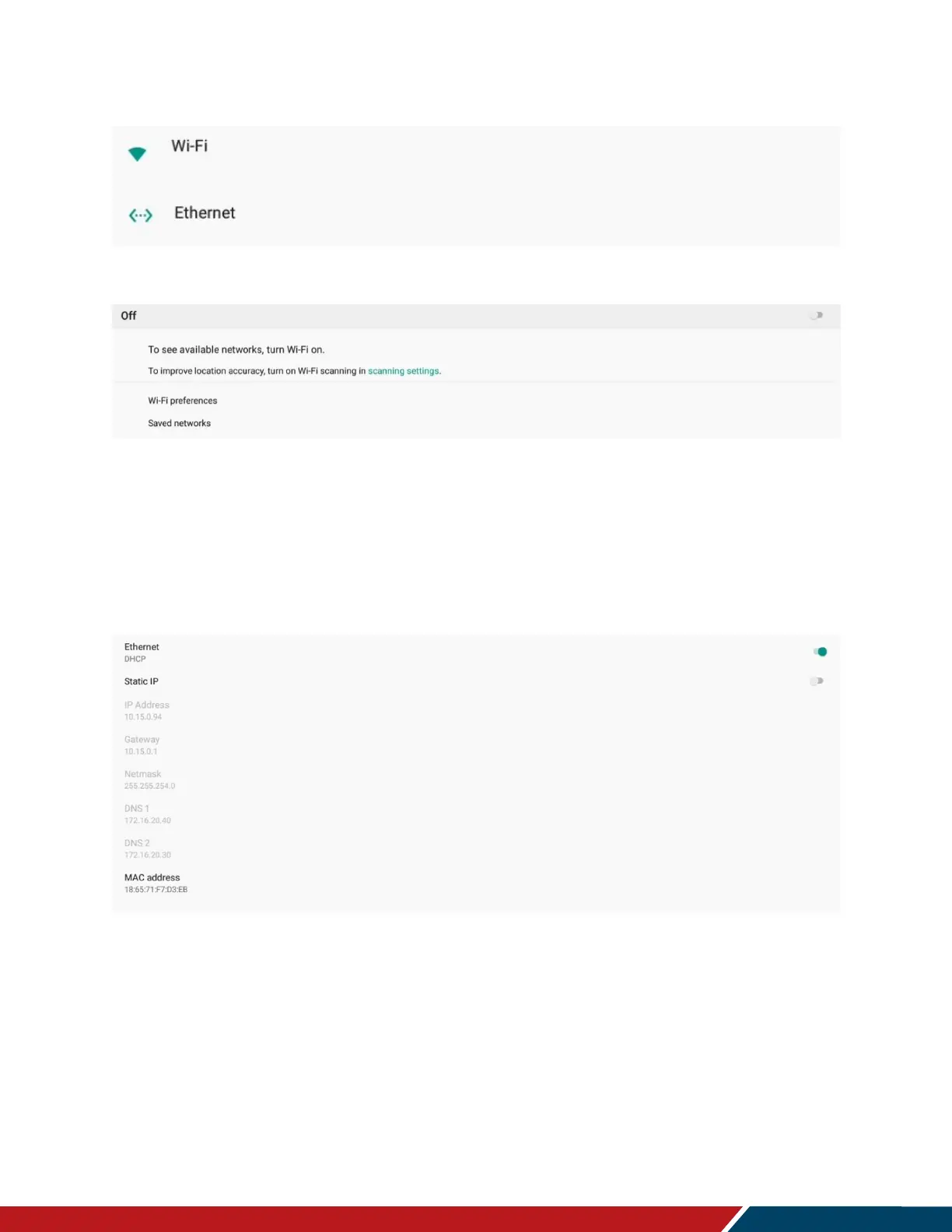
Wi-Fi
Wi-Fi
o Enable the Wi-Fi interface. Turn on switch at the top of the menu to enable Wi-Fi
network selection.
o Note: Wi-Fi support is only available with the TP-Link TL-WN725N USB adapter.
Other Wi-Fi dongles are not supported at this time.
Ethernet
Ethernet
o Enable the network interface
o Options: Disable, Enable
o Default: Disable
Static IP
o Enable dynamic IP mode or configure the static IP settings of the display’s
Ethernet port.
o Options: Disable (use DHCP), Enable (use static IP)
o Default: Disable


 To Next Page