Operating the Display
Planar Simplicity M Series User Manual
020-1409-00A
Brightness
o Automatically limit the backlight intensity in order to reduce power consumption
o Options: Off, On
o Default: Off
Pixel Orbit
o Create slight frame motion to help avoid image retention
o Options: Off, On
o Default: Off
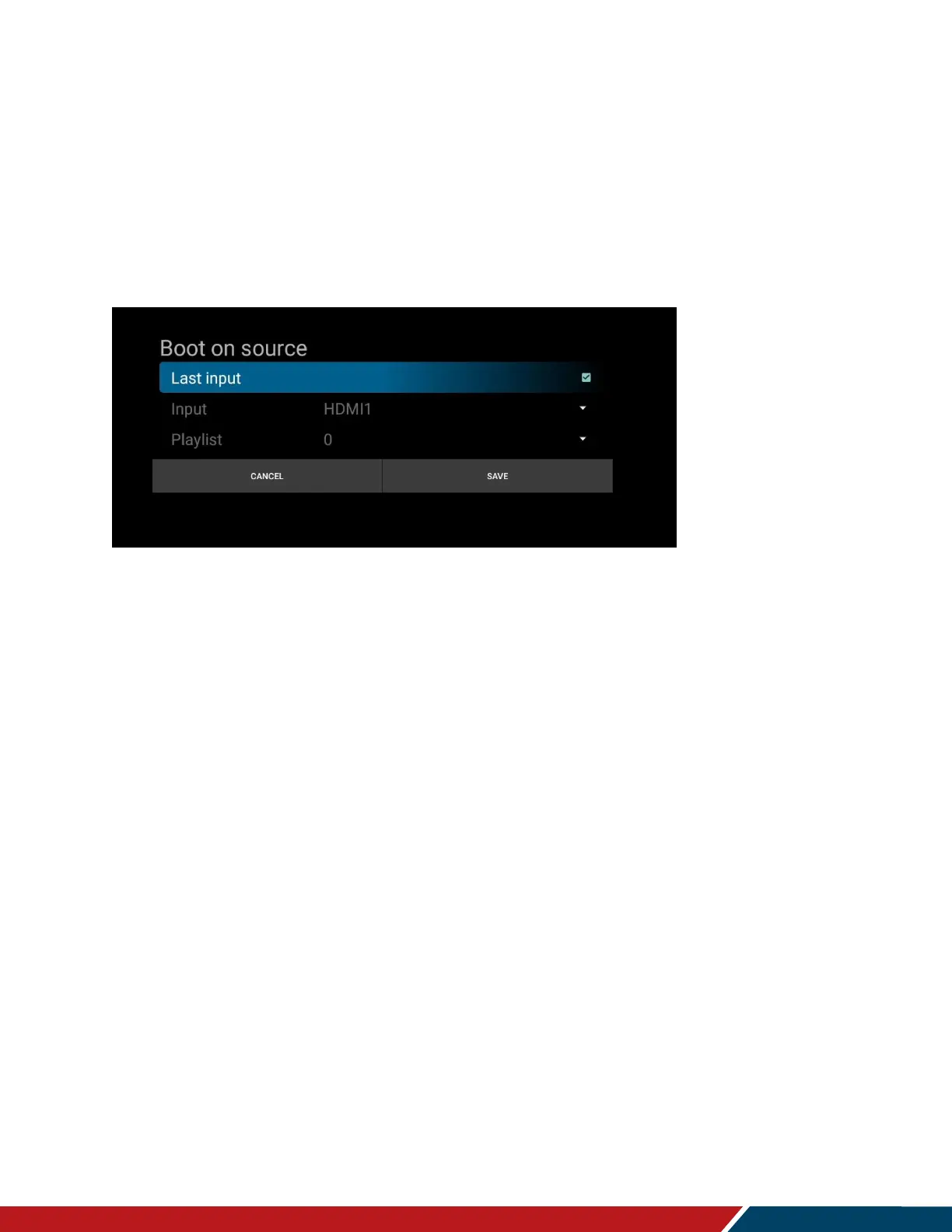
Boot On Source
Input
Select the source to display on power up.
Options: Last Input, HDMI 1, HDMI 2, DVI-D, VGA, Media Player, Browser, CMS,
Android, Android App
Default: Last Input
Playlist
Select the media player playlist to play at power up, if the Media Player source is
selected as the power up input.
Options: 0-7
Default: 0
RGB Range
Select RGB range for HDMI and DisplayPort sources.
Options: Auto, Full, Limited
Default: Auto
Configuration 1 Reset
Reset all settings in the Configuration 1 menu to their default values.
Factory Reset
Reset all settings in all menus to their default values.


 To Next Page