Operating the Display
Planar Simplicity M Series User Manual
020-1409-00A
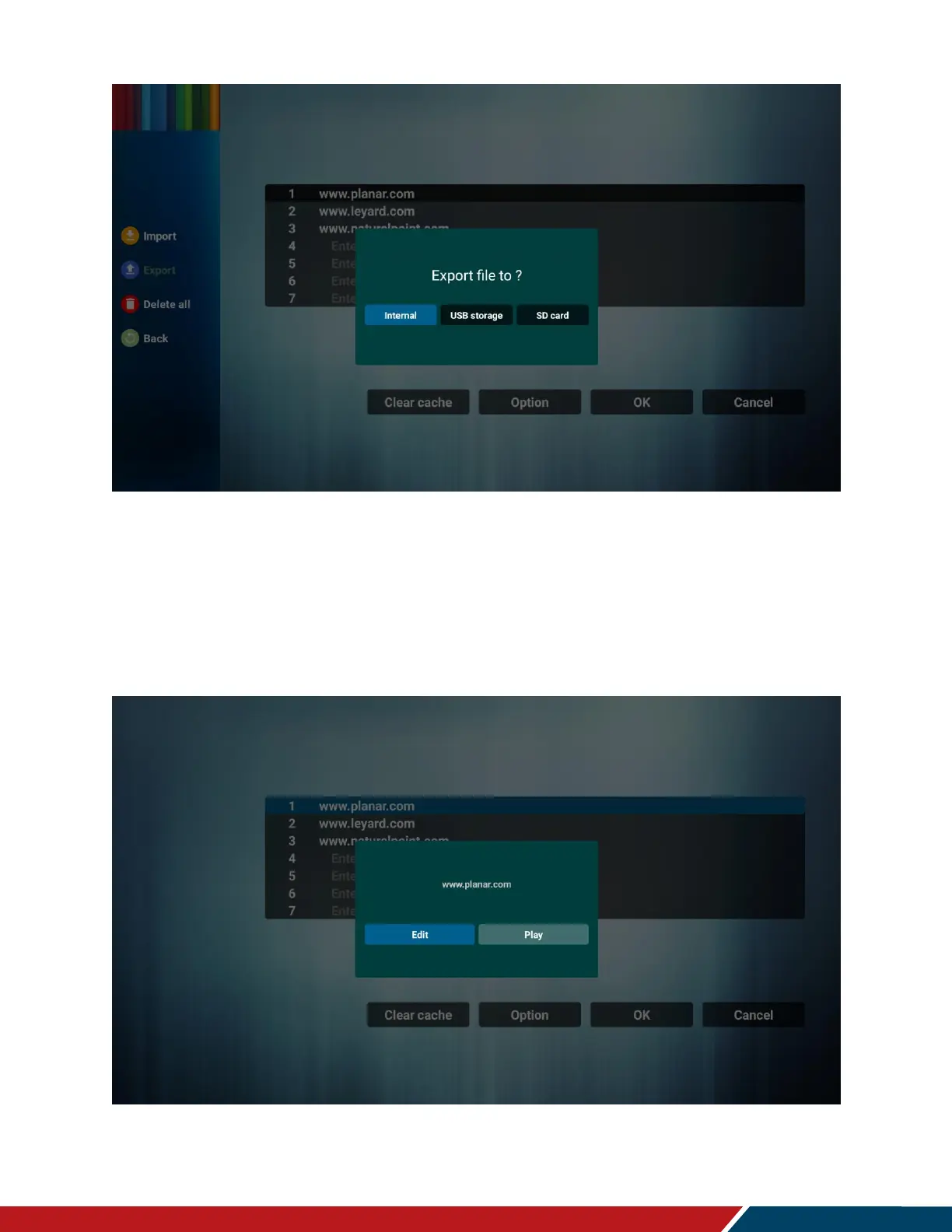
Delete all
o Deletes all URL records from the URL list page
Back
o Closes sidebar option menu
Once URL list options are saved, you can choose to Edit or Play a URL
o Edit: Edit existing URL dialog
o Play: Navigates to and opens the webpage stated by the URL


 To Next Page