18
6. [OPTIONAL] Deployed Devices Monitored via
NMS-360 Controller
Note
If you also have an NMS-360 controller, please refer to the
following steps to set up the central management.
The NMS-360 is used to centrally manage a large number of BSP-360. Therefore,
you need to upgrade the BSP-360 rmware before using NMS-360. Please
download and use the latest BSP-360 rmware from the website so that setting
can be completed smoothly.
The NMS-360 incorporated in a workstation can monitor the BSP-360s compliant
with the MQTT Protocol, SNMP Protocol, ONVIF Protocol and PLANET Smart
Discovery utility.
Follow the steps below to set up the NMS-360 and BSP-360 accordingly.
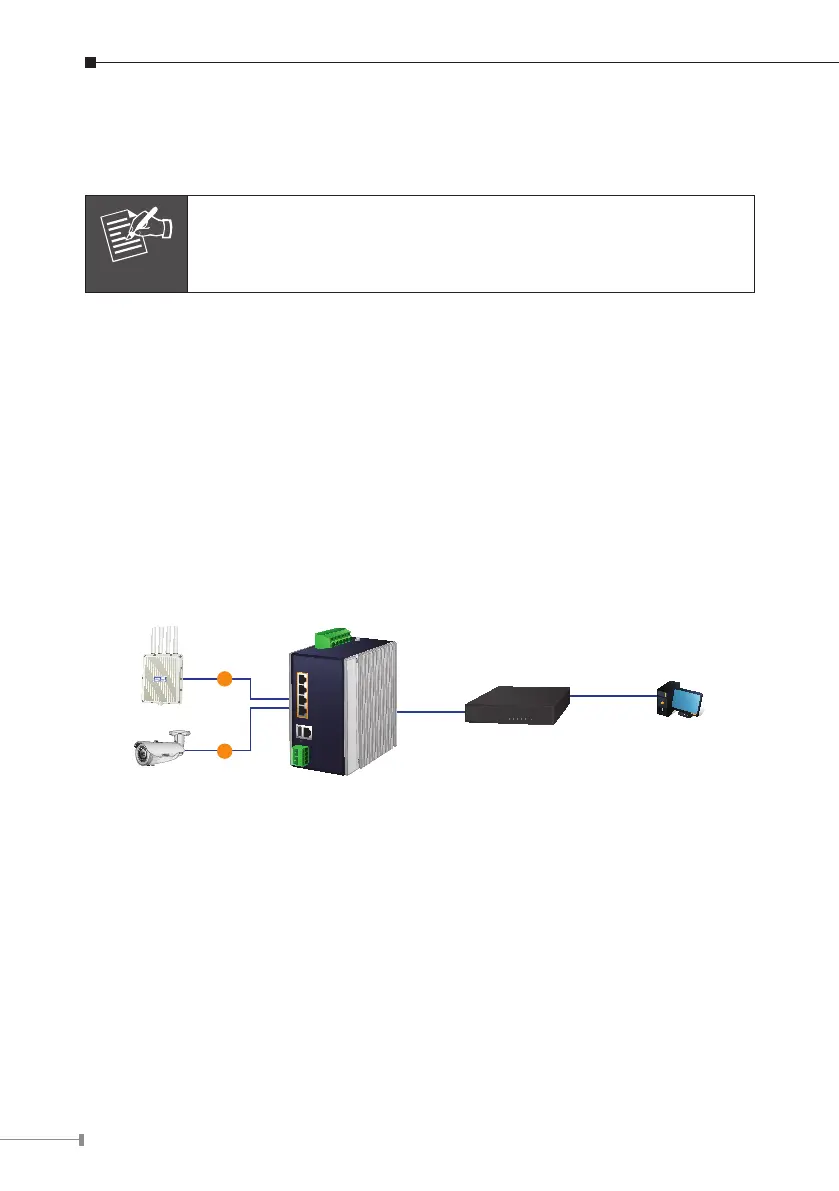
Step 1. Connect the devices, NMS-360 Controller and your computer to the same
network.
PC / Workstation with
Web Browser 192.168.1.x
Managed AP 192.168.1.x
IP Camera 192.168.1.x
PoE
PoE
NMS-360
Default IP: 192.168.1.100
BSP-360
192.168.1.x












 To Next Page