HDMI / Video Wall over IP with PoE
IHD-200PT / IHD-200PR
20
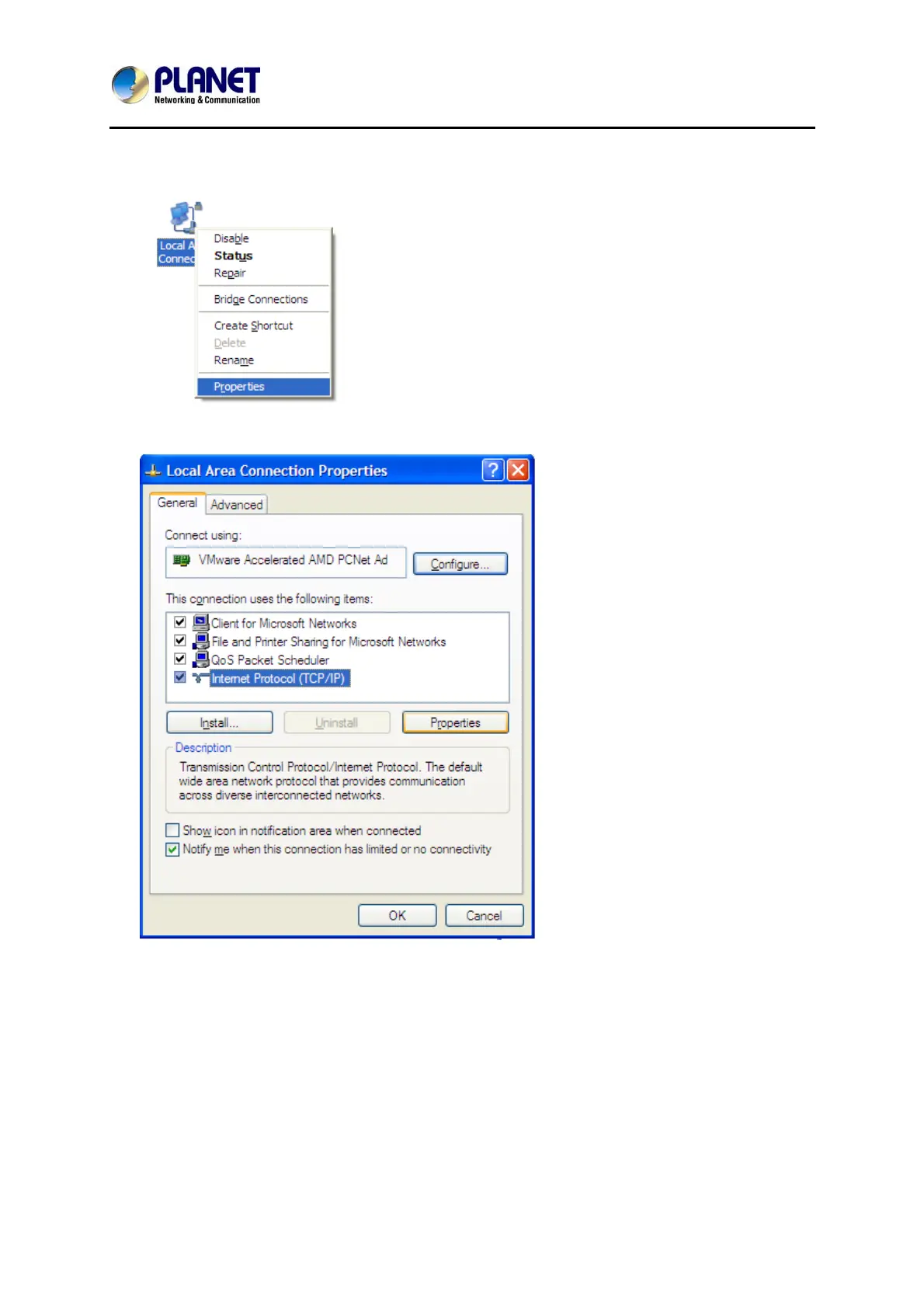
2. Right-click on the Local Area Connection and select Properties.
3. Select Internet Protocol (TCP/IP) and click Properties.
4. Select "Use the following IP address".
IP address: You have to set the same network segment between your PC’s IP
and the transmitter / receiver.
Ex: If the transmitter’s IP is 169.254.0.157, then you should set 169.254.0.xxx
where xxx can be any number between 2 and 253. (same as receiver)
Subnet mask: Enter 255.255.0.0.
5. If necessary, you may enter “Advanced” to add more that one IP address.



 To Next Page