HDMI / Video Wall over IP with PoE
IHD-200PT / IHD-200PR
27
4.2 Video Wall
4.2.1. Basic Setup
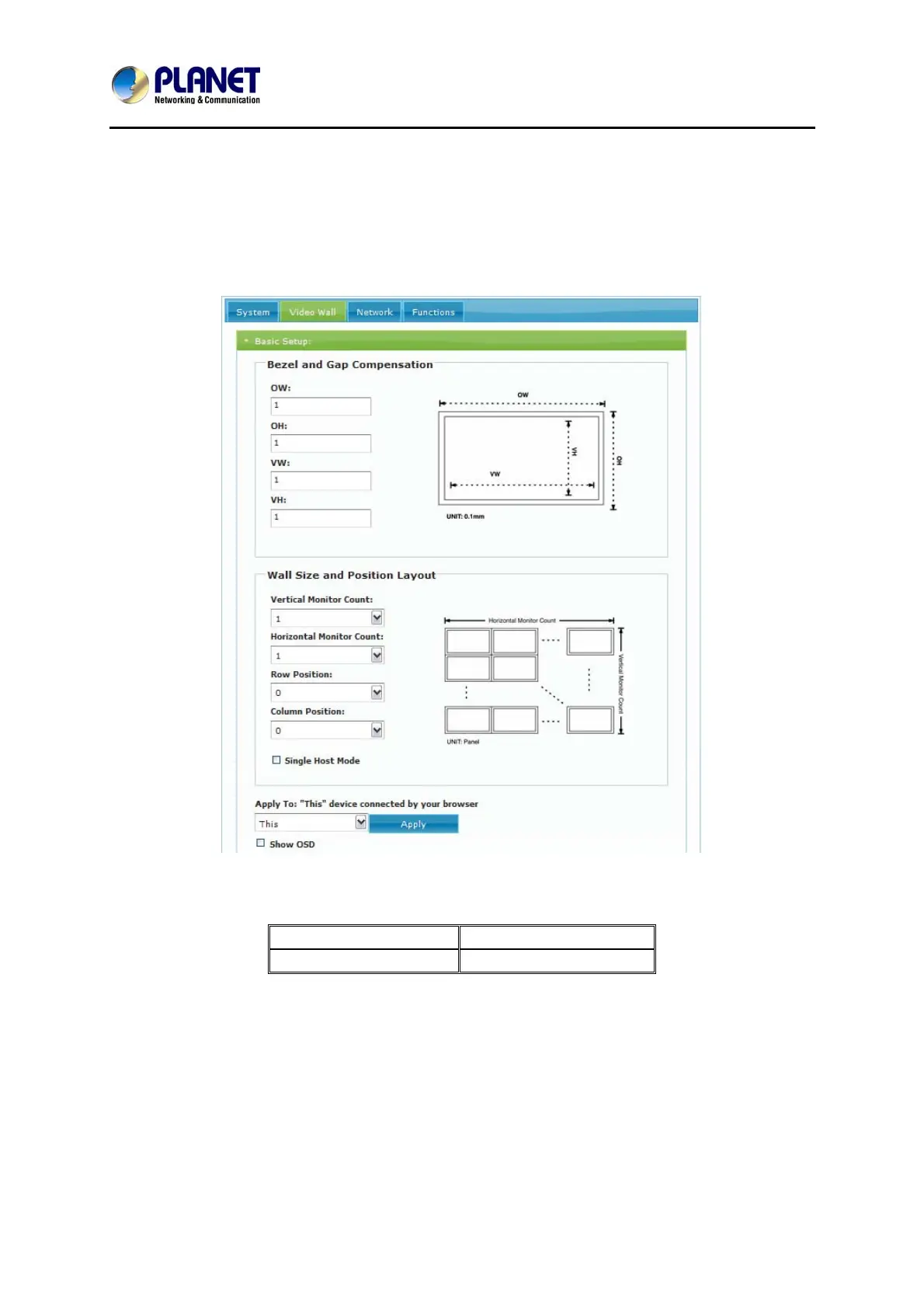
Click on Video Wall Setup tab for Basic Setup first.
1. Bezel and Gap Compensation:
OW = Outside Width OH = Outside Height
VW = View Width VH = View Height
Adjust dimensions (mm) for the monitors of video wall. If you don’t need this, just set
all values “OW=VW, OH=VH.” And please note that the unit is 0.1mm and the value
must be an integer.



 To Next Page