HDMI / Video Wall over IP with PoE
IHD-200PT / IHD-200PR
31
Step 3.
Apply To: Select one of the clients (OSD number) for the following setting.
Step 4
For all monitors setup; please follow the above steps 1 to 3.
After all settings are done, you can uncheck OSD item.
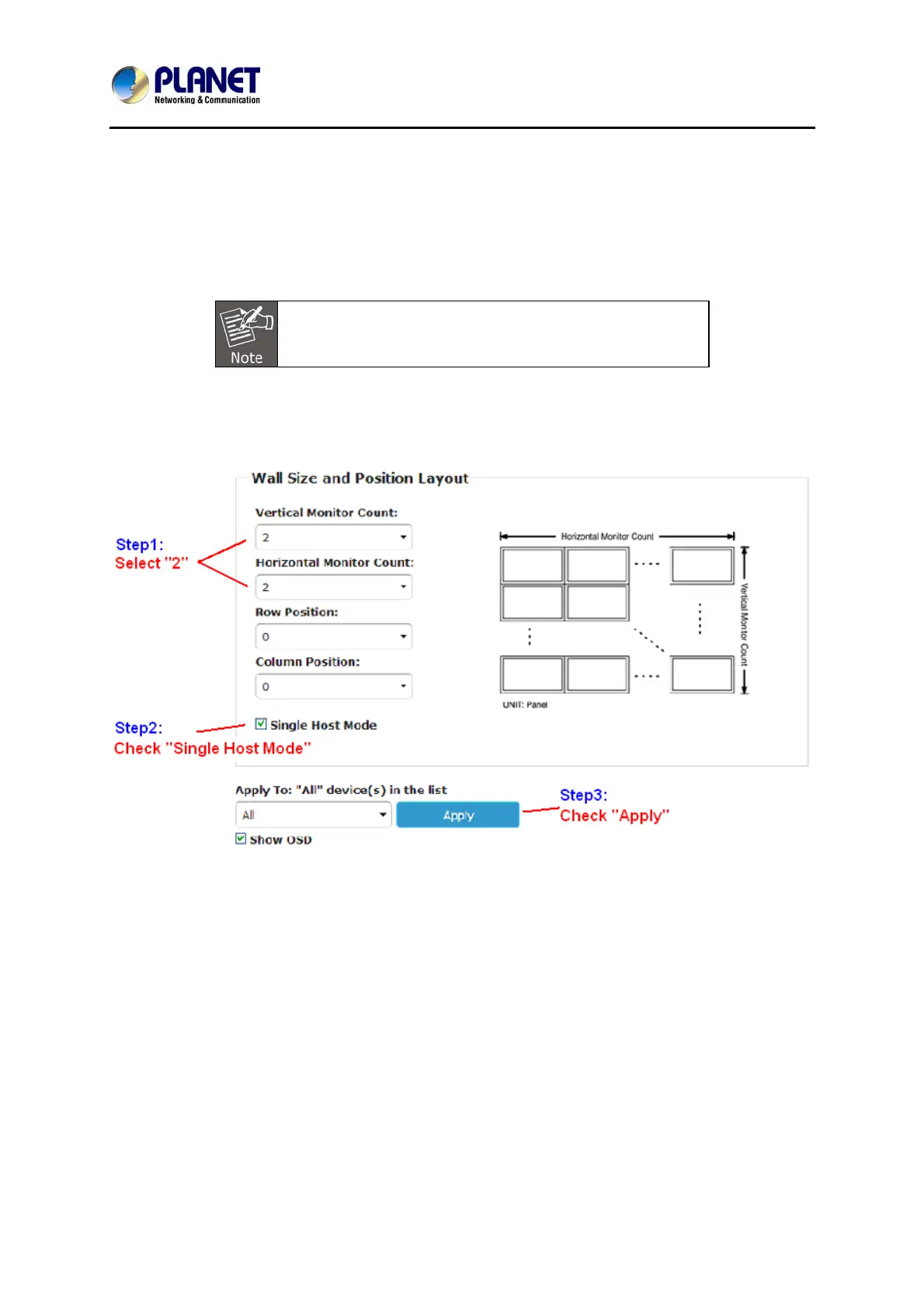
3. 2 x 2 video wall
Part 1: Wall Size and Position Layout
Part 2: Configuring row and column position for each display



 To Next Page