HDMI / Video Wall over IP with PoE
IHD-200PT / IHD-200PR
33
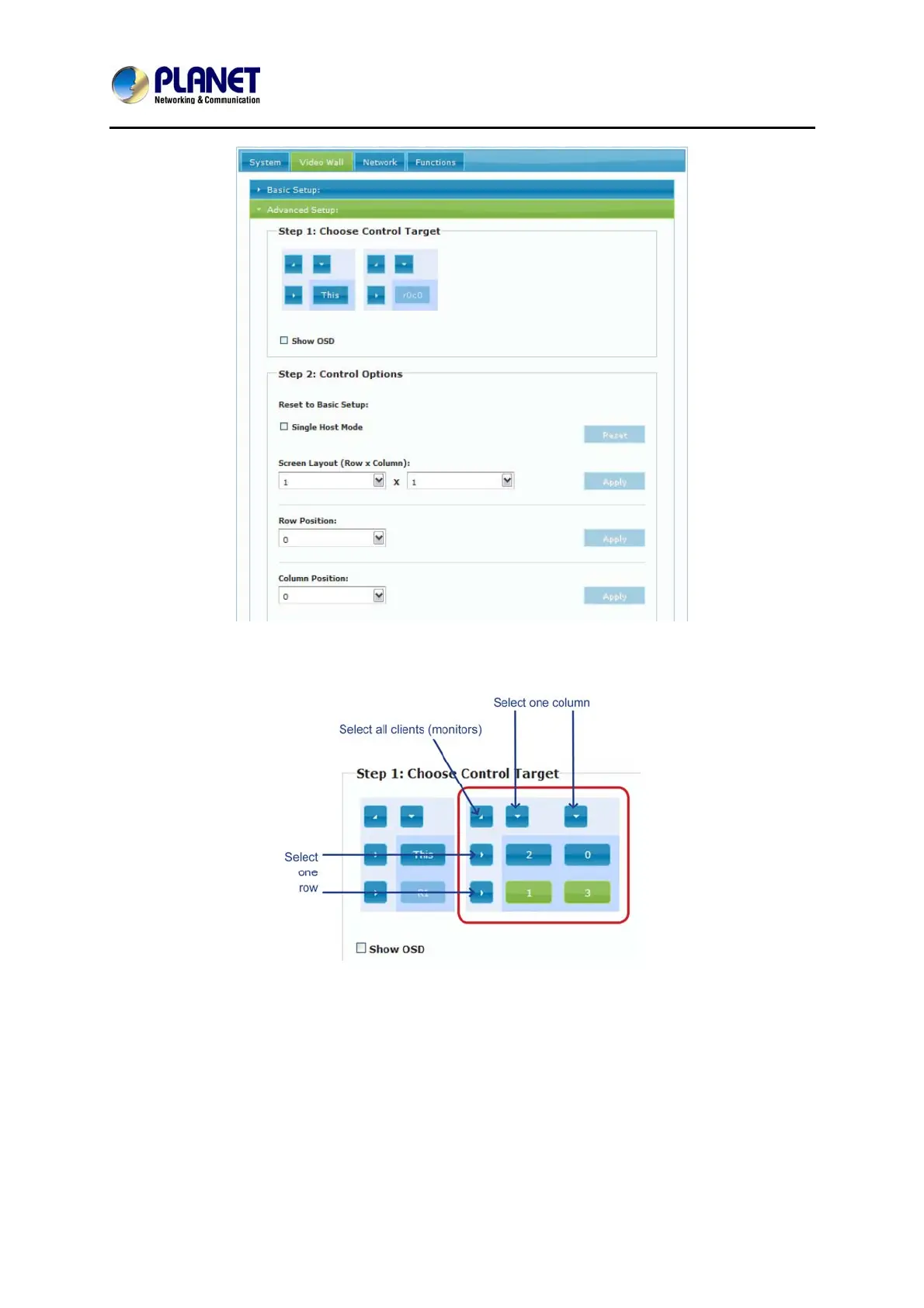
Step 1: Choose Control Target
Show OSD: Check this item and all monitors will show their number on the screen
Step 2: Control Options
Single Host Mode: Must check this item for single host application
Horizontal Scale Up & Vertical Scale Up: It is NOT suggested to configure these two
items for it may result in flickering images.



 To Next Page