HDMI / Video Wall over IP with PoE
IHD-200PT / IHD-200PR
44
Ast-gateway: It represents transmitter.
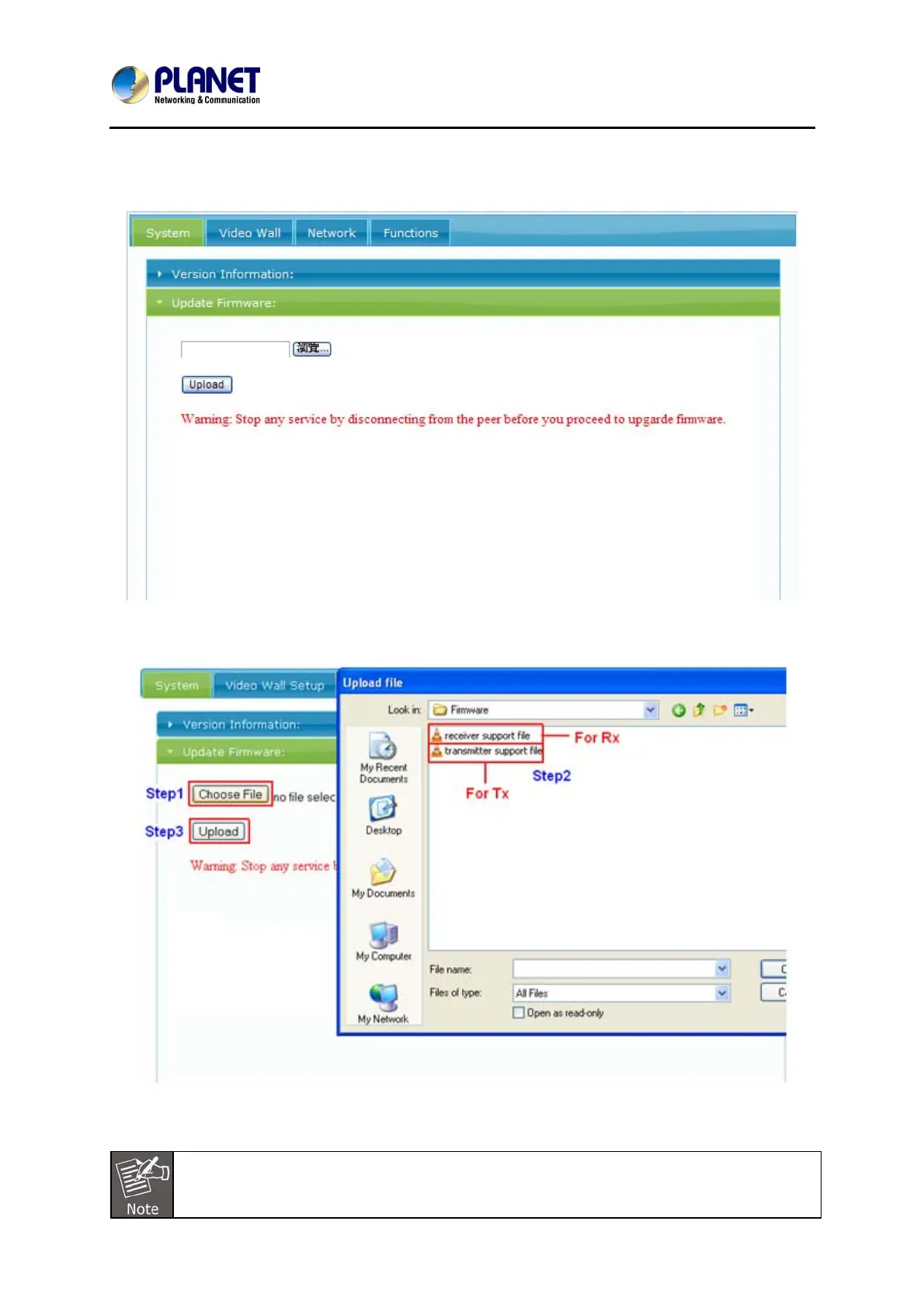
Step1: Getting to the Web UI System tab and then choose “Update Firmware”
Step2: Click “Choose File”, and then select the right firmware and final click ”Upload”.
There are two different kinds of firmware available: one for transmitter and the
other for receiver. The transmitter firmware must be uploaded to the transmitter
unit, and the receiver firmware must be uploaded to the receiver unit. Uploading the



 To Next Page