HDMI / Video Wall over IP with PoE
IHD-200PT / IHD-200PR
53
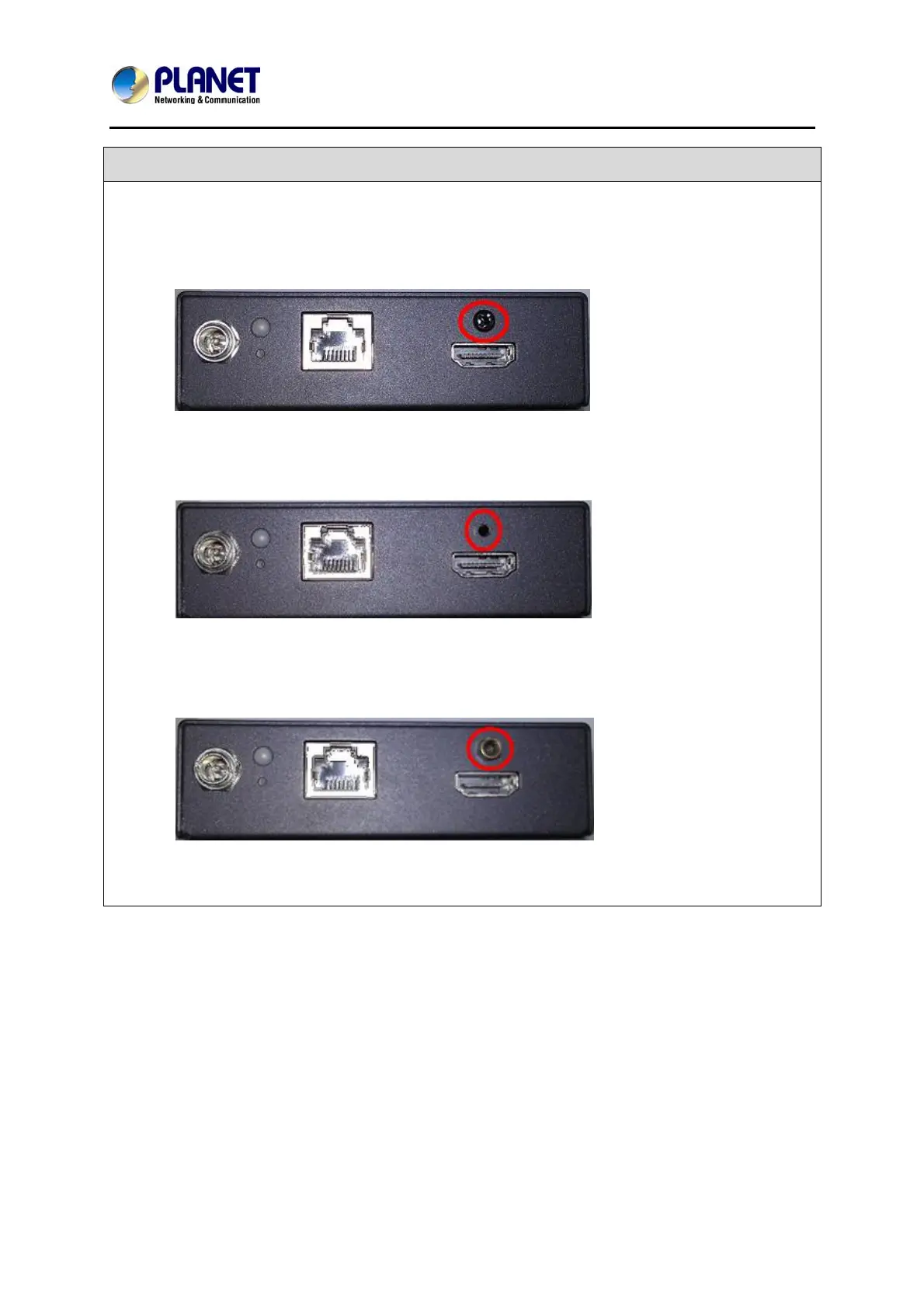
Q15: What is the function of the screw hole over the HDMI port?
A:
Please refer to the following picture.
Step 1: Unscrew the screw from the device.
Step 2: Then you will see the screw hole.
Step 3: Tighten the security screw onto the device.
Step 4: Plug in the HDMI cable and tighten the screw to secure.



 To Next Page