21
2.3.2 LRP-101UH Front Panel and Rear Panel
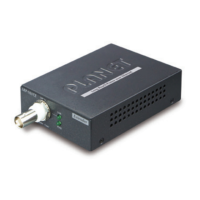
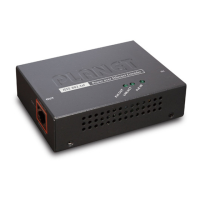
Figure 2-5 and Figure 2-6 show the front and rear panels of the
LRP-101UH Long Reach PoE over UTP Injector.
48~56V DC IN
LNK/ACTPoE IN
10/100BASE-TX
Long Reach PoE Injector - UTP
LRP-101UH
LRP OUT
LNK
PWR
Injector
The LRP interface is
allowed to connect to
LRP Extender only.
CAUTION
Figure 2-5: LRP-101UH Front Panel Figure 2-6: LRP-101UH Rear Panel
2.3.3 LRP-101UH LED Indicators
System
LED Color Function
PWR Green
Lit
Power ON: PoE+ / PoE power input from RJ45
PoE PD port
Power ON: 48~56V DC power input from DC
jack
Off Power Off
LRP UTP Interface
LED Color Function
LNK Green
Lit: indicates that the UTP link is established.
Off: indicates that the UTP link is down.
RJ45 10/100BASE-TX Interface
LED Color Function
PoE IN Amber
Lit: indicates the RJ45 port is receiving the PoE
Power.
LNK/
ACT
Green
Blink: indicates the extender is actively sending or
receiving data over that port.



 To Next Page