35
6.5.4 MAC File Service
This is function is used to work with Mac computer and compatible with Time Machine backup function, for
more information about Time Machine. If you need help, please refer to MacOs help or go on their website for
more information.
How to use this function:
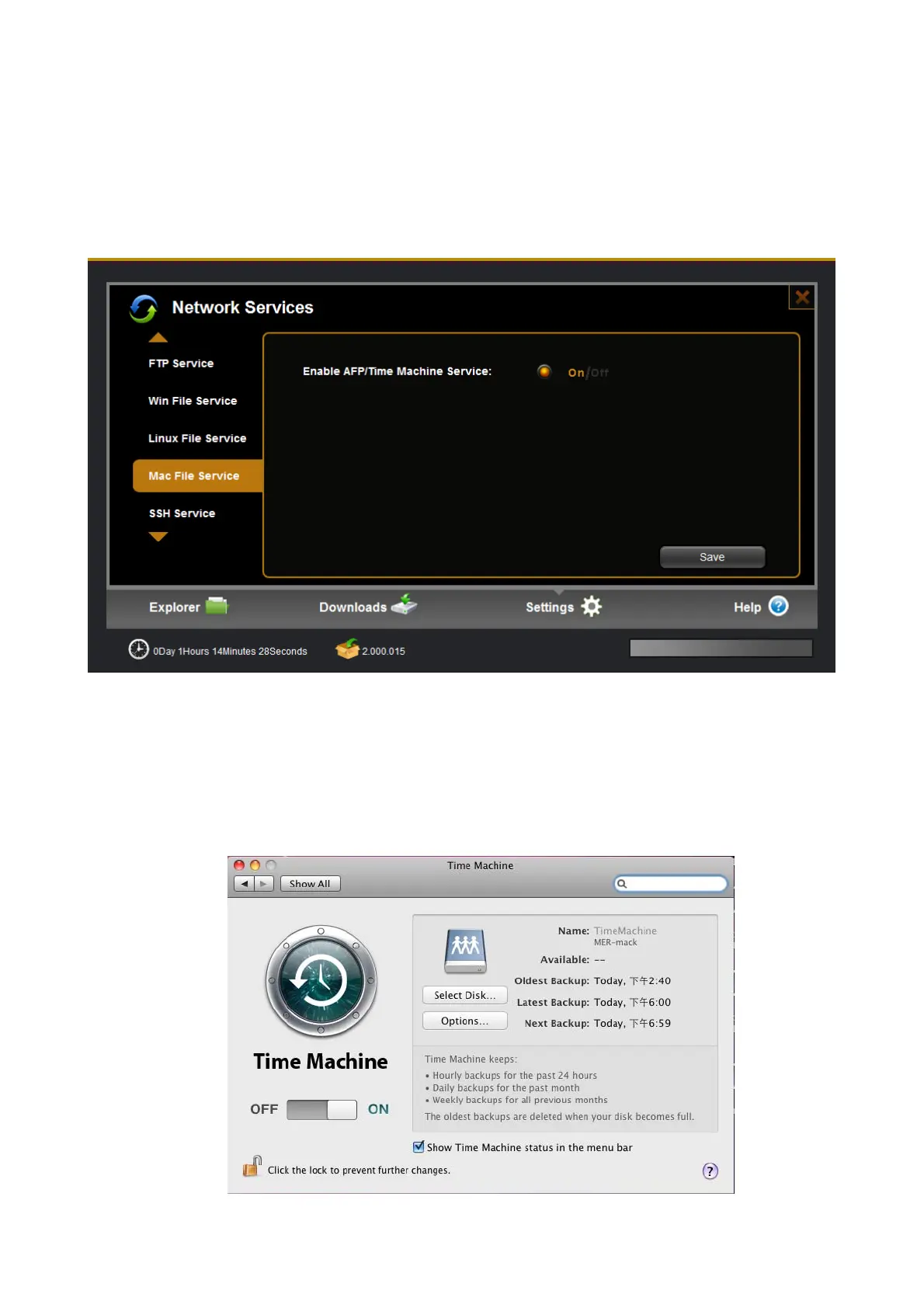
Enable this function in server---〉Mac file service on web
On MAC computer, go to system preference-ÆTime Machine, turn on the function and in “select disk”
option, select the NAS folder as the target, you need type the NAS account and password. Now it work
and then your backup data will be stored into NAS at Time Machine folder.


 To Next Page