3.2.2 Windows 7 - Use Windows 7 WLAN AutoConfig
WL eless
netwo reless network connection tool is similar to wireless zero configuration tool in
indows XP.
AN AutoConfig service is built-in in Windows 7 that can be used to detect and connect to wir
rk. This built-in wi
W
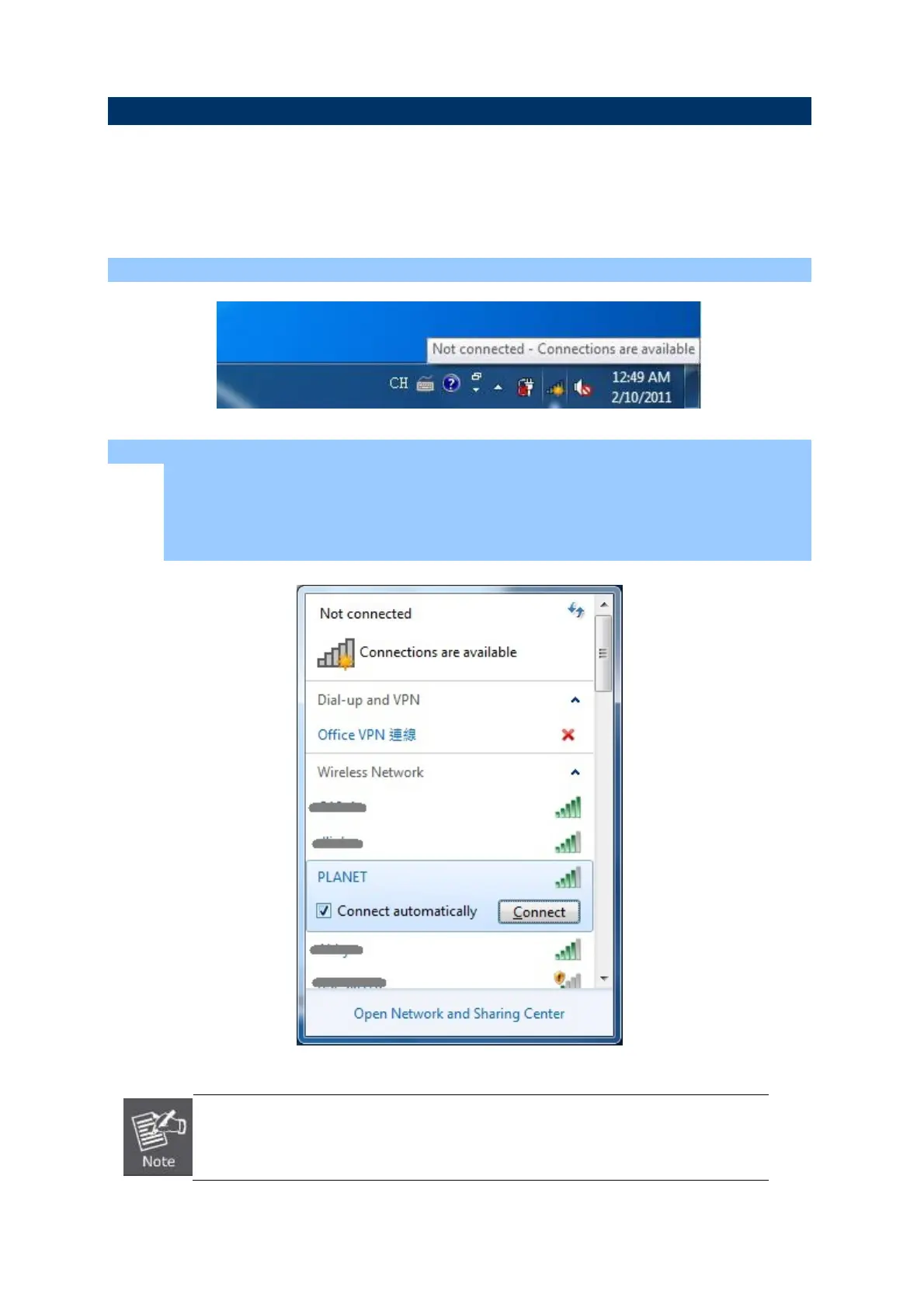
Step 1: Right-Click on the network icon displayed in the system tray
Step 2: Highlight and select the wireless network (SSID) to connect.
(1) All wireless access points in proximity will be displayed here. If the access point you want
to use is not displayed here, please try to move your computer closer to the a cess point, c
or you can click “Refresh network list” to rescan access points.
(2) Click the access point you want to use if it’s shown, then click “Connect”.
If you will be connecting to this Wireless Router in the future, checking [Connect
automatically].
32



 To Next Page