Chapter 4. PLANET USB WIRELESS LAN UTILITY
4.1 Connection Profile Management
If you need to connect to different wireless access points at different time, like access point at home,
office, cyber-cafe, or public wireless service, you can save the connection parameters (encryption,
passphrase, security, etc.) as profiles for every access point, so you don’t have to input these
parameters every time when you want to connect to the specific wireless access point.
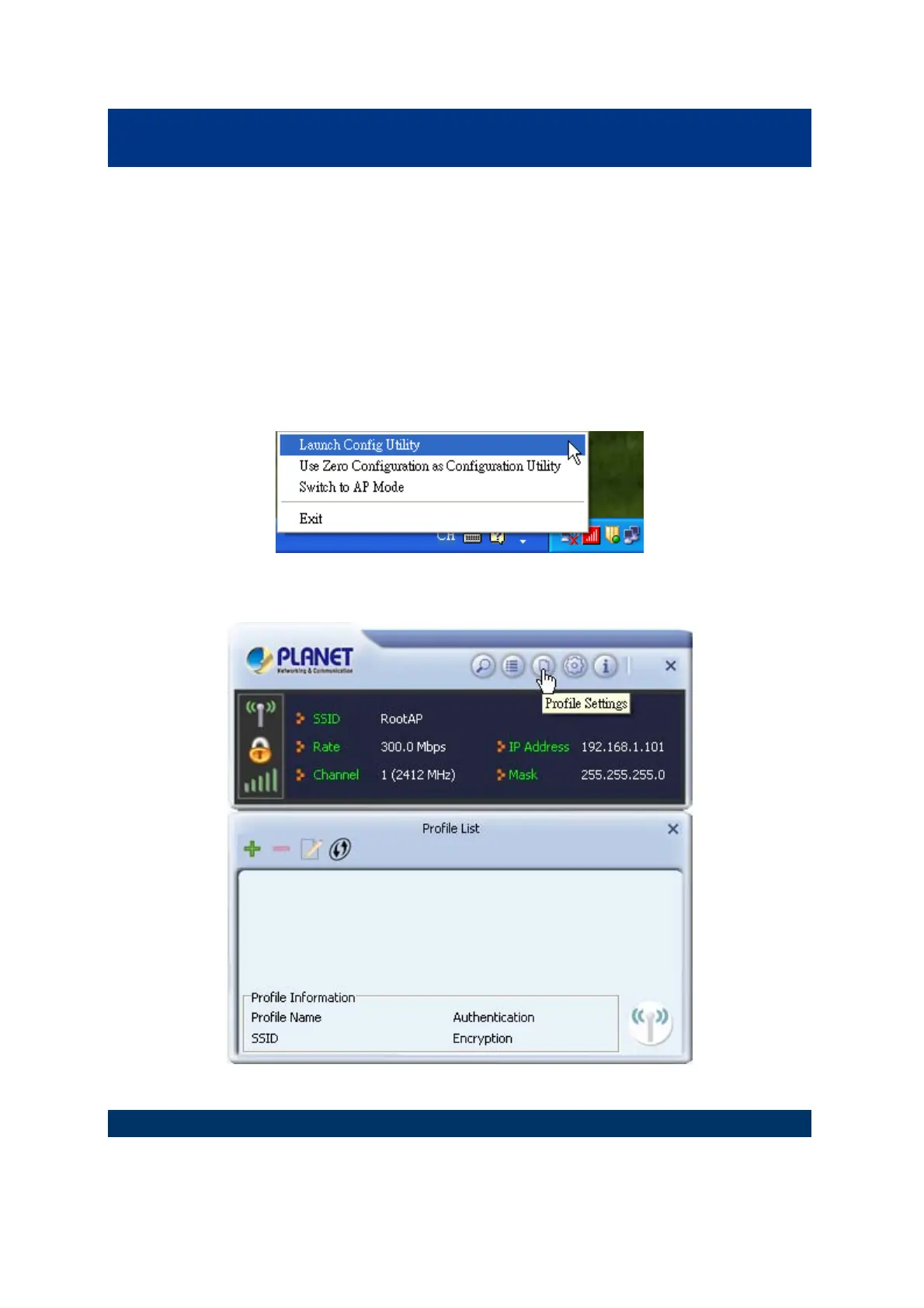
To manage profiles, right-click the PLANET wireless utility icon located at lower-right corner of the
screen, then click “Launch Config Utility”.
Click the “Profile Settings” button.
4.1.1 Add a new profile
You can setup the connection parameters for the specific wireless access point in advance. If you want
to create a new profile, click “Add” icon.
35



 To Next Page